
Skip to content
View in the app

A better way to browse. Learn more.

Ford Owners Club - Ford Forums

A full-screen app on your home screen with push notifications, badges and more.

To install this app on iOS and iPadOS
  1. Tap the Share icon in Safari
  2. Scroll the menu and tap Add to Home Screen.
  3. Tap Add in the top-right corner.
To install this app on Android
  1. Tap the 3-dot menu (⋮) in the top-right corner of the browser.
  2. Tap Add to Home screen or Install app.
  3. Confirm by tapping Install.


Join the Independent Ford Owners' Club

Our community has been built by enthusiasts, for enthusiasts, and proudly run by Ford owners' for over 18 years. As an independent, non-official club, everything you’ll find here, advice, support, and opinions, comes directly from members with genuine Ford ownership experience.

Join our friendly community... it's Free!


Software Update
Featured Replies

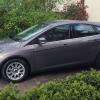
Just collected my focus 2011 1.6 TDCI from the garage to try and sort out the dreaded turbo lag and OMFG its like driving a new car.

Revving the t#ts off it to get of the line are gone,the fear of getting T boned at a roundabout are gone,the engine is ready to pounce at the blip of the throttle,i can't believe the change.

What the invoice said

"Carried out SBD found update,carried out PCM update,reset FRP sensor"

Total cost £75.00

I do not work for Fords or any other car related industry

Just a happy motorist


Good result!

How did you find out about the update? Would be interested to know if mine missed an update with a previous owner as it was serviced at specialists rather than main dealers...

Mind PCM updates would remove any MAPs youve applied inc DPF and EGR deleted, if you have any of them then you need to think about a plan.

  • Author

Mind PCM updates would remove any MAPs youve applied inc DPF and EGR deleted, if you have any of them then you need to think about a plan.

It was mention in a pevious post i was reading so i used the ford etis web site and it said that updates were available,and the garage did the rest.

Excuse my ignorance but I haven't a clue what all these anacyroms mean

Only had the car 3 months so its kinda out of the box.

PCM = Powertrain Control Module

DPF = Diesel Particulate Filter

EGR = Exhaust Gas Recirculation valve

FRP = Fuel Rail Pressure (I think)

Don't know SBD. I thought MAP was Manifold Absolute Pressure sensor but obviously not in the context Darren has used it.

Darren means map as in 'remap'...it shouldn't be in capitals lol.

I'm also not sure what SBD means...

Just checked ETIS for mine - Vehicle Software

Vehicle software information is not available for your selected vehicle. This information is currently available for Stage V and selected Stage IV emission vehicles.

:(

Yes, my apologies, got a bit carried away with acronyms! It's a Map i meaning, the edc16 ECU has about 50 for various things, installing a PCM update will wipe the whole thing, so any remaps or EGR deletes will be reverted back to stock, now the remap isn't the end of the world but putting back DPF or EGR if you have physically removed them might throw up some problems, then you will also need to get your car remapped.

Probably won't affect many folk but its worth remembering if you want to do it.

  • Author

Cheers guys for the replies always good to learn new stuff

My first trip out on the motorway at a steady 65\70 returned 63.6 MPG on a 120 mile trip

post-63628-0-03964800-1429864224_thumb.j

Latest Deals

Ford UK Shop for genuine Ford parts & accessories

Disclaimer: As the club is an eBay Partner, The club may be compensated if you make a purchase via the club

Join the conversation

You can post now and register later. If you have an account, sign in now to post with your account.
Note: Your post will require moderator approval before it will be visible.

Guest
Reply to this topic...

The "Digestive"


Background Picker
Customize Layout

Account

Navigation

Search

Search

Configure browser push notifications

Chrome (Android)
  1. Tap the lock icon next to the address bar.
  2. Tap Permissions → Notifications.
  3. Adjust your preference.
Chrome (Desktop)
  1. Click the padlock icon in the address bar.
  2. Select Site settings.
  3. Find Notifications and adjust your preference.
