
Skip to content
View in the app

A better way to browse. Learn more.

Ford Owners Club - Ford Forums

A full-screen app on your home screen with push notifications, badges and more.

To install this app on iOS and iPadOS
  1. Tap the Share icon in Safari
  2. Scroll the menu and tap Add to Home Screen.
  3. Tap Add in the top-right corner.
To install this app on Android
  1. Tap the 3-dot menu (⋮) in the top-right corner of the browser.
  2. Tap Add to Home screen or Install app.
  3. Confirm by tapping Install.


Join the Independent Ford Owners' Club

Our community has been built by enthusiasts, for enthusiasts, and proudly run by Ford owners' for over 18 years. As an independent, non-official club, everything you’ll find here, advice, support, and opinions, comes directly from members with genuine Ford ownership experience.

Join our friendly community... it's Free!


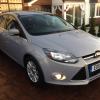
Mk3 Clutch Gone
Featured Replies

So Thursday evening I was driving home and all of a sudden I couldn't change gear. I had no choice but to pull over and get towed to the nearest garage. I have since been told my clutch has gone.

A few questions I have just to put my mind at ease. With the engine not running, a gear can be selected (E.g first or reverse) and once you turn the engine back on, you can move the car. Why does the gear box lock out as soon as the engine is running? Also, if the clutch has failed I wouldn't of thought the keyless start would work (You have to depress the clutch to start the car).

I have been quoted £510 by the garage, does this seem about right? What has to be done to replace the clutch on these cars? Unfortunatly the car has just turned 4 years old so definatly no warranty, wouldn't have expected it to fail so soon though and instantly without any signs it was about to fail. The car has only done 30,000 miles also..


What type of engine do you have? As far as I remember the clutch breaking down was a known problem on some versions of the 1.6 TDCI. Other engine type did not have this issue.

If I remember correctly there was a TSB about this problem on the 1.6 TDCI.

  • Author

Yes I have the 1.6 TDCI.

I've got a 1.6tdvi and I've already had one clutch fitted under warranty and the car only had 9000 on it when I bought it.

But I find you really have to slip it to pull away smoothly even with some revs applied and then when I change gear first to second I get a loud clonk but that's "normal" apparently!!!

Sent from my iPhone using Ford OC

The clutch problem of the 1.6 TDCI is described in TSB 04-2013. You could at least mention this TSB to your dealer.

If the actual clutch problem is related to the problems described in the TSB and the vehicle is maintained in accordance to Ford regulations there is a chance Ford performs the repair (partly) under warranty.

  • Author

Any ideas where I could find that TSB information? I will give it a go Monday but I don't hold out much hope with them lol.

Officially the Ford TSB's (Technical Service Bulletins) are not available to the public. These are for Ford dealers only.

However a large number of TSB's can be found online. TSB 04-2013 can be found on the following website:

https://forum.clubford.ro/download/file.php?id=160671

You have to create an account before you can view the TSB.

  • Author

Many thanks, I will see what Ford say tomorrow.

Just to answer your other questions, when the clutch fails you can't disengage the gearbox, this doesn't matter while the engine isn't moving so you can simply slip into/out of gear. But when it's idling and the crankshaft is spinning, you're trying to push something spinning at 1000rpm into something that isn't spinning at all so it'll either not move at all or make a nasty crunch!

As for the keyless go, the clutch down part only uses a sensor on the pedal, as long as the pedal is pressed it'll work, doesn't matter what's actually happening with the clutch itelf.

Good luck at Ford tomorrow. :)

Latest Deals

Ford UK Shop for genuine Ford parts & accessories

Disclaimer: As the club is an eBay Partner, The club may be compensated if you make a purchase via the club

Join the conversation

You can post now and register later. If you have an account, sign in now to post with your account.
Note: Your post will require moderator approval before it will be visible.

Guest
Reply to this topic...

The "Digestive"


Background Picker
Customize Layout

Account

Navigation

Search

Search

Configure browser push notifications

Chrome (Android)
  1. Tap the lock icon next to the address bar.
  2. Tap Permissions → Notifications.
  3. Adjust your preference.
Chrome (Desktop)
  1. Click the padlock icon in the address bar.
  2. Select Site settings.
  3. Find Notifications and adjust your preference.
