
Skip to content
View in the app

A better way to browse. Learn more.

Ford Owners Club - Ford Forums

A full-screen app on your home screen with push notifications, badges and more.

To install this app on iOS and iPadOS
  1. Tap the Share icon in Safari
  2. Scroll the menu and tap Add to Home Screen.
  3. Tap Add in the top-right corner.
To install this app on Android
  1. Tap the 3-dot menu (⋮) in the top-right corner of the browser.
  2. Tap Add to Home screen or Install app.
  3. Confirm by tapping Install.


Join the Independent Ford Owners' Club

Our community has been built by enthusiasts, for enthusiasts, and proudly run by Ford owners' for over 18 years. As an independent, non-official club, everything you’ll find here, advice, support, and opinions, comes directly from members with genuine Ford ownership experience.

Join our friendly community... it's Free!


Greetings From A New Member
Featured Replies

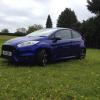
Hi all, just dropping a line to say hello. Finally decided to join a forum, after owning a focus st170 for the last 13yrs, just traded it in for a new fists St, was doing some research on it and came across this forum and thought it could be quite a handy thing to be part of. So anyway this is me saying hello, oh yeah and my name is Pete, and my forum name is because I own a gsxr 1000 super bike too, pretty much into anything if it's motorised...thanks for reading this and hope to make a few more friends here 👍


Hello & welcome!

Hi welcome :)

Hi My name is Frank, I drive a ford fucus sport 2009 model, 1.6 tdii which I have now owned for 6 months,my forum name is chippyfrank, I live both in Rochdale & the Costa del Sol Spain.

Hi welcome :)

Welcome to the site Pete!

Talk about hijacking someone else's thread Frank!:lol:

Welcome to the site lol!

  • Author

I had to have a little watch of the how to section to figure out how to put a post up, lol, no harm no foul! But welcome to the site Frank....

Latest Deals

Ford UK Shop for genuine Ford parts & accessories

Disclaimer: As the club is an eBay Partner, The club may be compensated if you make a purchase via the club

Join the conversation

You can post now and register later. If you have an account, sign in now to post with your account.

Guest
Reply to this topic...

The "Digestive"


Background Picker
Customize Layout

Account

Navigation

Search

Search

Configure browser push notifications

Chrome (Android)
  1. Tap the lock icon next to the address bar.
  2. Tap Permissions → Notifications.
  3. Adjust your preference.
Chrome (Desktop)
  1. Click the padlock icon in the address bar.
  2. Select Site settings.
  3. Find Notifications and adjust your preference.
