
Skip to content
View in the app

A better way to browse. Learn more.

Ford Owners Club - Ford Forums

A full-screen app on your home screen with push notifications, badges and more.

To install this app on iOS and iPadOS
  1. Tap the Share icon in Safari
  2. Scroll the menu and tap Add to Home Screen.
  3. Tap Add in the top-right corner.
To install this app on Android
  1. Tap the 3-dot menu (⋮) in the top-right corner of the browser.
  2. Tap Add to Home screen or Install app.
  3. Confirm by tapping Install.


Join the Independent Ford Owners' Club

Our community has been built by enthusiasts, for enthusiasts, and proudly run by Ford owners' for over 18 years. As an independent, non-official club, everything you’ll find here, advice, support, and opinions, comes directly from members with genuine Ford ownership experience.

Join our friendly community... it's Free!


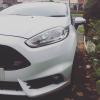
Fiesta St Attempted Theft - Birmingham
Featured Replies

Hi literally just joined this today after some lowlife tried to take my FiST in the night.

Would highly recommend anyone with a Fiesta ST in Birmingham to get some kind of OBD lock or other mechanical deterant to stop them being taken. A few in the area have gone over the past few months so cant be too careful!

Luckily I still have the car so its only a small excess on the insurance but again would highly suggest to lock it up until services etc. Could be the difference between waking up with a smashed window or no car at all!


Removing the OBD port fuse may help

  • Author

Yeah I've seen a few suggest that but have to agree with saying a mechanical deterrent is one of the best solutions. Only had the car 2 weeks aswell!

Do both

Good to hear they didn't succeed in taking your car. What had they actually done to the car when you found it, or did you catch them in the act?

  • Author

Just smashed the window clean through and had ripped the OBD port open and had tried to remove it from the box I installed but that was it thankfully.

No didnt catch them in the act unfortunatley, just discovered it in the morning as I left the house! I think the worse feeling is the paranoia of leaving it outside the house from now on. Going to beef up the security with a steering lock and a bollard/something similar at the bottom of the drive to hopefully deter others from trying it in future!

  • Author

In all honesty I have no idea, no one in my house (I sleep like a log) or my neighbours heard anything which is odd but surely if the windows been hit with enough force it should go off? Tested the alarm a few times when i had it and thought it was pretty sensitive to movement while inside the car etc?

Suppose I have to look on the bright side that I still have my car!

There are known blindspots on the Fiesta's movement sensors, so a possibility it didn't go off...

That is why moving or securing the OBD port is so effective as if they can't get to it easily, they often will not try further so as not to set off the alarm.

  • Author

Oh right fair enough wasnt aware of that! Defeats the objective of having an upgraded alarm from standard doesnt it really aha.

I'm hoping a steering lock etc would just give them the idea that its just not worth the hassle.

Have to say these forums are really good btw! Had been on them before a few times looking for mod ideas but never really thought to sign up, glad I did!

removing the OBD Is the best answer, and moving it elsewhere, you were lucky you only have to pay a window excess at the end of the day!

  • Author

Thats it mate trying to look on the bright side! At least a new window has stopped my deflector from rattling like mad when the window is anything but open or closed!

Just trying to get the message out there that its best to take that precaution with the OBD port, could save your car

Latest Deals

Ford UK Shop for genuine Ford parts & accessories

Disclaimer: As the club is an eBay Partner, The club may be compensated if you make a purchase via the club

Join the conversation

You can post now and register later. If you have an account, sign in now to post with your account.

Guest
Reply to this topic...

The "Digestive"


Background Picker
Customize Layout

Account

Navigation

Search

Search

Configure browser push notifications

Chrome (Android)
  1. Tap the lock icon next to the address bar.
  2. Tap Permissions → Notifications.
  3. Adjust your preference.
Chrome (Desktop)
  1. Click the padlock icon in the address bar.
  2. Select Site settings.
  3. Find Notifications and adjust your preference.
