
Skip to content
View in the app

A better way to browse. Learn more.

Ford Owners Club - Ford Forums

A full-screen app on your home screen with push notifications, badges and more.

To install this app on iOS and iPadOS
  1. Tap the Share icon in Safari
  2. Scroll the menu and tap Add to Home Screen.
  3. Tap Add in the top-right corner.
To install this app on Android
  1. Tap the 3-dot menu (⋮) in the top-right corner of the browser.
  2. Tap Add to Home screen or Install app.
  3. Confirm by tapping Install.


Join the Independent Ford Owners' Club

Our community has been built by enthusiasts, for enthusiasts, and proudly run by Ford owners' for over 18 years. As an independent, non-official club, everything you’ll find here, advice, support, and opinions, comes directly from members with genuine Ford ownership experience.

Join our friendly community... it's Free!


Front Fog/driving Light & Heated Screen?
Featured Replies

just taken delivery of a 2010 fiesta 1.6tdci titanium, love the car drives well. just one or two dilemmas.

1, can't find or see a switch for the front foglight/drivers light? theres one for the rear but just can't find it tried all switched but nothing illuminates them, they are fitted just in case someone says.

2, the front heated screen, does it work only with the press of the right button or should climate be on as the screen looks like it not clearing?

please help a newbie?

Solved by mikehorne


Don't you have to pull out the headlamp switch to activate the front fogs ?

Heated front screen should only work with the appropriate button activated & possibly the engine running too

  • Author

dunno? i have tried it but nothing seems to happen i don't want to yank it to much?

The switch should easily click out / in - if in fact it does

Have you checked the foglamp fuses(s) ?

A picture of the headlamp switch area would be useful

The front fog switch should be to the left of your light switch. If not then pull out (but i'm pretty certain thats older models)

Your heated screen may be broken (from a stone chipping or anything) so i'd get it checked out. Best way to see if it's working, bring a bowl of hot water into the car place it near the window (it should mist up) then turn on heated screen, should clear it pretty quickly.

no knob pulling required, either side of the main switch should be 2 buttons, one is rear fog , other front fog, ignon, and side or headlights on then press button,no different to rear fog

  • Author

switches I've got are.... (headlight levelling) ... (normal controls incl auto) ... (rear fog) and thats it. there are fog lights fitted?

no knob pulling required,

Ha ha . . . . :)

  • Author

here is a photo...

post-70681-0-63321400-1450725495_thumb.j

here is a photo...

It appears that there is no front foglamp switch ?

  • Author

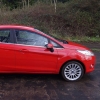
...and a side view with the fog light

post-70681-0-53241800-1450725722_thumb.j

Press the headlight levelling button.

  • Author

YAHOOOOOOOOOOOOOOO Thanks mgaking

we got there eventually

  • Author

NICE impressive responses.... coming over from the Mazda3 forum and the wait on there was really SSLLLOOWWWWW really amazed at the Fiesty Fiesta......

Isn't it fairly obvious it is that button, considering it has a picture on it ;)

  • Author
  • Solution

it is now..... :wacko:

Latest Deals

Ford UK Shop for genuine Ford parts & accessories

Disclaimer: As the club is an eBay Partner, The club may be compensated if you make a purchase via the club

Join the conversation

You can post now and register later. If you have an account, sign in now to post with your account.
Note: Your post will require moderator approval before it will be visible.

Guest
Reply to this topic...

The "Digestive"


Background Picker
Customize Layout

Account

Navigation

Search

Search

Configure browser push notifications

Chrome (Android)
  1. Tap the lock icon next to the address bar.
  2. Tap Permissions → Notifications.
  3. Adjust your preference.
Chrome (Desktop)
  1. Click the padlock icon in the address bar.
  2. Select Site settings.
  3. Find Notifications and adjust your preference.
