
Skip to content
View in the app

A better way to browse. Learn more.

Ford Owners Club - Ford Forums

A full-screen app on your home screen with push notifications, badges and more.

To install this app on iOS and iPadOS
  1. Tap the Share icon in Safari
  2. Scroll the menu and tap Add to Home Screen.
  3. Tap Add in the top-right corner.
To install this app on Android
  1. Tap the 3-dot menu (⋮) in the top-right corner of the browser.
  2. Tap Add to Home screen or Install app.
  3. Confirm by tapping Install.


Join the Independent Ford Owners' Club

Our community has been built by enthusiasts, for enthusiasts, and proudly run by Ford owners' for over 18 years. As an independent, non-official club, everything you’ll find here, advice, support, and opinions, comes directly from members with genuine Ford ownership experience.

Join our friendly community... it's Free!


Will this replacement be suitable for my 1.0 ZS ecoboost?
Featured Replies

I've been scouring the forums, struggling to find an applicable answer.

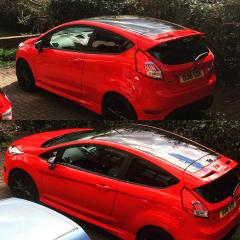
Will these bulbs be suitable to replace my stock headlight, fogs or full beam bulbs, in my 140bhp 1.0 ecoboost (2016) Zetec S Red Edition?


https://www.ebay.co.uk/itm/361708173080 

If not, can anyone please link me to white LED style replacement headlights, fog lights etc for my specific car.

Cheers


2 hours ago, xNoyce said:

I've been scouring the forums, struggling to find an applicable answer.

Will these bulbs be suitable to replace my stock headlight, fogs or full beam bulbs, in my 140bhp 1.0 ecoboost (2016) Zetec S Red Edition?


https://www.ebay.co.uk/itm/361708173080 

If not, can anyone please link me to white LED style replacement headlights, fog lights etc for my specific car.

Cheers

Listing removed so can't tell!

Everything is here for you mate. Brilliant bulbs and great customer service. Let me know if you need any help!

https://www.autobeam.co.uk/fiesta-mk7-5

Your full beam bulb will be a H1.

Use my code 'TBIS10' for 10% off as well :smile:

  • Author

Try this link,

https://www.ebay.co.uk/itm/131763783207 


Would these work?

Link doesn't work again.

Have a look at this:

Fiesta Mk7 (08>)

Dipped Beam - 499 H7 Headlight Bulbs

Main Beam - 448 H1 Headlight Bulbs

Front Fog - 711 H11 Headlight Bulbs

Side Light - 501 Capless

Front Indicator - 581 Bayonet Indicator Bulb

Rear Indicator - 581 Bayonet Indicator Bulb

Rear Back Light - 380 Double Contact

Brake Light - 380 Double Contact

Rear Fog - 382 Single Contact

Reverse Light - 955 W16W

Number Plate - 501 Capless

Interior Light - 501 Capless

  • Author
1 hour ago, Tom-B64 said:

Link doesn't work again.

Have a look at this:

Fiesta Mk7 (08>)

Dipped Beam - 499 H7 Headlight Bulbs

Main Beam - 448 H1 Headlight Bulbs

Front Fog - 711 H11 Headlight Bulbs

Thank you for that.

For the above three bulbs, can you advise on watts.. Lots of different listing provide different watts for the LED bulbs. And I want them to still be effective and bright. 

the wattage of a halogen bulb is not directly comparable to the wattage of a led lamp , not in an electrical sense anyway.

what you need to check is the lumens , which more accurately gauges the light output for any given type of bulb

for example as a guide - to replace a bog standard 55w halogen full / main beam lamp with a led lamp that has the same or better output , i'd be looking for at least 8000 lumens from the led.......

  • Author

Philips WhiteVision H1 (full beam) and WhiteVision H7 (dipped beam).

Can anyone confirm these will fit the Mk7.5 fiesta?

https://www.powerbulbs.com/product/philips-whitevision-h7-twin

https://www.powerbulbs.com/product/philips-whitevision-h1-twin

11 hours ago, xNoyce said:

Can anyone confirm these will fit the Mk7.5 fiesta?

as long as you get H1 and a H7 you'll be fine

Latest Deals

Ford UK Shop for genuine Ford parts & accessories

Disclaimer: As the club is an eBay Partner, The club may be compensated if you make a purchase via the club

Join the conversation

You can post now and register later. If you have an account, sign in now to post with your account.
Note: Your post will require moderator approval before it will be visible.

Guest
Reply to this topic...

The "Digestive"


Background Picker
Customize Layout

Account

Navigation

Search

Search

Configure browser push notifications

Chrome (Android)
  1. Tap the lock icon next to the address bar.
  2. Tap Permissions → Notifications.
  3. Adjust your preference.
Chrome (Desktop)
  1. Click the padlock icon in the address bar.
  2. Select Site settings.
  3. Find Notifications and adjust your preference.
