
Skip to content
View in the app

A better way to browse. Learn more.

Ford Owners Club - Ford Forums

A full-screen app on your home screen with push notifications, badges and more.

To install this app on iOS and iPadOS
  1. Tap the Share icon in Safari
  2. Scroll the menu and tap Add to Home Screen.
  3. Tap Add in the top-right corner.
To install this app on Android
  1. Tap the 3-dot menu (⋮) in the top-right corner of the browser.
  2. Tap Add to Home screen or Install app.
  3. Confirm by tapping Install.


Join the Independent Ford Owners' Club

Our community has been built by enthusiasts, for enthusiasts, and proudly run by Ford owners' for over 18 years. As an independent, non-official club, everything you’ll find here, advice, support, and opinions, comes directly from members with genuine Ford ownership experience.

Join our friendly community... it's Free!


Which Stage 1 Map?
Featured Replies

Hi All

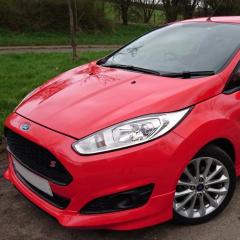
I've had my 2014 Fiesta Zetec S for a month now and loving it so far. Although I'm itching for a stage 1 map already, something to boost my 125 BHP up a bit but I'm not sure which one to get.

I've narrowed it down to two options;

The bluefin ECO chip -

http://www.mybluefin.co.uk/search?make=9&fueltype=3&model=1&variant=2870 

Or the mTune135 upgrade with ECO map and panel filter -

https://www.mountunestore.com/products/fiesta-b299fox-mtune-135-power-upgrade?variant=947773533 


Has anybody had experience with either map? Thanks.

panel filter

DSC_0139_blankplate.jpg


I'd go with anyone that's proven and does custom maps. Don't go with generic maps

Don't bother with either. The blufin commonly has running issues and causes limp mode, which will lead to them sending you multiple replacement maps and still not sorting it 


The Mountune map isn't a massive improvement power wise and is extremely overpriced. 


Stay well away from AETmotorsport as their customer service is ridiculously bad, their stage 1 caused me running issues and their stage 2 map melted piston one on my car. They buy their maps in too 


Revo have brilliant customer service, offer a switchable map with the SPS module and have some good smooth curves. They spent over 11months and 30k miles testing and developing on the 1.0. 

Puma speed have good smooth curves and have hit over 220bhp from the 1.0. Their customer service is good but slow to respond 

bluefin got the map right for the focus 100hp , seems strange that they have issues with fiesta. 

been on my car since oct 14 and still runs fine.

  • Author
26 minutes ago, GingerFlame said:

Don't bother with either. The blufin commonly has running issues and causes limp mode, which will lead to them sending you multiple replacement maps and still not sorting it 


The Mountune map isn't a massive improvement power wise and is extremely overpriced. 


Stay well away from AETmotorsport as their customer service is ridiculously bad, their stage 1 caused me running issues and their stage 2 map melted piston one on my car. They buy their maps in too 


Revo have brilliant customer service, offer a switchable map with the SPS module and have some good smooth curves. They spent over 11months and 30k miles testing and developing on the 1.0. 

Puma speed have good smooth curves and have hit over 220bhp from the 1.0. Their customer service is good but slow to respond 

Thanks Kieran that's a great help.


Would you recommend something like this from Revo then?

http://www.revotechnik.com/product-details/software/ford/fiesta-mk7-2008-/216/stage-1/ 


  • Author
29 minutes ago, Mitchell Rogers said:

I'd go with anyone that's proven and does custom maps. Don't go with generic maps

Ah right, I didn't know there was a difference

As stated, Mountune 135/165 pricey. No plans for a stage 2. :huh:

Revo are great, good power 180bhp on stage 2 :cool:

Bluefin, never had no problems on mine with good power delivery from standard. Changed to Mountune 6 months later.

Pumaspeed good maps, Can't comment on customer service yet but booked in for the 205+ map and billet turbo in May.


1 hour ago, Mitchell Rogers said:

I'd go with anyone that's proven and does custom maps. Don't go with generic maps

What's wrong with going for a map that's been written, tested and proven over time on many cars?

I've had Bluefin on my car for over 6 months with no problems. The advantage over Mountune is that it is removable for service or sale. If I had to go again though I'd go for Revo as it's also removable, reportedly smoother power delivery and has an upgrade path to stage 2 and 3

Been really pleased with the Collins Performance map on my ST. I've found their customer service to be good too, always quick to reply and helpful.

They also have a map available for your car so it's worth considering. http://collinsperformance.com/shop/ford/ford-performance-parts/fiesta-1-0-ecoboost/fiesta-1-0-ecoboost-cp-level-1-package/


58cd2d9650939_17230265_1392691400795035_241788909_o(1).thumb.jpg.ac80dab9a08c16c35286642b3eacc6c8.jpg

I agree 100% of what Kieran has said and Mark also 

Custom maps are not as custom as you think they by the map in and alter it to make it custom and most dont have a dyno either had a few ppl going to well known custom mappers coming back to revo due to the custom map not being as good as you think ...... after they went to dyno  


the bluefin does have issues myself and a few others agreed to be same thing as Kieran said they will issue with maps that won't work I had this and went to revo plus a think bluefin torque was too low as a think its what broke my synchro as I sont rally my car ever...........


I went to revo and had stage 1 the graph is a little wobbly but it smoothed out as car got used to fuel etc 


58cd2d9824940_17237097_1470447339663063_1379609508_o(1).thumb.png.397781545a893741039f84b4613de63b.png

  • Author
58 minutes ago, Paramanic said:


58cd2d9650939_17230265_1392691400795035_241788909_o(1).thumb.jpg.ac80dab9a08c16c35286642b3eacc6c8.jpg

I agree 100% of what Kieran has said and Mark also 

Custom maps are not as custom as you think they by the map in and alter it to make it custom and most dont have a dyno either had a few ppl going to well known custom mappers coming back to revo due to the custom map not being as good as you think ...... after they went to dyno  


the bluefin does have issues myself and a few others agreed to be same thing as Kieran said they will issue with maps that won't work I had this and went to revo plus a think bluefin torque was too low as a think its what broke my synchro as I sont rally my car ever...........


I went to revo and had stage 1 the graph is a little wobbly but it smoothed out as car got used to fuel etc 


58cd2d9824940_17237097_1470447339663063_1379609508_o(1).thumb.png.397781545a893741039f84b4613de63b.png

James, just been reading your car thread and wow what a transformation! Great car! 

Thanks for the info, looks like I'll be getting a Revo MAP :)

@kasajack thanks buddy 👌

update: another 1.0 owner (that's 3 now) has reported a melted piston courtesy of AET motorsport. Avoid like the plague 

Well this thread has drastically changed my plans for my car!! Does the Revo map have the same reputation for the Red/Black edition 140PS models as it does for the 125PS?


Sent from my iPad using Ford OC

The revo map has just as good of a reputation on the 140ps. The 140ps actually has a different headgasket and compression ratio to the 125ps hence will be marginally safer running the map 

I can concur with Kieran ( @GingerFlame ) that 3 people have had issues with map 2 melted pistons and a goosed turbo what other problems with that one still to arise ....

Yeah the 140ps is slightly better at mapping with the improved  head gasket and gear ratios :) 


Latest Deals

Ford UK Shop for genuine Ford parts & accessories

Disclaimer: As the club is an eBay Partner, The club may be compensated if you make a purchase via the club

Join the conversation

You can post now and register later. If you have an account, sign in now to post with your account.
Note: Your post will require moderator approval before it will be visible.

Guest
Reply to this topic...

The "Digestive"


Background Picker
Customize Layout

Account

Navigation

Search

Search

Configure browser push notifications

Chrome (Android)
  1. Tap the lock icon next to the address bar.
  2. Tap Permissions → Notifications.
  3. Adjust your preference.
Chrome (Desktop)
  1. Click the padlock icon in the address bar.
  2. Select Site settings.
  3. Find Notifications and adjust your preference.
