
Skip to content
View in the app

A better way to browse. Learn more.

Ford Owners Club - Ford Forums

A full-screen app on your home screen with push notifications, badges and more.

To install this app on iOS and iPadOS
  1. Tap the Share icon in Safari
  2. Scroll the menu and tap Add to Home Screen.
  3. Tap Add in the top-right corner.
To install this app on Android
  1. Tap the 3-dot menu (⋮) in the top-right corner of the browser.
  2. Tap Add to Home screen or Install app.
  3. Confirm by tapping Install.


Join the Independent Ford Owners' Club

Our community has been built by enthusiasts, for enthusiasts, and proudly run by Ford owners' for over 18 years. As an independent, non-official club, everything you’ll find here, advice, support, and opinions, comes directly from members with genuine Ford ownership experience.

Join our friendly community... it's Free!


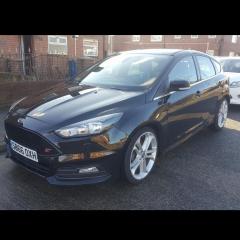
Cruise control retrefit
Featured Replies

Ive managed to snag a cruise steering wheel (fitted already) all lights up and ive been in to forscan to enable  "with cruise control" and "with ASL".

Only issue is the controls still dont repsond, the rest of the steering wheel controls work (volume, voice etc) i just cant seem to get the CC to activate

Anyone had any issue's and found out what caused it?


Cheers


What module did you have to code to enable the CC? Do you also have to run the service? When I fitted the reverse camera you had to run/enable the service before it would work, before doing that the screen would change to the camera input but the picture did not show, perhaps it’s the same with CC, the lights show up but without running the service the buttons don’t work? I don’t actually know if there is a service to run though lol

  • Author

i enabled cruise and ASL through the BCM, i heard you had to initialize the abs afterwards so i tried that as well, but no dice.

im going to pull the airbag again and check the squib connection to see if its missing any pins, seems as though ford have gone back to the old school way of having different looms for cars to stop people just upgrading themselves

Just changing the Central Car Configuration is not enough to activate Cruise Control on most later MK3.5 models. On these vehicles it is also necessary to reprogram the PCM and in some cases also the BCM. 


  • Author

ah, i best get the laptop charged again and have another root around in the PCM module then?

The free FoCCCus and Forscan programs do not have the ability to do this. These programs can only activate the Cruise Control functionality in the Central Car Configuration. 

As far as I know the Russian UCDS diagnostic system and the Ford IDS diagnostic system both have the ability to activate the Cruise Control functionality on later MK3.5 versions.


If changing the Central Car Configuration does not activate the Cruise Control functionality you either have to invest in a suitible diagnostic system or find someone who has the ability and tools to activate the Cruise Control functionality.

  • Author

ah, i read about the UCDS program but also that it takes ages to come and is abit pricey. i may try and wangle the ford dealer near me to turn it on as a good will gesture for my busted heated screen!

  • 2 years later...

Did you manage to get it working as I have done all you did but to no avail any good advice or help would be much appreciated 

Latest Deals

Ford UK Shop for genuine Ford parts & accessories

Disclaimer: As the club is an eBay Partner, The club may be compensated if you make a purchase via the club

Join the conversation

You can post now and register later. If you have an account, sign in now to post with your account.

Guest
Reply to this topic...

The "Digestive"


Background Picker
Customize Layout

Account

Navigation

Search

Search

Configure browser push notifications

Chrome (Android)
  1. Tap the lock icon next to the address bar.
  2. Tap Permissions → Notifications.
  3. Adjust your preference.
Chrome (Desktop)
  1. Click the padlock icon in the address bar.
  2. Select Site settings.
  3. Find Notifications and adjust your preference.
