
Skip to content
View in the app

A better way to browse. Learn more.

Ford Owners Club - Ford Forums

A full-screen app on your home screen with push notifications, badges and more.

To install this app on iOS and iPadOS
  1. Tap the Share icon in Safari
  2. Scroll the menu and tap Add to Home Screen.
  3. Tap Add in the top-right corner.
To install this app on Android
  1. Tap the 3-dot menu (⋮) in the top-right corner of the browser.
  2. Tap Add to Home screen or Install app.
  3. Confirm by tapping Install.


Join the Independent Ford Owners' Club

Our community has been built by enthusiasts, for enthusiasts, and proudly run by Ford owners' for over 18 years. As an independent, non-official club, everything you’ll find here, advice, support, and opinions, comes directly from members with genuine Ford ownership experience.

Join our friendly community... it's Free!
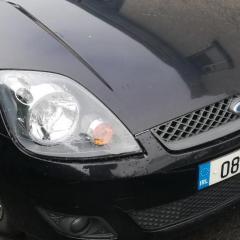
 

Loose bearing

Featured Replies

My 03 fiesta failed the annual road worthiness test last week on a loose bearing on the rear/offside. I priced up a new kit first from a dealer for 120 quid. I then priced one up at an auto factors for 11 quid. But it was discovered that the bearing hub nut was only loose, which persumeably was not done correctly when the shoes were done by an independent garage two years ago.

Incidently, I also had to reinstall the shoe adjuster some time later which fell out when the shoes were done too by the same garage. I don't think it was the automatic type.

Anyway, passed yesterday after a retest, but it just goes to show that you can never be too observant when it comes to these things.


By the way, should there be a cover over the front hubnut on these vehicles?


Hi, dunno, but if you go to www.catcar.info, enter your vin, then you can look at the parts drawings and listings for your particular model. 

i had 2007 fiesta, I am 99% sure there was no cover over front hub nut. the construction of it is different to rear so not having cover over front nut does not mean you would get dirt in the bearing like you would on the rear.

For working on rear brakes the 'correct' way is to not touch the hub nut.  you undo 4 large bolts on the rear of the brake plate (after removing abs sensor) this releases the drum and hub as one unit. Meaning no messing about  with greasy bearings. But the bolts can be quite tight and rusty. so i can see why someone might want to do it by undoing hub nut 


  • Author
3 hours ago, isetta said:

i had 2007 fiesta, I am 99% sure there was no cover over front hub nut. the construction of it is different to rear so not having cover over front nut does not mean you would get dirt in the bearing like you would on the rear.

For working on rear brakes the 'correct' way is to not touch the hub nut.  you undo 4 large bolts on the rear of the brake plate (after removing abs sensor) this releases the drum and hub as one unit. Meaning no messing about  with greasy bearings. But the bolts can be quite tight and rusty. so i can see why someone might want to do it by undoing hub nut 


Yes indeed, thats how I did it when I was putting back the adjuster that the garage messed up, its a Little more fiddly, but I really HATE those silly other type of multi nuts.She didnt have the ABS on this particular model.The front stub looks to be sticking out a bit, but I just never noticed it before. It is exposed though which I think is a little strange.We took a chance and tightened up the silly nut on the back without it coming apart........God bless the days when you could put a split pin through the stub to stop the nut from moving.

Latest Deals

Ford UK Shop for genuine Ford parts & accessories

Disclaimer: As the club is an eBay Partner, The club may be compensated if you make a purchase via the club

Join the conversation

You can post now and register later. If you have an account, sign in now to post with your account.

Guest
Reply to this topic...

The "Digestive"


Background Picker
Customize Layout

Account

Navigation

Search

Search

Configure browser push notifications

Chrome (Android)
  1. Tap the lock icon next to the address bar.
  2. Tap Permissions → Notifications.
  3. Adjust your preference.
Chrome (Desktop)
  1. Click the padlock icon in the address bar.
  2. Select Site settings.
  3. Find Notifications and adjust your preference.
