
Skip to content
View in the app

A better way to browse. Learn more.

Ford Owners Club - Ford Forums

A full-screen app on your home screen with push notifications, badges and more.

To install this app on iOS and iPadOS
  1. Tap the Share icon in Safari
  2. Scroll the menu and tap Add to Home Screen.
  3. Tap Add in the top-right corner.
To install this app on Android
  1. Tap the 3-dot menu (⋮) in the top-right corner of the browser.
  2. Tap Add to Home screen or Install app.
  3. Confirm by tapping Install.


Join the Independent Ford Owners' Club

Our community has been built by enthusiasts, for enthusiasts, and proudly run by Ford owners' for over 18 years. As an independent, non-official club, everything you’ll find here, advice, support, and opinions, comes directly from members with genuine Ford ownership experience.

Join our friendly community... it's Free!


keyless entry possible problem
Featured Replies

I've just bought a 2018 Focus Titanium and I've noticed that the keyless entry doesn't work. I can't go back to the garage as they have now closed because of the virus. My question is, is it possible that it's just been switched off somewhere and just needs switching on or have I got a problem, I've fitted new batteries to the key fob.


Do you definitely have keyless entry, not just start? Do you have anything on the door handles to inidicate keyless entry?

On the newer Fords, there is an option in the drivers display to toggle it on and off.

Otherwise, if your car definitely has it fitted but there is no option in the drivers display, it's possible the previous owner had it turned off. The garage would be able to turn it back on.

Also, garages are still open for maintenance. It's only the sales/showroom part that is closed, however I'd argue it's not essential, so maybe just make them aware if you're sure it should have it and can't find a way to turn it on and tell them you'd like to arrange to have it fixed when the ban on non-essential travel is eased.

Perhaps worth putting it in writing/email just so you have a record of it being soon after purchase.

If it's keyfree then there will be a dimple in the handle that you touch to lock.
No dimple means not keyfree.

93fbb64e64a49a2386fa9f5c1bcd1af2.jpg
a628b0a4c5d9cb3c2e16c60695ae9b55.jpg

To unlock keyfree you just put your hand inside the handle curve or simply pull the handles.

Sent from my SM-G965F

Have a Titanium, Mk4, turned keyless entry off a few weeks ago in the menu.

  • Author

I don't know what Mk it is but it's not the latest one with the petrol cap on the near side it has the cap on the off side . It does have a dimple on the door handle where you're supposed to touch to lock.

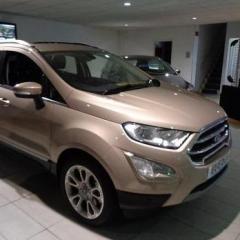
Post a picture of your car and we'll know what Mk it is.

4 hours ago, billyboy said:

I don't know what Mk it is but it's not the latest one with the petrol cap on the near side it has the cap on the off side.

Offside filler cap would make it a late Mk 3.5.

  • Author

Eureka!  found it deep in the menu settings there's a tick box to switch it on or off. My other car is an Ecosport and it cannot be switched on or off so I assumed the Focus would be the same as all the controls are very similar.The other difference is that on the Focus it works on all four doors but on the Ecosport it only works on the front doors.

Thanks everyone for all your replies.

Quote

The other difference is that on the Focus it works on all four doors but on the Ecosport it only works on the front doors

The early (up to about May/June last year) Mk4 Focus keyless entry was on all 4 doors but production since then has it only on the front doors

  • 1 year later...

hi you say you found the info "deep in the menu settings" to turn on keyless entry as mine has stopped qworking , but i cannot find anything .please can i have a bit more info if poss thanks 


Settings->Vehicle->Locks and then ( Intelligent Access or Keyless entry - i cant quite remember exactly )

  • 3 weeks later...

Hi

Would a 2017 build Titanium have option to turn off keyless entry?

Paul

It might, my early 2018 does. If its there it will be in the settings on the screen between the rev counter and the speedo. Ian gave the location in the post above yours.

Thanks I have looked but have not locks option just the mykey section in the settings.

I was thinking of turning it off as seems to play up at times, like it is getting confused between lock and unlock.

Paul

It can get confused between lock and unlock if you hold the handle, or have a finger between the handle and the door, while you are trying to lock it.

Thanks, I think I'll use the buttons on the remote going forward then I know it one way or the other by which button to press.

Paul

  • 2 years later...

I have the entry issue on my 66 plt all doors trigger central locking on touch apart from drivers door , I keep reading fuse issue , though why just the one door ? 

4 hours ago, Paulhm said:

I have the entry issue on my 66 plt all doors trigger central locking on touch apart from drivers door , I keep reading fuse issue , though why just the one door ? 


Anyone got and thoughts before I check fuse ? Local garage suspects sensor or lock it's self ,.... Central locking using fob activates all doors ..? 

1 hour ago, Paulhm said:

Anyone got and thoughts before I check fuse ?

Yes, amend your profile so we know the model and the correct year. "Ford" and "2024" doesn't really help.

Paul.JPG

Latest Deals

Ford UK Shop for genuine Ford parts & accessories

Disclaimer: As the club is an eBay Partner, The club may be compensated if you make a purchase via the club

Join the conversation

You can post now and register later. If you have an account, sign in now to post with your account.

Guest
Reply to this topic...

The "Digestive"


Background Picker
Customize Layout

Account

Navigation

Search

Search

Configure browser push notifications

Chrome (Android)
  1. Tap the lock icon next to the address bar.
  2. Tap Permissions → Notifications.
  3. Adjust your preference.
Chrome (Desktop)
  1. Click the padlock icon in the address bar.
  2. Select Site settings.
  3. Find Notifications and adjust your preference.
