
Skip to content
View in the app

A better way to browse. Learn more.

Ford Owners Club - Ford Forums

A full-screen app on your home screen with push notifications, badges and more.

To install this app on iOS and iPadOS
  1. Tap the Share icon in Safari
  2. Scroll the menu and tap Add to Home Screen.
  3. Tap Add in the top-right corner.
To install this app on Android
  1. Tap the 3-dot menu (⋮) in the top-right corner of the browser.
  2. Tap Add to Home screen or Install app.
  3. Confirm by tapping Install.


Join the Independent Ford Owners' Club

Our community has been built by enthusiasts, for enthusiasts, and proudly run by Ford owners' for over 18 years. As an independent, non-official club, everything you’ll find here, advice, support, and opinions, comes directly from members with genuine Ford ownership experience.

Join our friendly community... it's Free!


Sync 3 - straw poll
Featured Replies

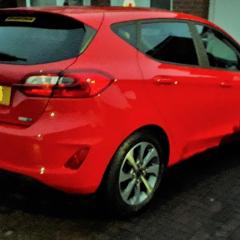
I've recently got the Fiesta Trend MHEV and I'm very happy with it. However I'm currently in dialog with Ford about the version of Ford Sync I have which I believe has a bug in it. The problem is when I have my phone connected to it via BT it will only use the Phone Voice assistant and not the car one no matter if do a long or short press on the voice button. I was wondering if some of you could do me a favour and tell me if yours has this problem and what version of Ford Sync is reported?

This will give me ammunition to use in my dialog with Ford who amazingly don't have an official 'bug reporting system' so I'm doing it via customer service which is very painful.

My Sync Version reports as F1.6.0.1_R20065a

Thanks in advance.


Have you tried a different phone?


On 12/23/2020 at 9:47 AM, martoon said:

I've recently got the Fiesta Trend MHEV and I'm very happy with it. However I'm currently in dialog with Ford about the version of Ford Sync I have which I believe has a bug in it. The problem is when I have my phone connected to it via BT it will only use the Phone Voice assistant and not the car one no matter if do a long or short press on the voice button. I was wondering if some of you could do me a favour and tell me if yours has this problem and what version of Ford Sync is reported?

This will give me ammunition to use in my dialog with Ford who amazingly don't have an official 'bug reporting system' so I'm doing it via customer service which is very painful.

My Sync Version reports as F1.6.0.1_R20065a

Thanks in advance.


7 hours ago, Tiexen said:

Have you tried a different phone?

Has your phone got latest software update?

  • Author

Yes I have tried a different phone and in fact when there is no phone it complains about that! I've tried fiddling with the BT settings and even a Sync master reset.

  • 3 months later...

Hi! I bought the same car model last december (2020) Ford Fiesta ST line MHEV 1.0. I'm dissapointed with the sync system because it doesn't work right. The bluetooth doesn't connect right with my phone, it demands me to unlock the phone for calling someone. I have an android phone, i try with iphone and it is the same. My boyfriend has a ford focus with sync 3 and it's work perfectly. We don't underestand what happens with this system and in the official web of ford  I put my bastidor number and it say me that "sync doesn't exist in this vehicle" We are very very angry 

We are from Spain! 

  • Author

@EsmitaFord I eventually got an answer from Ford and it seems like our car's are fitted with Sync 2.5 which is a reduced feature version of Sync 3 (runs on cheaper hardware) and so uses the Phone's voice assistant. Like you I am very disappointed with it too as it just doesn't work right unlike Sync 3. Like you mine also complains that the phone needs to be unlocked when in fact it doesn't because I can make calls from the touch screen by selecting Phone and replying to a received call. If you had to take your phone out and unlock it that would defeat the whole point of hands free! 

Very disappointed with Ford as this is needless penny saving when they have an existing Sync system developed that works well.

Hi! Thanks for your answer. We have been unlucky with this version of sync. Another friend has 2.0 and it works fine when that is older than 2.5. It does not make any sense.

I don't know if we can put the sync version 2.0 or 3.0 in our car, to be able to enjoy the car correctly.  
 

  • Author

@EsmitaFord I asked Ford about upgrading to 3 or downgrading to 2 but you can't because they all run on different hardware - I'm afraid we're stuck with it!

@EsmitaFord

In case of an Android phone you can use "Google Smart Lock" and add your car to "Trusted Devices" ("Trusted Devices" allow you to add a trusted Bluetooth device, such as in-car system so that your device will stay unlocked while connected).

This might be a solution.

The way to do it. 

Buena suerte!


Latest Deals

Ford UK Shop for genuine Ford parts & accessories

Disclaimer: As the club is an eBay Partner, The club may be compensated if you make a purchase via the club

Join the conversation

You can post now and register later. If you have an account, sign in now to post with your account.

Guest
Reply to this topic...

The "Digestive"


Background Picker
Customize Layout

Account

Navigation

Search

Search

Configure browser push notifications

Chrome (Android)
  1. Tap the lock icon next to the address bar.
  2. Tap Permissions → Notifications.
  3. Adjust your preference.
Chrome (Desktop)
  1. Click the padlock icon in the address bar.
  2. Select Site settings.
  3. Find Notifications and adjust your preference.
