
Skip to content
View in the app

A better way to browse. Learn more.

Ford Owners Club - Ford Forums

A full-screen app on your home screen with push notifications, badges and more.

To install this app on iOS and iPadOS
  1. Tap the Share icon in Safari
  2. Scroll the menu and tap Add to Home Screen.
  3. Tap Add in the top-right corner.
To install this app on Android
  1. Tap the 3-dot menu (⋮) in the top-right corner of the browser.
  2. Tap Add to Home screen or Install app.
  3. Confirm by tapping Install.


Join the Independent Ford Owners' Club

Our community has been built by enthusiasts, for enthusiasts, and proudly run by Ford owners' for over 18 years. As an independent, non-official club, everything you’ll find here, advice, support, and opinions, comes directly from members with genuine Ford ownership experience.

Join our friendly community... it's Free!


cable identification for air box?
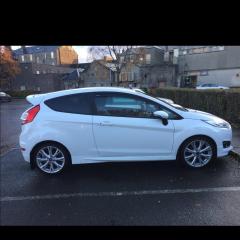
Featured Replies

Hi there I was wondering if someone could help me identify a cable. My car has recently had a replacement engine fitted as my last one was ruined fater the timing belt failed. After getting the car back Ive noticed a disconnected cable that looks like it belongs to the air filter box. I dont want to put it back in until i know what it is. Can someone shed some info on it? This is a photo of the cable. 

thumbnail_Image.jpg


Have you looked around your engine to see if you can see another one of those brass looking fitting ? Got to be close by.

That's a temperature sensor...it should be screwed into the engine somewhere... :unsure:

1 minute ago, TomsFocus said:

That's a temperature sensor...it should be screwed into the engine somewhere... :unsure:

Unless there's already one in place and they've neglected to fit everything correctly.

that looks very similar ?

s-l1600.jpg

  • Author

Thanks for the replys . I had a look and cant see anywhere it goes. Maybe they didn't connect it because the replacement engine is slightly different as its a 2017 model and my original was a 2016 so maybe it wasn't needed. I did have a look though and it seems there is another one already connected. Maybe its just not needed now its just when you see it like that 😃


  • Author

Hi guys , have another question. As i had mentioned my car just recently got an engine replacement as my old one went on me. My local garage took the turbo off my old engine which was the 1.0l 125hp version and put it on the my replacement engine that i got from ebay which is the 1.0l 140hp version. I have noticed a drop in power, torque /performance like the turbo isnt doing much as it did before. do you think maybe it needs a new turbo ? maybe the slightly more powerful engine needs a slightly more powerful turbo for it.? Just seems like the same acceleration isnt there like it was before. I also ordered new spark plugs as maybe this could be part of the problem. Im not sure if the garage used the ones from my old engine or kept the ones that came with the replacement engine , either way i thought it would be good to get some fresh news ones as it  was sounding slightly grumbly as it was idling. apart from that the engine seems fine but definitely feels like its lacking in some power.

Latest Deals

Ford UK Shop for genuine Ford parts & accessories

Disclaimer: As the club is an eBay Partner, The club may be compensated if you make a purchase via the club

Join the conversation

You can post now and register later. If you have an account, sign in now to post with your account.

Guest
Reply to this topic...

The "Digestive"


Background Picker
Customize Layout

Account

Navigation

Search

Search

Configure browser push notifications

Chrome (Android)
  1. Tap the lock icon next to the address bar.
  2. Tap Permissions → Notifications.
  3. Adjust your preference.
Chrome (Desktop)
  1. Click the padlock icon in the address bar.
  2. Select Site settings.
  3. Find Notifications and adjust your preference.
