
Skip to content
View in the app

A better way to browse. Learn more.

Ford Owners Club - Ford Forums

A full-screen app on your home screen with push notifications, badges and more.

To install this app on iOS and iPadOS
  1. Tap the Share icon in Safari
  2. Scroll the menu and tap Add to Home Screen.
  3. Tap Add in the top-right corner.
To install this app on Android
  1. Tap the 3-dot menu (⋮) in the top-right corner of the browser.
  2. Tap Add to Home screen or Install app.
  3. Confirm by tapping Install.


Join the Independent Ford Owners' Club

Our community has been built by enthusiasts, for enthusiasts, and proudly run by Ford owners' for over 18 years. As an independent, non-official club, everything you’ll find here, advice, support, and opinions, comes directly from members with genuine Ford ownership experience.

Join our friendly community... it's Free!


Radio and bluetooth module dilemma
Featured Replies

Hi Ford Owners!


Im so so curios of something and I need some help!


I have a bluetooth module with the following specs Type: RX-23  4M5T 19K350 AK, and I want to know what version is it, I know they are first gen hands free module and second gen.


Becaus I have a problem with the radio and when I press the phone button it mute my radio, I also have a gen2 or gen3 sony radio, from my research gen 2 and 3 sony radio ar looking exactly the same but are tchnicaly different, I have the serial of the radio if anyone can figure out what gen the radio is, I will ad the photos to this post.


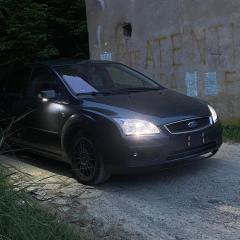
I will also add a photo with the module and I will write the VIN number of the car for any additional info about the car and if its compatibile the module with the car.


VIN: WF05XXWPD56R41725


Thanks a lot and sorry for any misspelling or grammatical errors but english its not my native language.

20231114_133305.jpg

20231114_133327.jpg

received_893502339090197.jpeg

received_851017997027625.jpeg


Latest Deals

Ford UK Shop for genuine Ford parts & accessories

Disclaimer: As the club is an eBay Partner, The club may be compensated if you make a purchase via the club

Join the conversation

You can post now and register later. If you have an account, sign in now to post with your account.

Guest
Reply to this topic...

The "Digestive"


Background Picker
Customize Layout

Account

Navigation

Search

Search

Configure browser push notifications

Chrome (Android)
  1. Tap the lock icon next to the address bar.
  2. Tap Permissions → Notifications.
  3. Adjust your preference.
Chrome (Desktop)
  1. Click the padlock icon in the address bar.
  2. Select Site settings.
  3. Find Notifications and adjust your preference.
