
Skip to content
View in the app

A better way to browse. Learn more.

Ford Owners Club - Ford Forums

A full-screen app on your home screen with push notifications, badges and more.

To install this app on iOS and iPadOS
  1. Tap the Share icon in Safari
  2. Scroll the menu and tap Add to Home Screen.
  3. Tap Add in the top-right corner.
To install this app on Android
  1. Tap the 3-dot menu (⋮) in the top-right corner of the browser.
  2. Tap Add to Home screen or Install app.
  3. Confirm by tapping Install.


Join the Independent Ford Owners' Club

Our community has been built by enthusiasts, for enthusiasts, and proudly run by Ford owners' for over 18 years. As an independent, non-official club, everything you’ll find here, advice, support, and opinions, comes directly from members with genuine Ford ownership experience.

Join our friendly community... it's Free!


Ford focus mk4 windows not working properly
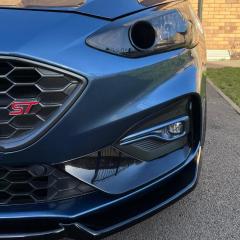
Featured Replies

Hello I’m new to here and hopefully I can get some help with a couple of problems I’m having with my 2019 ford focus mk4, after installing auto fold mirrors and playing around with forscan to make them work which was successful, I have two problems one of which is my windows ,all of them are not working the way they should, il go to open my window and it’ll go down slightly and stop , then again go down slightly and stop and I have keep pressing the button to get them all the way down repeatedly going down slightly and stopping, and that’s the same for all of them. I have tried resetting them and also using forscan to reset them as-well which didn’t work told me this [14:16:46.135] DTC B117:99 - Front Power Window Up: Exceeded Learning Limit

[14:16:46.138] Service procedure has been interrupted

Also looked if there are any codes and there are two both the same for the PDM and DDM code U2100, which I have tried clearing and failed , the problem is the control modules but I don’t understand why, or what it has to do with the folding mirrors, or how to fix it hence I am here any suggestions would be appreciated thank you. 


If you press and hold the button do they go down without stopping?

  • Author
7 hours ago, DaveT70 said:

If you press and hold the button do they go down without stopping?

Dose the same thing same thing , hold or just press once I have also tried holding down for 10 seconds and up to reset using the switch but no good , I am totally baffled at what is causing it to it or if the door controls modules and totally broken. 

Possibly just a software glitch caused by your programming of the door mirrors. It's always worth disconnecting the negative lead of the car battery for 20 minutes to allow all modules to reboot.

  • Author
39 minutes ago, unofix said:

Possibly just a software glitch caused by your programming of the door mirrors. It's always worth disconnecting the negative lead of the car battery for 20 minutes to allow all modules to reboot.

I haven’t tried that il give it ago later tonight , hopefully it’ll work and save 120 quid for tc Harrison to have a look at it, il let you know if it worked. thank you 

  • Author
4 hours ago, unofix said:

Possibly just a software glitch caused by your programming of the door mirrors. It's always worth disconnecting the negative lead of the car battery for 20 minutes to allow all modules to reboot.

Unfortunately no luck mate,  still the same thing and the same codes , I will say when putting the power fold mirrors in I haven’t installed the switch that’s with the widow switches like the one in the picture I’ve ad I just have the standard one, I’m not sure it’s even relevant but it’s the only thing can think of.   


IMG_2023.jpeg

Mmmmm.....

If you still have the standard window/mirror switch pack without the power fold button that may well cause issues.

Why it would affect the window operation I can only guess. To reduce the amount of wires needed to control the windows and mirrors the signals are multiplexed which could be the problem when using the wrong switch pack.

  • Author
9 hours ago, unofix said:

Mmmmm.....

If you still have the standard window/mirror switch pack without the power fold button that may well cause issues.

Why it would affect the window operation I can only guess. To reduce the amount of wires needed to control the windows and mirrors the signals are multiplexed which could be the problem when using the wrong switch pack.

it’s the only thing I can really think of , il have to borrow the one of my misses car 😂 , see what happens maybe then resting it the way you said might be the solution, il let you know what happens. 

  • Author
16 hours ago, unofix said:

Mmmmm.....

If you still have the standard window/mirror switch pack without the power fold button that may well cause issues.

Why it would affect the window operation I can only guess. To reduce the amount of wires needed to control the windows and mirrors the signals are multiplexed which could be the problem when using the wrong switch pack.

Still no dice, I think at this point I’ve tried everything that I can , I think it’s a Ford thing for them to deal with unless there is anything else ? 

  • 5 months later...

Did this ever get resolved at all?

I have a similar issue on my 2019 MK4 ST. 
I was looking to see if I could activate reverse tilt on the wing mirrors and now my windows are doing the same thing 

37 minutes ago, RDM said:

I was looking to see if I could activate reverse tilt on the door mirrors and now my windows are doing the same thing 

Not possible without full electric seats with memory function.

The mirror tilt and return to original position uses the memory module for the seats.

if you regularly park on a slope - reverse tilt is the most irritating feature possible on a motor car

had on mine for 10 years - always felt it would be really useful, the reality its a nightmare and I never use it - garage loves to turn it on - I have to turn the stupid rubbish off again

35 minutes ago, unofix said:

Not possible without full electric seats with memory function.

The mirror tilt and return to original position uses the memory module for the seats.

I’m just stuck now with the window issue, the same as the OP

On 3/1/2024 at 7:43 AM, Modded_focus_st said:

Hello I’m new to here and hopefully I can get some help with a couple of problems I’m having with my 2019 ford focus mk4, after installing auto fold mirrors and playing around with forscan to make them work which was successful, I have two problems one of which is my windows ,all of them are not working the way they should, il go to open my window and it’ll go down slightly and stop , then again go down slightly and stop and I have keep pressing the button to get them all the way down repeatedly going down slightly and stopping, and that’s the same for all of them. I have tried resetting them and also using forscan to reset them as-well which didn’t work told me this [14:16:46.135] DTC B117:99 - Front Power Window Up: Exceeded Learning Limit

[14:16:46.138] Service procedure has been interrupted

Also looked if there are any codes and there are two both the same for the PDM and DDM code U2100, which I have tried clearing and failed , the problem is the control modules but I don’t understand why, or what it has to do with the folding mirrors, or how to fix it hence I am here any suggestions would be appreciated thank you. 

Did you manage to get this resolved at all? I got the exact same issue as you….. am tempted to load every module back to factory to see if this solves the issue 

  • 8 months later...
On 8/29/2024 at 9:47 AM, RDM said:

Did you manage to get this resolved at all? I got the exact same issue as you….. am tempted to load every module back to factory to see if this solves the issue 

I assume the OP didn’t resolve the issue did you have any luck RDM?

  • 7 months later...
On 5/1/2025 at 6:51 AM, Walkie1973 said:

I assume the OP didn’t resolve the issue did you have any luck RDM?

did this ever get resolved for you, got the same problem now and don’t want to go throwing money at it hahaha

On 12/25/2025 at 10:58 PM, kberry88 said:

did this ever get resolved for you, got the same problem now and don’t want to go throwing money at it hahaha

No, Ive still not found a solution and still have all x4 windows that only open/close in increments 

I had this on a mk4 mondeo, had to get a set of door modules off a car that had factory fit powerfold mirrors with puddle lights.


easy enough swap and problem sorted. 

although you can enable them in forscan with the existing modules, the part numbers are different. 


5 hours ago, Vauxfan2k said:

I had this on a mk4 mondeo, had to get a set of door modules off a car that had factory fit powerfold mirrors with puddle lights.


easy enough swap and problem sorted. 


There’s no issue with the modules theyve just reset due to a longer than expected battery disconnect so need to be relearnt as far as im aware.

On 12/29/2025 at 2:01 PM, Walkie1973 said:

No, Ive still not found a solution and still have all x4 windows that only open/close in increments 

I actually managed to fix the issue quite easily, I cant remember the exact procedure but all i had to do was reset the asbuilt for the ddm and pdm in forscan, save it and then re learn them, I found a video for it too here's the link, hopefully it helps you

https://www.youtube.com/watch?v=RMYvx4Suwz4


  • 1 month later...

Hi. Did you sorted out? I had similar problem, but just with driver side. Windows just go down and up with small steps.

Latest Deals

Ford UK Shop for genuine Ford parts & accessories

Disclaimer: As the club is an eBay Partner, The club may be compensated if you make a purchase via the club

Join the conversation

You can post now and register later. If you have an account, sign in now to post with your account.

Guest
Reply to this topic...

The "Digestive"


Background Picker
Customize Layout

Account

Navigation

Search

Search

Configure browser push notifications

Chrome (Android)
  1. Tap the lock icon next to the address bar.
  2. Tap Permissions → Notifications.
  3. Adjust your preference.
Chrome (Desktop)
  1. Click the padlock icon in the address bar.
  2. Select Site settings.
  3. Find Notifications and adjust your preference.
