
Skip to content
View in the app

A better way to browse. Learn more.

Ford Owners Club - Ford Forums

A full-screen app on your home screen with push notifications, badges and more.

To install this app on iOS and iPadOS
  1. Tap the Share icon in Safari
  2. Scroll the menu and tap Add to Home Screen.
  3. Tap Add in the top-right corner.
To install this app on Android
  1. Tap the 3-dot menu (⋮) in the top-right corner of the browser.
  2. Tap Add to Home screen or Install app.
  3. Confirm by tapping Install.


Join the Independent Ford Owners' Club

Our community has been built by enthusiasts, for enthusiasts, and proudly run by Ford owners' for over 18 years. As an independent, non-official club, everything you’ll find here, advice, support, and opinions, comes directly from members with genuine Ford ownership experience.

Join our friendly community... it's Free!


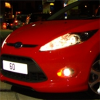
Drl Auto Switch, Would This Work?
Featured Replies

I'm gonna get some of these

clicky

but want them to do the whole "off with the sidelights thing" and according to the guy who's selling them they don't do it out of the box, so i am thinking about getting this

clicky

anyone have any experience in these / wiring them up? is it easy for a novice?


How are you with splicing a wire into another? Straight forward job mate. Go on and buy em. ;)

  • Author

How are you with splicing a wire into another? Straight forward job mate. Go on and buy em. ;)

just as long as i dont void my warranty - do you reckon i could hide the damage should it need work doing?

If you wanna try jamming the wire into connector nxt to sidelight wire, you could try that. Just be a case of figuring out how to secure it in and not fall out.

  • Author

cheers for the top tips, i might leave it a bit mull over the pros and cons.. but if i do go for it ill report back on my success and put up some pix :D

This kit looks to be the business Click Here with free postage and fitting diagram

This kit looks to be the business Click Here with free postage and fitting diagram

This 'automatic on/off' with with the ignition seemingly... I'm unsure how it does it since it's only connected to battery and drl's....

So how it switches off with inigtion, I dont know..... But also, it looks like it switches on and stays on regardless of dipped beam or sidelights being on.

strange kit

  • Author

yea and its uber more expensive than the 8.49 kit i linkied to :/

still, gonna wait. doin some research the company that makes the 8.49 also does a dimming version which dims with the headlights - like an audi, but cant find it on ebay. have msg'd the guy there about it but awaiting reply :/ fingers crossed.

I'm gonna get some of these

clicky

but want them to do the whole "off with the sidelights thing" and according to the guy who's selling them they don't do it out of the box, so i am thinking about getting this

clicky

anyone have any experience in these / wiring them up? is it easy for a novice?

These DRL's look great, are the the same DRL's that iNath has fitted to his Fiesta Mk7?

I've read the info that the Ebay link provides and it states how the DRL's can be connected but makes no mention of there being a relay included in the kit.

I'd like to hear from anyone who has fitted these and also if the relay is included though, for that price, I'd think not. You would think that the relay would and should be included with the DRL's (and with the obvious cost increase) and wiring info for the Fiesta, then the kit would be complete.

Regards, BHeart

When I got my Ring Ursa's, I tried battery, but they never go off as it always gives power! I took power from power to light cluster!

Latest Deals

Ford UK Shop for genuine Ford parts & accessories

Disclaimer: As the club is an eBay Partner, The club may be compensated if you make a purchase via the club

Join the conversation

You can post now and register later. If you have an account, sign in now to post with your account.

Guest
Reply to this topic...

The "Digestive"


Background Picker
Customize Layout

Account

Navigation

Search

Search

Configure browser push notifications

Chrome (Android)
  1. Tap the lock icon next to the address bar.
  2. Tap Permissions → Notifications.
  3. Adjust your preference.
Chrome (Desktop)
  1. Click the padlock icon in the address bar.
  2. Select Site settings.
  3. Find Notifications and adjust your preference.
