
Skip to content
View in the app

A better way to browse. Learn more.

Ford Owners Club - Ford Forums

A full-screen app on your home screen with push notifications, badges and more.

To install this app on iOS and iPadOS
  1. Tap the Share icon in Safari
  2. Scroll the menu and tap Add to Home Screen.
  3. Tap Add in the top-right corner.
To install this app on Android
  1. Tap the 3-dot menu (⋮) in the top-right corner of the browser.
  2. Tap Add to Home screen or Install app.
  3. Confirm by tapping Install.


Join the Independent Ford Owners' Club

Our community has been built by enthusiasts, for enthusiasts, and proudly run by Ford owners' for over 18 years. As an independent, non-official club, everything you’ll find here, advice, support, and opinions, comes directly from members with genuine Ford ownership experience.

Join our friendly community... it's Free!


Alarms, All Advice Welcome :)
Featured Replies

Hello, back again.....

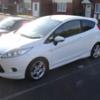
Firstly, many thanks to all the help & advice i was given over the bodykit theft on my gf's Zetec S.

Sadly, it has worked out cheaper to go via the insurance company. I was wondering if anyone can help on suggesting an upgraded alarm system, that needs to be quite sensitive, as i don't want the sideskirts stolen when replaced. The standard Ford alarm was of no use. I've heard of brand names such as Viper, Toad & Clifford. My knowledge ends right there. It really needs to detect people near the car, i don't car if it bugs the neighbours.......to be honest when an alarm goes off around here, nobody seems to look anyway.

If you have first hand experience such things, please let me know how good or bad these aftermarket alarms are.

Cheers, Ryan & Hazel


+1 to this, I've been looking into alarms but some guidance would be extremely appreciated

I've heard of brand names such as Viper, Toad & Clifford.

regarding the alarm I suggest you have a word with your insurance company and see if there is any discount on your premium by fitting a particular brand/type (usually cat 1 but it's worth checking)

i don't car if it bugs the neighbours.......to be honest when an alarm goes off around here, nobody seems to look anyway.

then why fit one?

surely it would be better to find away to secure the side-skirts to the car to prevent theft - as members posted in your other thread have suggested and bond them to the car?

Perhaps counter sink holes in the side skirts, insert a bolt through the body and a lock nut on the other side, then smooth over the holes with filler

this may be possible depending on the depth of the kit and where they join to the body, although I’m only guessing as I don’t have a fiesta myself mate the body shop would be best to perform this for you.

regarding an alarm you can fit a proximity sensor in the centre console as part of the alarm,

this unit is around the size of your palm and fits under the interior, it sends out microwave beams like a Bat (yes the animal)

if it senses someone standing next to the car it will chirp to warn them off,

if they don’t walk away eventually the alarm will stay on until you switch it off.

This unit is mostly used in convertible cars but works well in hard tops too.

I had a Cobra alarm fitted by the dealers electrician. Thatcham 1.

It has tilt and lift,interior ultrasound all fitted with the original alarm contact and switching.

Not cheap at £300 but piece of mind. I don't know why Fords don't fit a proper alarm, in bulk the cost would be peanuts.

Latest Deals

Ford UK Shop for genuine Ford parts & accessories

Disclaimer: As the club is an eBay Partner, The club may be compensated if you make a purchase via the club

Join the conversation

You can post now and register later. If you have an account, sign in now to post with your account.

Guest
Reply to this topic...

The "Digestive"


Background Picker
Customize Layout

Account

Navigation

Search

Search

Configure browser push notifications

Chrome (Android)
  1. Tap the lock icon next to the address bar.
  2. Tap Permissions → Notifications.
  3. Adjust your preference.
Chrome (Desktop)
  1. Click the padlock icon in the address bar.
  2. Select Site settings.
  3. Find Notifications and adjust your preference.
