
Skip to content
View in the app

A better way to browse. Learn more.

Ford Owners Club - Ford Forums

A full-screen app on your home screen with push notifications, badges and more.

To install this app on iOS and iPadOS
  1. Tap the Share icon in Safari
  2. Scroll the menu and tap Add to Home Screen.
  3. Tap Add in the top-right corner.
To install this app on Android
  1. Tap the 3-dot menu (⋮) in the top-right corner of the browser.
  2. Tap Add to Home screen or Install app.
  3. Confirm by tapping Install.


Join the Independent Ford Owners' Club

Our community has been built by enthusiasts, for enthusiasts, and proudly run by Ford owners' for over 18 years. As an independent, non-official club, everything you’ll find here, advice, support, and opinions, comes directly from members with genuine Ford ownership experience.

Join our friendly community... it's Free!


Loving My New Fiesta!
Featured Replies

Hi Everyone!

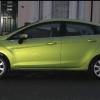
Just bought a year-old Fiesta Zetec 1.25 in "Lime Squeeze" and love it already! It's taking me a bit of time getting used to all the features available - will be playing with it at the weekend no doubt. Am I right in assuming that once I plug my iPhone into BOTH the sockets (usb and audio line) I will be able to see the music tracks playing on the radio screen? I connected it via the USB a couple of days ago (after a lesson from the salesman) and it showed a WiFi symbol but no song info... he said that was all it did, but I'm going to dig deeper to find out... Also, has anyone experienced the miles per gallon info jumping about from 22-50-99-23-57-43 mpg? Mine was changing every second which was a bit strange and the average speed said I was doing 24mph (I was doing between 50-60mph on the motorway - in heavy traffic) and the average fuel consumption was 40.2. Can I reset these? Anyone out there know?

Thanks a million folks.

ScubaSuzie


Nice colour!

yes, you are right in that you plug both your iphone in both the sockets to see it on the radio screen! i think some people on here have downloaded a software update for the stereo so that it only uses the USB but, to some, it appears to be more hassle than its worth at the moment :rolleyes:

the wi-fi symbol you saw is for streaming music via bluetooth - ie from your phone to your stereo. ive never done it though, so im not sure how to do that! just keep pressing the 'aux' button to scroll through which output you want to use :)

that mpg info on your trip computer is like a real time readout. some people dont see the point in it, but its usually what i leave mine on (probably due to my short attnention span :huh: )

you can reset the figures by pressing and holding the button that you use to scroll through the trip computer until the numbers clear from left --> right.

Hope you're enjoying new car syndrome!

  • Author

Thanks for the info Loz!

I might phone the Salesman to let him know too!!!

ScubaSuzie

Hi Everyone!

Just bought a year-old Fiesta Zetec 1.25 in "Lime Squeeze" and love it already! It's taking me a bit of time getting used to all the features available - will be playing with it at the weekend no doubt. Am I right in assuming that once I plug my iPhone into BOTH the sockets (usb and audio line) I will be able to see the music tracks playing on the radio screen? I connected it via the USB a couple of days ago (after a lesson from the salesman) and it showed a WiFi symbol but no song info... he said that was all it did, but I'm going to dig deeper to find out... Also, has anyone experienced the miles per gallon info jumping about from 22-50-99-23-57-43 mpg? Mine was changing every second which was a bit strange and the average speed said I was doing 24mph (I was doing between 50-60mph on the motorway - in heavy traffic) and the average fuel consumption was 40.2. Can I reset these? Anyone out there know?

Thanks a million folks.

ScubaSuzie

Hi welcome :)

Hi & welcome2.gifto FOC

Welcome to FOC Suzie, Congratulations on your purchase

Paul :)

Latest Deals

Ford UK Shop for genuine Ford parts & accessories

Disclaimer: As the club is an eBay Partner, The club may be compensated if you make a purchase via the club

Join the conversation

You can post now and register later. If you have an account, sign in now to post with your account.

Guest
Reply to this topic...

The "Digestive"


Background Picker
Customize Layout

Account

Navigation

Search

Search

Configure browser push notifications

Chrome (Android)
  1. Tap the lock icon next to the address bar.
  2. Tap Permissions → Notifications.
  3. Adjust your preference.
Chrome (Desktop)
  1. Click the padlock icon in the address bar.
  2. Select Site settings.
  3. Find Notifications and adjust your preference.
