
Skip to content
View in the app

A better way to browse. Learn more.

Ford Owners Club - Ford Forums

A full-screen app on your home screen with push notifications, badges and more.

To install this app on iOS and iPadOS
  1. Tap the Share icon in Safari
  2. Scroll the menu and tap Add to Home Screen.
  3. Tap Add in the top-right corner.
To install this app on Android
  1. Tap the 3-dot menu (⋮) in the top-right corner of the browser.
  2. Tap Add to Home screen or Install app.
  3. Confirm by tapping Install.


Join the Independent Ford Owners' Club

Our community has been built by enthusiasts, for enthusiasts, and proudly run by Ford owners' for over 18 years. As an independent, non-official club, everything you’ll find here, advice, support, and opinions, comes directly from members with genuine Ford ownership experience.

Join our friendly community... it's Free!


Rear Diffuser Mk7
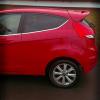
Featured Replies

hey, expecting arrival of my diffuser tomorrow, could anyone tell me if its just a straight swap? If not, what do I have to do?

Thanks


I take it you're removing the standard one and replacing with a Zetec-S? If so they standard one should just unclip.

The Zetec-S normally has 2 rivets underneath, suppose it's up to you if you choose to install them. Do you have the rear bumper corner pieces too?

  • Author

I take it you're removing the standard one and replacing with a Zetec-S? If so they standard one should just unclip.

The Zetec-S normally has 2 rivets underneath, suppose it's up to you if you choose to install them. Do you have the rear bumper corner pieces too?

yep, replacing zetec for zetec s 1 and yes I've got the corner pieces aswell..need to get them sprayed to my car colour though as they are currently black.

I've recently added the Zetec-S spoiler, diffusser & corner pieces (& also the top spoiler!) on my Mk7 Titanium but I've had it all sprayed to match the body colour, Metalic panther black & tbh I think it looks great and really finishes off the back end as ford should have done imo.

It wasn't partularly difficult although it takes a while to get the holes for the corner pieces correct.

If I can figure out how to upload photos I will do asap.

  • Author

I've recently added the Zetec-S spoiler, diffusser & corner pieces (& also the top spoiler!) on my Mk7 Titanium but I've had it all sprayed to match the body colour, Metalic panther black & tbh I think it looks great and really finishes off the back end as ford should have done imo.

It wasn't partularly difficult although it takes a while to get the holes for the corner pieces correct.

If I can figure out how to upload photos I will do asap.

Holes? What holes? :/ I thought you would stick them on with the body panel glue you can get? I'm going to give to a body repair shop anyway. The side pieces are black so just need to get them sprayed. The spoiler is already Colorado red so that will go straight on once I've received it.

The corners have locator lugs that need holes and are secured behind the bumper. Effectively the whole bumper has to come off, not a difficult job at all, & then the corners are put on. I guess the could also glue them on but I bought mine via ebay & had them all sprayed up (brother in the trade helps!).

The diffuser looks so much better sprayed to match the bodywork!

  • Author

The corners have locator lugs that need holes and are secured behind the bumper. Effectively the whole bumper has to come off, not a difficult job at all, & then the corners are put on. I guess the could also glue them on but I bought mine via ebay & had them all sprayed up (brother in the trade helps!).

The diffuser looks so much better sprayed to match the bodywork!

Think mine will look silly if it was Colorado red..lol

Latest Deals

Ford UK Shop for genuine Ford parts & accessories

Disclaimer: As the club is an eBay Partner, The club may be compensated if you make a purchase via the club

Join the conversation

You can post now and register later. If you have an account, sign in now to post with your account.

Guest
Reply to this topic...

The "Digestive"


Background Picker
Customize Layout

Account

Navigation

Search

Search

Configure browser push notifications

Chrome (Android)
  1. Tap the lock icon next to the address bar.
  2. Tap Permissions → Notifications.
  3. Adjust your preference.
Chrome (Desktop)
  1. Click the padlock icon in the address bar.
  2. Select Site settings.
  3. Find Notifications and adjust your preference.
