
Skip to content
View in the app

A better way to browse. Learn more.

Ford Owners Club - Ford Forums

A full-screen app on your home screen with push notifications, badges and more.

To install this app on iOS and iPadOS
  1. Tap the Share icon in Safari
  2. Scroll the menu and tap Add to Home Screen.
  3. Tap Add in the top-right corner.
To install this app on Android
  1. Tap the 3-dot menu (⋮) in the top-right corner of the browser.
  2. Tap Add to Home screen or Install app.
  3. Confirm by tapping Install.


Join the Independent Ford Owners' Club

Our community has been built by enthusiasts, for enthusiasts, and proudly run by Ford owners' for over 18 years. As an independent, non-official club, everything you’ll find here, advice, support, and opinions, comes directly from members with genuine Ford ownership experience.

Join our friendly community... it's Free!


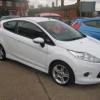
How To Remove Fog Surrounds Mk7 ?
Featured Replies

hi

im wanting to maybe replace my chrome surrounds with some matte silver ones if i can get some and also if the surrounds themselfs can be removed easy ?

thanks :)


hi

im wanting to maybe replace my chrome surrounds with some matte silver ones if i can get some and also if the surrounds themselfs can be removed easy ?

thanks :)

from looking at the e-cat diagrams it seems that if you open the bonnet and remove the headlight,

you can then reach down to the rear of the fog light, their is a clip on either side that is part of the fog light surround,

squeese them to unhook and push out towards the front of the car.

Lenny got it in 1!

Lenny got it in 1!

fireworks.gif

  • Author

Just gonna leave them them then too much hassle :)

I still really need to get around to doing this! Want to paint mine white

  • Author

i wanted to vinyl wrap mines matte silver :)

ive been told i could remove them from under the bumper ?

ive been told i could remove them from under the bumper ?

If you wanted to crawl under you car, yes. Access from above is much easier. I can remove my headlights in less than 5mins.

  • Author

ive got ramps so can get to them easy .

either that or wait till i blow a headlight bulb and fit my phillips bluevisions and remove these at the same time :)

ive got ramps so can get to them easy .

either that or wait till i blow a headlight bulb and fit my phillips bluevisions and remove these at the same time :)

I imagine you could be in for a long wait :P

  • Author

drive with them on all the time lol they dont go i will just replace the bulbs tbh :)

I see! They should have defo made fiestas with day lights, really sets a car off

  • Author

they did iirc ?

but you had to order them from new

I'm confused :S

Ah okay! I've never actually seen them on a Fiesta :/

Ah okay! I've never actually seen them on a Fiesta :/

Was limited edition 'Centura' model

Was limited edition 'Centura' model

That's why then :P when were they out & how many did they make?

I thin MS-Design are selling then to fit all Mk7 fiestas but they are charging £432 for a set, and i believe ford carge £180 to colour code the surround, position&Cut the bumper then fit them omg.gif

but for that price they will call to your house and take you out for Dinner too,

http://www.ms-design...html?no_cache=1

Try thes guys for a price though may be cheaper:

http://accidentrepai...ing-lights.html

and here is a member of the forum who got them fitted:

http://www.fordownersclub.com/forums/topic/28364-colour-coded-ms-design-daytime-running-lights-fitted-and-working/

Ford-Fiesta-msdesign-FO52-08-GT-front-Ford-Felgen-weiss-MSBEN_02.jpg

img-0156-desktop-aufloesung-17305.jpg

Latest Deals

Ford UK Shop for genuine Ford parts & accessories

Disclaimer: As the club is an eBay Partner, The club may be compensated if you make a purchase via the club

Join the conversation

You can post now and register later. If you have an account, sign in now to post with your account.

Guest
Reply to this topic...

The "Digestive"


Background Picker
Customize Layout

Account

Navigation

Search

Search

Configure browser push notifications

Chrome (Android)
  1. Tap the lock icon next to the address bar.
  2. Tap Permissions → Notifications.
  3. Adjust your preference.
Chrome (Desktop)
  1. Click the padlock icon in the address bar.
  2. Select Site settings.
  3. Find Notifications and adjust your preference.
