
Skip to content
View in the app

A better way to browse. Learn more.

Ford Owners Club - Ford Forums

A full-screen app on your home screen with push notifications, badges and more.

To install this app on iOS and iPadOS
  1. Tap the Share icon in Safari
  2. Scroll the menu and tap Add to Home Screen.
  3. Tap Add in the top-right corner.
To install this app on Android
  1. Tap the 3-dot menu (⋮) in the top-right corner of the browser.
  2. Tap Add to Home screen or Install app.
  3. Confirm by tapping Install.


Join the Independent Ford Owners' Club

Our community has been built by enthusiasts, for enthusiasts, and proudly run by Ford owners' for over 18 years. As an independent, non-official club, everything you’ll find here, advice, support, and opinions, comes directly from members with genuine Ford ownership experience.

Join our friendly community... it's Free!


Recommendation For Some Good Sidelights
Featured Replies

Hey guys,

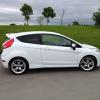
I would like to purchase some ultra bright side lights for my ZS MK7. Just wondering if anyone could recommend me a good set.

Any pics would also be useful.

Thanks in advance...


I've got these. Certainly not the cheapest but the best I've tried, very bright and while (slight Xenon blue):-

www.ebay.co.uk/itm/2-CANBUS-LED-BULB-xenon-white-SIDELIGHT-501-W5W-T10-SMD-/280718820475?pt=UK_CarsParts_Vehicles_CarParts_SM&hash=item415c25447b

SideLights02_m.JPG

Sidelights01_m.JPG

IMG_0558_m.JPG

I've got Cree Q5's for my reverse lights and they work a treat, I'm certainly well seen and they're hugely bright so perfect at night - they're my little death rays, lol. I'm pretty sure I could drive everywhere backwards at night.

I wanted to make use of the reflectors round the sidelights and the Q5's won't do that. However they are very potent little projectors/spots if you are after a lot of highly focussed forward projected light. You might even get a few folks gesturing their displeasure about the brightness.

Lots of options , it's just down to the look and practicality you want to achieve.

Latest Deals

Ford UK Shop for genuine Ford parts & accessories

Disclaimer: As the club is an eBay Partner, The club may be compensated if you make a purchase via the club

Join the conversation

You can post now and register later. If you have an account, sign in now to post with your account.

Guest
Reply to this topic...

The "Digestive"


Background Picker
Customize Layout

Account

Navigation

Search

Search

Configure browser push notifications

Chrome (Android)
  1. Tap the lock icon next to the address bar.
  2. Tap Permissions → Notifications.
  3. Adjust your preference.
Chrome (Desktop)
  1. Click the padlock icon in the address bar.
  2. Select Site settings.
  3. Find Notifications and adjust your preference.
