
Skip to content
View in the app

A better way to browse. Learn more.

Ford Owners Club - Ford Forums

A full-screen app on your home screen with push notifications, badges and more.

To install this app on iOS and iPadOS
  1. Tap the Share icon in Safari
  2. Scroll the menu and tap Add to Home Screen.
  3. Tap Add in the top-right corner.
To install this app on Android
  1. Tap the 3-dot menu (⋮) in the top-right corner of the browser.
  2. Tap Add to Home screen or Install app.
  3. Confirm by tapping Install.


Join the Independent Ford Owners' Club

Our community has been built by enthusiasts, for enthusiasts, and proudly run by Ford owners' for over 18 years. As an independent, non-official club, everything you’ll find here, advice, support, and opinions, comes directly from members with genuine Ford ownership experience.

Join our friendly community... it's Free!


Few Question Reg Mk7 Titanium
Featured Replies

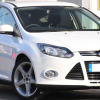
Hello, just got myself a very nice 60 plate white Titanium X :D

It's a 3 Door model but hasn't come with DAB or Auto windows (both of which I would like to retro fit)

I'm going to purchase the Sony DAB headunit as soon as I can get one, but I need to know what other parts i'm going to need to get it working. My radio has the newer style screen so i'm hoping it'll also have the matching connectors for the plugs (wishfull thinking, i've not had a look yet but have been reading other threads)

My miss's fezza zetec 2011 plate has auto roll up windows (one touch) and her's is a 3 door too, I so want mine to do that (pretty shoddy my top of range Titanium doesn't) How can I go about getting that to work??

Any reply's would greatly appreciated, ive been a ford owner for a while now, but had Focus's in the past and in my search have found this the most active for Fiesta ownership so look's like i've found myself a new forum ;)


  • Author
19dfc612.jpg

My 09 plate has auto open/close drivers window which is the norm. Trick is to just flick the button (maybe just mine) if I hold it even a second it would auto open close. Or do you mean open/close from the remote key fob?

With regards to the auto up/down drivers window, your car will have this but it probably needs resetting - I can't remember off the top of my head how to do it but someone will be along shortly to confirm (most probably Nathan).

With regards to the auto up/down drivers window, your car will have this but it probably needs resetting - I can't remember off the top of my head how to do it but someone will be along shortly to confirm (most probably Nathan).

Hold down switch until fully open, left go and then hold switch again for another 5secs or so. Close window all the way, left go of switch and again hold for a few secs.

Repeat a couple of times and one-touch should be reset :)

  • Author

Thanks, just reset my window as suggested and it now works :D happy as a pig in poo!!!

Someone mentioned auto close via keyfob? is that only the 5 Dr power window model (where all windows are 1 touch up and down) used to have that on me Focus ST

Just need some advice on retro fitting Sony DAB now ;)

Latest Deals

Ford UK Shop for genuine Ford parts & accessories

Disclaimer: As the club is an eBay Partner, The club may be compensated if you make a purchase via the club

Join the conversation

You can post now and register later. If you have an account, sign in now to post with your account.

Guest
Reply to this topic...

The "Digestive"


Background Picker
Customize Layout

Account

Navigation

Search

Search

Configure browser push notifications

Chrome (Android)
  1. Tap the lock icon next to the address bar.
  2. Tap Permissions → Notifications.
  3. Adjust your preference.
Chrome (Desktop)
  1. Click the padlock icon in the address bar.
  2. Select Site settings.
  3. Find Notifications and adjust your preference.
