
Skip to content
View in the app

A better way to browse. Learn more.

Ford Owners Club - Ford Forums

A full-screen app on your home screen with push notifications, badges and more.

To install this app on iOS and iPadOS
  1. Tap the Share icon in Safari
  2. Scroll the menu and tap Add to Home Screen.
  3. Tap Add in the top-right corner.
To install this app on Android
  1. Tap the 3-dot menu (⋮) in the top-right corner of the browser.
  2. Tap Add to Home screen or Install app.
  3. Confirm by tapping Install.


Join the Independent Ford Owners' Club

Our community has been built by enthusiasts, for enthusiasts, and proudly run by Ford owners' for over 18 years. As an independent, non-official club, everything you’ll find here, advice, support, and opinions, comes directly from members with genuine Ford ownership experience.

Join our friendly community... it's Free!


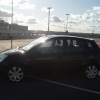
New 62 Fiesta Mk7
Featured Replies

Hi, I joined this site about 2 months ago after ordering my new car.

Well i finaly took delivery of it on Friday and am extreamly happy with it. However I was sad to see my old MK6 Zetec go though, after 4 years reliable service. The very rare additons of the tilt & slide sunroof and built-in 6 CD Auto changer will be greatly missed.

I have now gone for the high spec Titanium model in Panther Black, with the added extras of 16'' 7 Spoke alloy wheels, and Interior Pack 2 which includes leather Handbrake, Illuminated Gear knob and Illuminated scuff plates.

Having read several posts on here and getting various ideas, i spent several hours adding a few mods to my new car. Blue LED footwell bulbs, splicing an extention loom with bulb holders to provide rear footwell lighting. Boomerang XT Armrest, White LED license plate bulbs, and for novalty purposes, colour changing LEDs in the map reading bulb holders :)

DSC_0601.jpg

DSC_0594.jpgDSC_0566.jpgDSC_0562.jpgDSC_0600.jpg


very nice looking motor u have there fella :)

always loved the panther black fords :D

Very smart

Very nice mate, like looking at my cars younger brother!

Very nice car mate :) , How are you finding the arm rest? I'm thinking of getting one but I'm not too sure.

How is it to change gear? because it looks like it will be in the way?

Very nice car mate :) , How are you finding the arm rest? I'm thinking of getting one but I'm not too sure.

How is it to change gear? because it looks like it will be in the way?

I have one on my car and depending on the sorts of roads I'm on depends on whether I keep it up or not.

In town or country roads I keep it upright out of the way as I'm often going through the gears. As soon as I go on the motorway or am in traffic it comes down. You can change gear with it down, it really quite a relaxed position, but I can't have it down when I'm trying to have fun on national speed limit roads through the country :D

  • Author

Thank you for the great comments guys, it means a lot to have your approval. :)

Very nice car mate :) , How are you finding the arm rest? I'm thinking of getting one but I'm not too sure.

How is it to change gear? because it looks like it will be in the way?

Im very happy with the armrest. I noticed on a couple of earlier posts that 1 or 2 people thought it was a little too high to be comfotable changing gear, but i myself feel it is a perfect height. You can still easily steer with your arm resting on it, and when my arm is fully resting flat, my hand is pretty well level with the top of the gear knob. The built in covered storage is also a welcome addition.

Like alexp999 said, you can easily lift it up if you are changing gear often, though i myself havnt felt the need to do so. Of course i have only had it a couple of days. Hope this helps you. ;)

Latest Deals

Ford UK Shop for genuine Ford parts & accessories

Disclaimer: As the club is an eBay Partner, The club may be compensated if you make a purchase via the club

Join the conversation

You can post now and register later. If you have an account, sign in now to post with your account.

Guest
Reply to this topic...

The "Digestive"


Background Picker
Customize Layout

Account

Navigation

Search

Search

Configure browser push notifications

Chrome (Android)
  1. Tap the lock icon next to the address bar.
  2. Tap Permissions → Notifications.
  3. Adjust your preference.
Chrome (Desktop)
  1. Click the padlock icon in the address bar.
  2. Select Site settings.
  3. Find Notifications and adjust your preference.
