
Skip to content
View in the app

A better way to browse. Learn more.

Ford Owners Club - Ford Forums

A full-screen app on your home screen with push notifications, badges and more.

To install this app on iOS and iPadOS
  1. Tap the Share icon in Safari
  2. Scroll the menu and tap Add to Home Screen.
  3. Tap Add in the top-right corner.
To install this app on Android
  1. Tap the 3-dot menu (⋮) in the top-right corner of the browser.
  2. Tap Add to Home screen or Install app.
  3. Confirm by tapping Install.


Join the Independent Ford Owners' Club

Our community has been built by enthusiasts, for enthusiasts, and proudly run by Ford owners' for over 18 years. As an independent, non-official club, everything you’ll find here, advice, support, and opinions, comes directly from members with genuine Ford ownership experience.

Join our friendly community... it's Free!


Help, Mk1 2001 Focus 1.4 Stuttering On Acceleration
Featured Replies

Hi All,

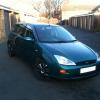
I have a MK1 2001 Focus and have been driving it with no problems for the whole months i have owned it. However today the car has started stuttering when i accelerate, it doesn't happen all the time but it is still accuring. Any idea's what it could be or what to check for?

I haven't looked under the bonnet yet as it has only just started happening and its dark and !Removed! it down outside. I do intend to get under the bonnet 2moz so some pointers what to check and/or look for would be great.

Thanks,

Si


With this horrible weather, I would first check the spark plug wells for water as it may have leaked through. If OK I would then be looking at new plugs and leads, also the fuel filter. Just the normal servicing stuff. If non of that cures it you MAF sensor may need a clean.

As its happening under load it is most likely the leads breaking down, but there are a lot of possibilities.

  • Author

Cheers,

What a day!!, i checked the spark plugs and all seemed well, just gave them a clean up and put them back in. I then fired the car up just to make sure all was well and the car then decided to lock itself with the car still running, wasn't impressed. Anyway after an hour i managed to get the door open with an old wire coat hanger.

I did run the car to near empty the other day before filling up so im hoping its just pulled through some crap from the bottom of the tank, gonna put a full tank of fresh fuel in and see how it goes over the week, hopefully it'll clear up, if not, im gonna fit a new fuel filter on friday night to see if that does anything.

Anyone with any other advise would be greatful

Thanks,

Si

car shouldnt lock with the ignition running so it sounds like water has got intothe car or electrics ide peel back the pass side carpet and check under neath for water

  • Author

cheers bud, i'll try have a look at that

car shouldnt lock with the ignition running so it sounds like water has got intothe car or electrics ide peel back the pass side carpet and check under neath for water

Agreed, also sometimes a perished door sill rubber will let water into the door lock mechanism and cause the same symptom.

  • 2 months later...

Was this stuttering problem resolved? if yes could you please share what the cause was as my Mk1 focus has just gon into the garage, for the same reason, a second time as what they did the first time didnt fix it.

Latest Deals

Ford UK Shop for genuine Ford parts & accessories

Disclaimer: As the club is an eBay Partner, The club may be compensated if you make a purchase via the club

Join the conversation

You can post now and register later. If you have an account, sign in now to post with your account.

Guest
Reply to this topic...

The "Digestive"


Background Picker
Customize Layout

Account

Navigation

Search

Search

Configure browser push notifications

Chrome (Android)
  1. Tap the lock icon next to the address bar.
  2. Tap Permissions → Notifications.
  3. Adjust your preference.
Chrome (Desktop)
  1. Click the padlock icon in the address bar.
  2. Select Site settings.
  3. Find Notifications and adjust your preference.
