
Skip to content
View in the app

A better way to browse. Learn more.

Ford Owners Club - Ford Forums

A full-screen app on your home screen with push notifications, badges and more.

To install this app on iOS and iPadOS
  1. Tap the Share icon in Safari
  2. Scroll the menu and tap Add to Home Screen.
  3. Tap Add in the top-right corner.
To install this app on Android
  1. Tap the 3-dot menu (⋮) in the top-right corner of the browser.
  2. Tap Add to Home screen or Install app.
  3. Confirm by tapping Install.


Join the Independent Ford Owners' Club

Our community has been built by enthusiasts, for enthusiasts, and proudly run by Ford owners' for over 18 years. As an independent, non-official club, everything you’ll find here, advice, support, and opinions, comes directly from members with genuine Ford ownership experience.

Join our friendly community... it's Free!


Central Locking Problems, Fed Up Off Disconnecting Battery Every Night :(
Featured Replies

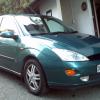
ford focus 1.8 zetec Xreg, right where do i start my car dont lock at all only the boot i press the fob or put the key in the door and you can hear it trying to lock but it wont and if you sit inside and lock it with the switch it unlocks straight away, ive checked fuse n door light switches, but i need some help i took off all the door trims today front and back and unplugged the drivers door central locking motor and tryed locking it but it did the same so i plugged it back in and unplugged the passenger side and it did it agen so plugged it back in and basically i did it to every door and it did the same all round, but surely when i disconnected the one that wasnt working the others should of worked,


Right ive been looking about for a solution for you and what ive found is that the drivers door lock has to be fully engaged before any of the other doors will lock so even if you disconnected the drivers door lock you would still have the same problem, its sounding like either a dirty connection on the drivers side locking mechanism, faulty solenoid on the drivers door or something is physically preventing the driver's lock engaging. Hope this helps ill keep looking to see what else I can find for you

Hi do not know if this will help you, but last weekend i replace my drivers door lock. i put the steel inner door panel on and tryed the locks and it work ok, all doors locked with the window down i pulled the cable on the inner door handle to try the dead lock all ok. but when i put the other door panel on and the inner door handle, doors would not lock it locked and opened right away so i took the inner door handle off and push the cable back in by hand all doors lock & dead locks work so i and sparyed WD40 down the cable then put the handle back on and now working ok. so take off inner door handle and push the cable back by hand to see if the cable is sticking and not returning hope this helps you.

  • Author

thank you dangersford your a star n i think the drivers lock is fine iv locked it by hand whilst the door is open n seems ok and do you know where the connections are? dont know if it is a solenoid i cant get it out ive tryed loads of times.

thank you tanktop3 i will try that tommorrow if its not raining ive had the inner door trims off so much dont think there guna take much more but ill give it ago like i said ive soaked it all in wd40 half a big can on each door thats no joke but anythink is worth ago at the minute.

  • Author

couldnt have ago at it today as it was raining in the morning and then my mates headgasket went in the afternoon on his 53plate focus so had to start doing that inbetween when the rain stopped so ill finish off doing his headgasket tommorrow and then look at my door if the weather is ok fingers crossed.

Latest Deals

Ford UK Shop for genuine Ford parts & accessories

Disclaimer: As the club is an eBay Partner, The club may be compensated if you make a purchase via the club

Join the conversation

You can post now and register later. If you have an account, sign in now to post with your account.

Guest
Reply to this topic...

The "Digestive"


Background Picker
Customize Layout

Account

Navigation

Search

Search

Configure browser push notifications

Chrome (Android)
  1. Tap the lock icon next to the address bar.
  2. Tap Permissions → Notifications.
  3. Adjust your preference.
Chrome (Desktop)
  1. Click the padlock icon in the address bar.
  2. Select Site settings.
  3. Find Notifications and adjust your preference.
