
Skip to content
View in the app

A better way to browse. Learn more.

Ford Owners Club - Ford Forums

A full-screen app on your home screen with push notifications, badges and more.

To install this app on iOS and iPadOS
  1. Tap the Share icon in Safari
  2. Scroll the menu and tap Add to Home Screen.
  3. Tap Add in the top-right corner.
To install this app on Android
  1. Tap the 3-dot menu (⋮) in the top-right corner of the browser.
  2. Tap Add to Home screen or Install app.
  3. Confirm by tapping Install.


Join the Independent Ford Owners' Club

Our community has been built by enthusiasts, for enthusiasts, and proudly run by Ford owners' for over 18 years. As an independent, non-official club, everything you’ll find here, advice, support, and opinions, comes directly from members with genuine Ford ownership experience.

Join our friendly community... it's Free!
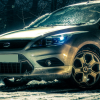
 

The "s" Badge

Featured Replies

Hiya folks,

Relevant to the Zetec S owners on here, something that comes up time and time again is the location/lack of/addition of "S" badges.

My Focus Zetec S came with the S badges on the wings just under the mirrors but not on the rear.

Just thought it would be good to see what/where others have added these badges and where? I'm thinking of a single S badge on the boot.

Only other thing I've done is add an "S" transfer to the lower metal spoke of the steering wheel.

:)


I have one on my front grille on my Fiesta;

20120816_2055160.jpg

On the new one it won't have any 'S' badges, so going to put one on the back and then put the one that's on my grille on the new grille, round about where the ST badge is on the ST models :P

  • Author

Looks good!

I had 8 on my car... :P

#1

169021_10150185270113438_3318456_n.jpg

#2

205194_10150260256618438_7772432_n.jpg

#3 (& #4 on other side!)

205194_10150260256628438_1410986_n.jpg

#5, #6 & #7

205194_10150260256638438_7245829_n.jpg

and finally #8 on the front!

429526_10151584719733438_1733006054_n.jp

I have the side wings, and I'm going to add the front grille badge. I've debadged the rear apart from the tdci badge.

post-5052-127388036859_thumb.jpg

I had 8 on my car... :P

That's a lot of S badges :o

There you go

post-5052-0-01122100-1363310954_thumb.jp

Grill and Steering wheel

Hiya folks,

Just thought it would be good to see what/where others have added these badges and where?

:)

I'm not a true zetecS owner but almost replicated lol

One on the front grill and a mk6 fiesta one on the boot, I like the subtle chrome fiesta version for the boot,

And the red S gives good contrast on the front end.

Image2632-2.jpg

Image2028.jpg

Image2029.jpg

The S badges from ford are serious money RRP.15.99 GbP

I was thinking of fitting one on each side fender but adding up the cost, I'm leaning more towards some DMB side strips with an S on them in black faded to clear colour coded body,

Think they would look good aswell as protect the body beneath from chips or scratching.

Like this but in black and without the "T" lol

2_691_e_zps11bf6bf2.jpg

Anyone got them on the new facelift zetec s ? I Bought some the other day but haven't got car yet.

  • 2 months later...
  • Author

No but seen a few of the new ZS's knocking about, very smart.

On a sidenote, I ordered my S badge for the rear :) Will post up when it's on.

  • 2 weeks later...
  • Author

Bought it, and clumsy me ripped not only the tape off, but also the whole adhesive foam. Will order a new one ASAP :(

Latest Deals

Ford UK Shop for genuine Ford parts & accessories

Disclaimer: As the club is an eBay Partner, The club may be compensated if you make a purchase via the club

Join the conversation

You can post now and register later. If you have an account, sign in now to post with your account.

Guest
Reply to this topic...

The "Digestive"


Background Picker
Customize Layout

Account

Navigation

Search

Search

Configure browser push notifications

Chrome (Android)
  1. Tap the lock icon next to the address bar.
  2. Tap Permissions → Notifications.
  3. Adjust your preference.
Chrome (Desktop)
  1. Click the padlock icon in the address bar.
  2. Select Site settings.
  3. Find Notifications and adjust your preference.
