
Skip to content
View in the app

A better way to browse. Learn more.

Ford Owners Club - Ford Forums

A full-screen app on your home screen with push notifications, badges and more.

To install this app on iOS and iPadOS
  1. Tap the Share icon in Safari
  2. Scroll the menu and tap Add to Home Screen.
  3. Tap Add in the top-right corner.
To install this app on Android
  1. Tap the 3-dot menu (⋮) in the top-right corner of the browser.
  2. Tap Add to Home screen or Install app.
  3. Confirm by tapping Install.


Join the Independent Ford Owners' Club

Our community has been built by enthusiasts, for enthusiasts, and proudly run by Ford owners' for over 18 years. As an independent, non-official club, everything you’ll find here, advice, support, and opinions, comes directly from members with genuine Ford ownership experience.

Join our friendly community... it's Free!


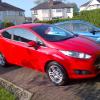
New Fiesta, Picking It Up.....tomorrow!
Featured Replies

Hello everyone :)

Quite excited at the moment! You can guess why!

I pick up my new fiesta tomorrow after waiting exactly 1 week from ordering, which is fairly quick in terms of delivery time.

I'm getting the Race Red Zetec 1.0 100ps EcoBoost.

I only went for one addition, which was a spare wheel.

I do have a few questions;

- Spare wheel; Do you get to keep the spare wheel after the two years?

- Footwell Lighting; Is this standard on Zetec's or is it Zetec-S it starts?

- RPM; What RPM is your fiesta doing at around 70mph? Currently my 1.2 Clio is at about 3.3

Cheers!


Hello and welcome, that's pretty quick time for getting a new car

Spare wheel stay's with the car after the two years I'm sure, if you optioned it then it doesn't have the tyre inflation kit, so if you take it you leave the new owner with now spare lol if you trade it in

Footwell lighting is standard on the Zetec and Titanium's

I have the same Ecoboost as you and at 70 its doing 2,500 rpm. Like this as my old 1.25 was doing 1,000 rpm more, so it's a more relaxed cruiser

  • Author

Thanks for your reply Mick,

Yeah, i do believe it is a pretty fast turn-around.

I see what you mean about the spare tire, fair enough!

In regards to the RPM - i felt the same when i test drove it. I was going around 65 - the engine was silent and there was not a single feel of it struggling.

Picking it up at 2 today :)

Good choice of colour Nathan! Footwell lighting is standard on zetec's up, I've changed mine for blue smd ones already though to match in with the dials.

Good choice of colour Nathan! Footwell lighting is standard on zetec's up, I've changed mine for blue smd ones already though to match in with the dials.

Where did you get the lamps to match? Wouldnt mind some! Or maybe the red to match the cup holders as i have the red seats in my ZS

And hope you enjoy the Fiesta Nathan, loved mine since day 1!

Just searched the bay of E

Yeah I was guessing there, I just dont want to go buying a blue which is nothing like the dials thats all, might go for red though, its not too much red because car is Panther Black, so the red would go with the seats and cup holders

  • Author

I'm in love with it! Can't get my head around the acceleration and gear ratio for just a 1.0 litre! I must remember to ware the engine in before i put my foot down ;)

Ford sync works a treat - reading a text, instantly playing music when I step in the car; it's great.

Looking forward to a motorway run next week :)

I havent tried it for reading a text yet! Do you have an iPhone? I know it doesnt send texts for those, but I love the Ford Sync aswell, probably because i had nothing special in my first car haha

Glad your enjoying it! Im on a motorway run today, off to the beach!

Latest Deals

Ford UK Shop for genuine Ford parts & accessories

Disclaimer: As the club is an eBay Partner, The club may be compensated if you make a purchase via the club

Join the conversation

You can post now and register later. If you have an account, sign in now to post with your account.

Guest
Reply to this topic...

The "Digestive"


Background Picker
Customize Layout

Account

Navigation

Search

Search

Configure browser push notifications

Chrome (Android)
  1. Tap the lock icon next to the address bar.
  2. Tap Permissions → Notifications.
  3. Adjust your preference.
Chrome (Desktop)
  1. Click the padlock icon in the address bar.
  2. Select Site settings.
  3. Find Notifications and adjust your preference.
