
Skip to content
View in the app

A better way to browse. Learn more.

Ford Owners Club - Ford Forums

A full-screen app on your home screen with push notifications, badges and more.

To install this app on iOS and iPadOS
  1. Tap the Share icon in Safari
  2. Scroll the menu and tap Add to Home Screen.
  3. Tap Add in the top-right corner.
To install this app on Android
  1. Tap the 3-dot menu (⋮) in the top-right corner of the browser.
  2. Tap Add to Home screen or Install app.
  3. Confirm by tapping Install.


Join the Independent Ford Owners' Club

Our community has been built by enthusiasts, for enthusiasts, and proudly run by Ford owners' for over 18 years. As an independent, non-official club, everything you’ll find here, advice, support, and opinions, comes directly from members with genuine Ford ownership experience.

Join our friendly community... it's Free!


Hello From A Newb, Bluetooth Query...
Featured Replies

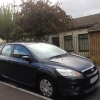
Hey guys. I've just bought myself a Ford Focus 2008 with a Sony DAB CD radio (not the 6 disk changer). I've checked ETIS and it does say I have Bluetooth control etc. The radio control stalk has the 'Voice' button but nothing happens when I push it. Also when I push the phone button on the radio it mutes but nothing else. There is no bluetooth option on the menu. I've been told I can reset the bluetooth unit but I'm having trouble locating it. I've taken the panels off in the footwell but I don't really know what I'm looking for.

Any ideas where is it?

post-44455-0-37372100-1371397850_thumb.j

  • 2 weeks later...


You want to be looking for a module like this-

http://i.ebayimg.com/t/FORD-BLUETOOTH-VOICE-CONNECTIVITY-WITH-USB-HANDSFREE-MODULE-CS7T-14D212-AC-/00/s/NjgyWDEwMjQ=/z/-0EAAOxy7MtRxXsC/$(KGrHqJ,!rYFG-llUoTCBR)(sBzyhw~~60_12.JPG

It should be tucked up behind the removable panel to the left of the drivers footwell but will be pushed quite well forward.

All you do is connect to the bluetooth via your phone and its good to go in mine... dont know if this helps!

Took ages to find my BT module, it was on a bracket beneath the passenger airbag and above the glovebox; because of that I couldn't reach the cable lock tag :censored:

Coupled with that it was mounted upside-down so the torx screw head was facing the bottom of the airbag.

To get it it out I had to tape a torx-bit to a tiny spanner and undo it 1/6th of turn at a time and of course it wasn't a short bolt either :cry:

Left it disconnected for about 30mins after which it worked; I put it back the other way up (or should that be down ?) so I could get the screw out easier next time.

Latest Deals

Ford UK Shop for genuine Ford parts & accessories

Disclaimer: As the club is an eBay Partner, The club may be compensated if you make a purchase via the club

Join the conversation

You can post now and register later. If you have an account, sign in now to post with your account.

Guest
Reply to this topic...

The "Digestive"


Background Picker
Customize Layout

Account

Navigation

Search

Search

Configure browser push notifications

Chrome (Android)
  1. Tap the lock icon next to the address bar.
  2. Tap Permissions → Notifications.
  3. Adjust your preference.
Chrome (Desktop)
  1. Click the padlock icon in the address bar.
  2. Select Site settings.
  3. Find Notifications and adjust your preference.
