
Skip to content
View in the app

A better way to browse. Learn more.

Ford Owners Club - Ford Forums

A full-screen app on your home screen with push notifications, badges and more.

To install this app on iOS and iPadOS
  1. Tap the Share icon in Safari
  2. Scroll the menu and tap Add to Home Screen.
  3. Tap Add in the top-right corner.
To install this app on Android
  1. Tap the 3-dot menu (⋮) in the top-right corner of the browser.
  2. Tap Add to Home screen or Install app.
  3. Confirm by tapping Install.


Join the Independent Ford Owners' Club

Our community has been built by enthusiasts, for enthusiasts, and proudly run by Ford owners' for over 18 years. As an independent, non-official club, everything you’ll find here, advice, support, and opinions, comes directly from members with genuine Ford ownership experience.

Join our friendly community... it's Free!


2013 Fiesta Bonnet Closing Problems
Featured Replies

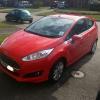
So I was on holiday in Wales with my family and decided to show them my new car, did the obligitory show them hte engine and then when I went to close the bonnet it wouldnt shut fully.

An hour later after i rang the dealership and ford breakdown the spring for poping the hood has been taken out as its too powerful for the light bonnet to close properly.

Not the best start to my family seeing my new pride and joy but hey ho. off to the garage to get it replaced i guess.

Anyone else had this issue?


It was a known problem that they can stick from not being greased very well. But i would of assumed this would of been fixed on the 2013 models.

  • Author

Well hopefully they can fix it once its back in the garage for its checks. Bit of a pain.

Interesting. I have a different bonnet related issue but it sounds like the spring you mentioned will be the cause. After a drive in my car (doesn't always do it), the bonnet has flicked up but obviously doesn't open all the way because of the safety catch. Took it in but they couldn't fault it. Could do with a copy of your repair receipt to show them lol

  • 2 weeks later...

Having the same problem right now with my Fiesta Zetec S EcoBoost, phoned fords and they can get it in the garage for Tuesday but I need the car for work next week!

Having the same problem right now with my Fiesta Zetec S EcoBoost, phoned fords and they can get it in the garage for Tuesday but I need the car for work next week!

I've just taken a look under the bonnet again and noticed 2 adjusting foam topped caps (no idea what the technical word is) which where insanely high and then after seeing the bumps in the bonnet I put 1+1 together and realised that they were stopping the bonnet from properly closing so I screwed them in a little on either side and the bonnet now closes properly! hope this helps anybody else with the same problem! will put a picture up when its light out again!

My colleague had a similar issue with his company car, a 2005 Ford Mondeo a couple of days ago. Imagine our laughter when we got a call from the FORD garage, asking how they open a FORD bonnet, they said they were going to completely replace the catch and charge us for the pleasure. Needless to say, my colleague phoned them up and spoke to them like a 5 year old. I took him up there (who needs an excuse to show off their brand new 1 day old car to a colleague?), and they had the bonnet open and WD40'd it, and it was OK.

Our Ford garage are pretty useless though as mentioned in other posts, never had a service/MOT from them without the car/van breaking down less than a day later - But we still go for them, paying their 300% markup (£1300 quote for a clutch replacement? Got it down to £395 after laughing in their faces). *Sigh*

Latest Deals

Ford UK Shop for genuine Ford parts & accessories

Disclaimer: As the club is an eBay Partner, The club may be compensated if you make a purchase via the club

Join the conversation

You can post now and register later. If you have an account, sign in now to post with your account.

Guest
Reply to this topic...

The "Digestive"


Background Picker
Customize Layout

Account

Navigation

Search

Search

Configure browser push notifications

Chrome (Android)
  1. Tap the lock icon next to the address bar.
  2. Tap Permissions → Notifications.
  3. Adjust your preference.
Chrome (Desktop)
  1. Click the padlock icon in the address bar.
  2. Select Site settings.
  3. Find Notifications and adjust your preference.
