
Skip to content
View in the app

A better way to browse. Learn more.

Ford Owners Club - Ford Forums

A full-screen app on your home screen with push notifications, badges and more.

To install this app on iOS and iPadOS
  1. Tap the Share icon in Safari
  2. Scroll the menu and tap Add to Home Screen.
  3. Tap Add in the top-right corner.
To install this app on Android
  1. Tap the 3-dot menu (⋮) in the top-right corner of the browser.
  2. Tap Add to Home screen or Install app.
  3. Confirm by tapping Install.


Join the Independent Ford Owners' Club

Our community has been built by enthusiasts, for enthusiasts, and proudly run by Ford owners' for over 18 years. As an independent, non-official club, everything you’ll find here, advice, support, and opinions, comes directly from members with genuine Ford ownership experience.

Join our friendly community... it's Free!


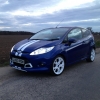
Ford Fiesta 2011 Attempted Theft - Zetec S1600
Featured Replies

Just posting this as information for other people out there. The other morning I came out to find a thief had punched a hole through my drivers window (right in the corner so my alarm didn't pick them up, I have since moved the ultrasonics!) to try and program their own key in via the OBD Port and steal my car.

The way the thieves steal keyless Fords is by plugging a device into the OBD port, pressing the 'Power' button, then this wakes the Computer/ECU up and from this they can then program their own key in, remove their device and then unlock and start the car. This process can take minutes and it makes hardly any noise.

The OBD Port Protector I have installed on my car saved it, it stopped the thief from programming their key in and driving away my pride and joy. This problem/thieves with the equipment seems to only be around Essex & Kent at the minute but it will soon spread to other areas I'm sure. Luckily I only had to fork out £40 for a new window and not £10,000+ for a new car!

See the photos below!

post-36406-0-08812300-1371724589_thumb.j

post-36406-0-61426500-1371724658_thumb.j

post-36406-0-05102800-1371724738_thumb.j

Edited by Stoney871
Advertising removed.


Gutted for you mate, theres some scum about. But like you said at least they didnt get away with your car :)

Not jsut Essex and Kent buddy these guys have started to share there tricks in and around Scotland as well. Lucky you never lost you're car, jsut a pain about the window. As you said though rather a window than a whole car.

LUCKY

Have you got a link to the ODB port protector that you got, and do you know if they are universal? That's the last thing I want and I live in Kent!

There's some right thugs about.

I have one of these on my steering wheel. http://www.amazon.co.uk/DISKLOK-STEERING-WHEEL-THATCHAM-APPROVED/dp/B004L4N5KI

It seems to have deterred anyone from doing any damage to my car (well apart from some thug putting a screwdriver in my fuel cover lock on my last car.)

I know you have a 'protector' on the port, but maybe you could consider a lock then it won't happen again...

I have a steering wheel lock but it never gets used, far too much hassle for the 10-12 times I get in and out of my car daily!

Apparently you can get the OBD connector disabled at the dealership, I wonder how they do that? And how easy it is to reactivate.

And thankfully they didn't scratch the paint either >.<

  • Author

Very true! I'm glad they didn't try the other way of getting in! I've seen one fiesta where they forced a screwdriver down the side of the drivers door to get to the little screw that holds the lock cylinder in to open the central locking that way... Very Messy!!

You can put switches/cut the wires to the OBD port but these people know what they're doing and they'll just follow the wires back to the looms in the car/ find the switch. The beauty of the OBD Protector is that its always there and only needs to be touched if you breakdown/car goes in for a service. Just google 'ProtectAVan' or 'OBD Protection' and they'll probably come up

Latest Deals

Ford UK Shop for genuine Ford parts & accessories

Disclaimer: As the club is an eBay Partner, The club may be compensated if you make a purchase via the club

Join the conversation

You can post now and register later. If you have an account, sign in now to post with your account.

Guest
Reply to this topic...

The "Digestive"


Background Picker
Customize Layout

Account

Navigation

Search

Search

Configure browser push notifications

Chrome (Android)
  1. Tap the lock icon next to the address bar.
  2. Tap Permissions → Notifications.
  3. Adjust your preference.
Chrome (Desktop)
  1. Click the padlock icon in the address bar.
  2. Select Site settings.
  3. Find Notifications and adjust your preference.
