
Skip to content
View in the app

A better way to browse. Learn more.

Ford Owners Club - Ford Forums

A full-screen app on your home screen with push notifications, badges and more.

To install this app on iOS and iPadOS
  1. Tap the Share icon in Safari
  2. Scroll the menu and tap Add to Home Screen.
  3. Tap Add in the top-right corner.
To install this app on Android
  1. Tap the 3-dot menu (⋮) in the top-right corner of the browser.
  2. Tap Add to Home screen or Install app.
  3. Confirm by tapping Install.


Join the Independent Ford Owners' Club

Our community has been built by enthusiasts, for enthusiasts, and proudly run by Ford owners' for over 18 years. As an independent, non-official club, everything you’ll find here, advice, support, and opinions, comes directly from members with genuine Ford ownership experience.

Join our friendly community... it's Free!
 

New Fiesta

Featured Replies

Hi fellow fiesta owners, a couple of months ago I posted a general request on your views on the 1.2 mk 7 fiesta.

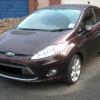
I just thought that I should update you to the fact that my oldest daughter did buy a used style plus based on your thoughts.

Many thanks to those of you that responded.

post-34550-0-66993800-1372269209_thumb.j


Nice wheel upgrade! Pretty much have all the essential kit you'd need now with that spec :)

  • Author

Hi Laurence, thing is that the car was up speced by the 1st owner along with the alloys it has front and rear parking sensors not sure what else but it realy is a smashing car, only done 17k on an 09 .

Cheers.

yeah thats a pretty good find!

i remember the days when you had to go quite high up a spec just to get electric front windows!

thats pretty good mileage too, as long as you have the essential a/c, alloys and heated windscreen its all good - i remember the windscreen was an option on the zetec s when that first came out!

Latest Deals

Ford UK Shop for genuine Ford parts & accessories

Disclaimer: As the club is an eBay Partner, The club may be compensated if you make a purchase via the club

Join the conversation

You can post now and register later. If you have an account, sign in now to post with your account.

Guest
Reply to this topic...

The "Digestive"


Background Picker
Customize Layout

Account

Navigation

Search

Search

Configure browser push notifications

Chrome (Android)
  1. Tap the lock icon next to the address bar.
  2. Tap Permissions → Notifications.
  3. Adjust your preference.
Chrome (Desktop)
  1. Click the padlock icon in the address bar.
  2. Select Site settings.
  3. Find Notifications and adjust your preference.
