
Skip to content
View in the app

A better way to browse. Learn more.

Ford Owners Club - Ford Forums

A full-screen app on your home screen with push notifications, badges and more.

To install this app on iOS and iPadOS
  1. Tap the Share icon in Safari
  2. Scroll the menu and tap Add to Home Screen.
  3. Tap Add in the top-right corner.
To install this app on Android
  1. Tap the 3-dot menu (⋮) in the top-right corner of the browser.
  2. Tap Add to Home screen or Install app.
  3. Confirm by tapping Install.


Join the Independent Ford Owners' Club

Our community has been built by enthusiasts, for enthusiasts, and proudly run by Ford owners' for over 18 years. As an independent, non-official club, everything you’ll find here, advice, support, and opinions, comes directly from members with genuine Ford ownership experience.

Join our friendly community... it's Free!


Ford Sync Bluetooth Question
Featured Replies

Hi Guys

i have just picked up my new fiesta st

it has the sony navigation with Sync

i have an iphone 4s when i play music through bluetooth it does not display any song information

in my old fiesta zetec s on the ford audio system i did get song names etc and the option to shuffle and repeat while playing via bluetooth

has any one got the new sync to do this?

thanks


The Sync system is poo mate. You don't get track info over bluetooth anymore :(

Hopefully this will be sorted if Ford ever get round to updating it.

  • Author

it really is a step back

ive had to order a 32 gb usb stick to put me on until ford sort this

as it wont let me use the handsfree if i plug my phone in via the cable

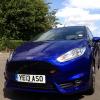
Get some pics of your motor up! Lol

it really is a step back

ive had to order a 32 gb usb stick to put me on until ford sort this as it wont let me use the handsfree if i plug my phone in via the cable

I'm running a 160gb SSD and it works great. The only thing that annoys me is it plays your tracks in alphabetical order not numerical and it won't play the next album automatically so you have to go back through the menu and start again from the first album on the drive.

Latest Deals

Ford UK Shop for genuine Ford parts & accessories

Disclaimer: As the club is an eBay Partner, The club may be compensated if you make a purchase via the club

Join the conversation

You can post now and register later. If you have an account, sign in now to post with your account.

Guest
Reply to this topic...

The "Digestive"


Background Picker
Customize Layout

Account

Navigation

Search

Search

Configure browser push notifications

Chrome (Android)
  1. Tap the lock icon next to the address bar.
  2. Tap Permissions → Notifications.
  3. Adjust your preference.
Chrome (Desktop)
  1. Click the padlock icon in the address bar.
  2. Select Site settings.
  3. Find Notifications and adjust your preference.
