
Skip to content
View in the app

A better way to browse. Learn more.

Ford Owners Club - Ford Forums

A full-screen app on your home screen with push notifications, badges and more.

To install this app on iOS and iPadOS
  1. Tap the Share icon in Safari
  2. Scroll the menu and tap Add to Home Screen.
  3. Tap Add in the top-right corner.
To install this app on Android
  1. Tap the 3-dot menu (⋮) in the top-right corner of the browser.
  2. Tap Add to Home screen or Install app.
  3. Confirm by tapping Install.


Join the Independent Ford Owners' Club

Our community has been built by enthusiasts, for enthusiasts, and proudly run by Ford owners' for over 18 years. As an independent, non-official club, everything you’ll find here, advice, support, and opinions, comes directly from members with genuine Ford ownership experience.

Join our friendly community... it's Free!


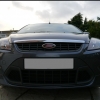
2010 Rear Ford Emblem Badge Replacement
Featured Replies

Hey guys,

not happy with my "carbon and red" ford overlays from dmb, I think the carbon effect looks cheap and like I bought it from Halfrauds so im going to get either plain black or metallic grey background ones instead.

Anyway, my rear original ford badge is missing the top dome layer which prevents the gel overlays sticking on properly so I need to replace that before I buy my new gel overlays and stick them on. Does anyone know the part number for a replacement original rear ford emblem badge on a 2010 Focus? There are lots of different ones on ebay and all with different part numbers claiming to be the right one. heeeeeeeeeeeeeeeeeelp!!


  • Author

appreciate that thanks.

Should be Finis number 1528567 (also came up with number 1532603)

Easiest way to confirm is pop to a local Ford dealers parts counter and ask them to check by your registration.

I can recommend a black background, look good...

post-43271-0-42208700-1372830843_thumb.j

  • Author

Stoney, are those two numbers both for the same part? They are the two common ones on ebay but I don't know which is the right one to order. The problem I have is my local dealer is A LOT more expensive on everything than any other dealer it seems to be so I don't really want to go down there. plus the last time I wanted something simple ordered, I double checked the numbers he gave me with those online and they were completely different, I wanted to order a full mat set and for the £39 he quoted it turns out the part number he was going to get me was just a set of rears or something so no real faith in them

One is for the estate version (1528567) and one is for the hatchback (1532603) version I believe.

It's because the one designed for the estate is like the MK2 badge and goes directly onto the hatch, whereas the one on the hatchback version goes onto the trim above the plate lights.

(more info on PM)

How do you remove your oem badges and fit the after market dmb ones?

How do you remove your oem badges and fit the after market dmb ones?

they fit onto the front of existing badges.

So do you have to unclip the old ones then?

Or just stick them over the top of the existing ones.

Sorry for being dumb on this but never seen any up close

So do you have to unclip the old ones then?

Or just stick them over the top of the existing ones.

Sorry for being dumb on this but never seen any up close

straight over the top of them, don't need to pull them off or anything.

Mine came this morning and fitted them. I first thought, they aint guna look good, but fitted them and have to say they do look good and you cant tell they are just stuck over the top.

Latest Deals

Ford UK Shop for genuine Ford parts & accessories

Disclaimer: As the club is an eBay Partner, The club may be compensated if you make a purchase via the club

Join the conversation

You can post now and register later. If you have an account, sign in now to post with your account.

Guest
Reply to this topic...

The "Digestive"


Background Picker
Customize Layout

Account

Navigation

Search

Search

Configure browser push notifications

Chrome (Android)
  1. Tap the lock icon next to the address bar.
  2. Tap Permissions → Notifications.
  3. Adjust your preference.
Chrome (Desktop)
  1. Click the padlock icon in the address bar.
  2. Select Site settings.
  3. Find Notifications and adjust your preference.
