
Skip to content
View in the app

A better way to browse. Learn more.

Ford Owners Club - Ford Forums

A full-screen app on your home screen with push notifications, badges and more.

To install this app on iOS and iPadOS
  1. Tap the Share icon in Safari
  2. Scroll the menu and tap Add to Home Screen.
  3. Tap Add in the top-right corner.
To install this app on Android
  1. Tap the 3-dot menu (⋮) in the top-right corner of the browser.
  2. Tap Add to Home screen or Install app.
  3. Confirm by tapping Install.


Join the Independent Ford Owners' Club

Our community has been built by enthusiasts, for enthusiasts, and proudly run by Ford owners' for over 18 years. As an independent, non-official club, everything you’ll find here, advice, support, and opinions, comes directly from members with genuine Ford ownership experience.

Join our friendly community... it's Free!
 

No Usb Device

Featured Replies

OK I have had my fiesta about 6 weeks now and had used the USB a little bit when I first got it, I then started using the dab a bit and then tried going back to USB, but now it just says 'no USB device'. I have tried 2 different USB sticks and reformatting one of them, and it is merely playing mp3 files (the same mp3s that it worked on before). Has anyone else experienced this issue? Is there any easy fixes that I can try? Doesn't look good less than 2 months in...


Try rebooting the system by removing fuse 24 from behind the glovebox for a minute. Will have to 'pair' any phones again though.

  • Author

Legend! Worked perfectly :) doesn't sound very promising...

It's a well known problem with sync 😒

  • Author

Excellent... Looking forward to that then! Can't they just firmware-fix this..? Have told the folks this fix as they are getting a new Kuga in September.

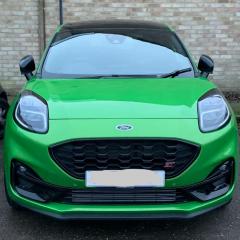
Nice car by the way ;)

Nice car by the way ;)

Thank you, yours doesn't look too shaby either.....best colour as well :)

Did that the same today, but the problem was also a "not compatibile" usb stick. Tried 6 of my usb sticks, only 4 of them worked with SYNC (all tested on PC, worked like a charm).

Try rebooting the system by removing fuse 24 from behind the glovebox for a minute. Will have to 'pair' any phones again though.

Could you please assist on that? Where is fuse 24? Is this rebooting sync too? I have a stucked phone in sync device menu that can't be deleted and isn't working too. Thanks.

Open the glovebox, then press it in at either side near the hinges so it can drop right down. This allows you acsess to the fuse box behind it. Fuse 24 is 10amp, & is located (if my memory serves me correctly) on the far right of the 3rd row up. Then to reboot Sync, remove it for a minute then replace it.

Did that the same today, but the problem was also a "not compatibile" usb stick. Tried 6 of my usb sticks, only 4 of them worked with SYNC (all tested on PC, worked like a charm).

Are they all formatted as FAT32?

Are they all formatted as FAT32?

yep. checked and formated all of them

had to do mine for the 2nd time in 6 weeks! have to pair my phone again, hopefully it stays for at least another 6 weeks haha

Latest Deals

Ford UK Shop for genuine Ford parts & accessories

Disclaimer: As the club is an eBay Partner, The club may be compensated if you make a purchase via the club

Join the conversation

You can post now and register later. If you have an account, sign in now to post with your account.

Guest
Reply to this topic...

The "Digestive"


Background Picker
Customize Layout

Account

Navigation

Search

Search

Configure browser push notifications

Chrome (Android)
  1. Tap the lock icon next to the address bar.
  2. Tap Permissions → Notifications.
  3. Adjust your preference.
Chrome (Desktop)
  1. Click the padlock icon in the address bar.
  2. Select Site settings.
  3. Find Notifications and adjust your preference.
