
Skip to content
View in the app

A better way to browse. Learn more.

Ford Owners Club - Ford Forums

A full-screen app on your home screen with push notifications, badges and more.

To install this app on iOS and iPadOS
  1. Tap the Share icon in Safari
  2. Scroll the menu and tap Add to Home Screen.
  3. Tap Add in the top-right corner.
To install this app on Android
  1. Tap the 3-dot menu (⋮) in the top-right corner of the browser.
  2. Tap Add to Home screen or Install app.
  3. Confirm by tapping Install.


Join the Independent Ford Owners' Club

Our community has been built by enthusiasts, for enthusiasts, and proudly run by Ford owners' for over 18 years. As an independent, non-official club, everything you’ll find here, advice, support, and opinions, comes directly from members with genuine Ford ownership experience.

Join our friendly community... it's Free!


Rear Left Indicator Lights Keeps Cutting Out!
Featured Replies

Hello...!

(My topic can be a general question rather than just left side!)

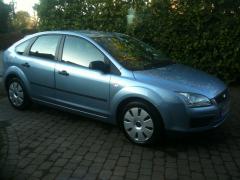
sounds daft but anyway's the rear left indicator light keeps cutting out. The Bulb is fine! I think it's the connection on the connector which is faulty so I tweak it with a flat blade screw driver and fitted back into the light box while running the engine on and turn left indicator on. works for a few seconds and cuts out and I tired doing it again, nothing.... Solutions...!?

PS. been having this problem for some time and it's annoying me so much for other road users around me!!!

George.


then i think you had better start at the basics and check the wiring in the hatch gaitors.

  • 4 weeks later...

agreed George, check the basics such as the wiring in the gaitors and also check the earth points!

  • Author

Happy New Year to you chaps.

Okay thanks for the advise. Although today it's been working fine now so I,ll find some time for this year to sort it all out. I also gonna take my car some time to TCH in my local area to sort out the boot leakage problem when it rains!

Latest Deals

Ford UK Shop for genuine Ford parts & accessories

Disclaimer: As the club is an eBay Partner, The club may be compensated if you make a purchase via the club

Join the conversation

You can post now and register later. If you have an account, sign in now to post with your account.

Guest
Reply to this topic...

The "Digestive"


Background Picker
Customize Layout

Account

Navigation

Search

Search

Configure browser push notifications

Chrome (Android)
  1. Tap the lock icon next to the address bar.
  2. Tap Permissions → Notifications.
  3. Adjust your preference.
Chrome (Desktop)
  1. Click the padlock icon in the address bar.
  2. Select Site settings.
  3. Find Notifications and adjust your preference.
