
Skip to content
View in the app

A better way to browse. Learn more.

Ford Owners Club - Ford Forums

A full-screen app on your home screen with push notifications, badges and more.

To install this app on iOS and iPadOS
  1. Tap the Share icon in Safari
  2. Scroll the menu and tap Add to Home Screen.
  3. Tap Add in the top-right corner.
To install this app on Android
  1. Tap the 3-dot menu (⋮) in the top-right corner of the browser.
  2. Tap Add to Home screen or Install app.
  3. Confirm by tapping Install.


Join the Independent Ford Owners' Club

Our community has been built by enthusiasts, for enthusiasts, and proudly run by Ford owners' for over 18 years. As an independent, non-official club, everything you’ll find here, advice, support, and opinions, comes directly from members with genuine Ford ownership experience.

Join our friendly community... it's Free!


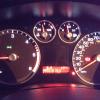
Speedometer Replacement / Unplug
Featured Replies

Can I simply replace speedometer without any computer confusion, mileage loss or other problems ??
My indicator "click" is gone and I found out that this click comes from speedometer itself. There is small speaker installed inside. I'm not sure if I can simply disconnect speedometer and take it apart without any problems with computer etc. I took speedometer out I then realised that cable socket is secured and hard to pull out. I think it maybe because I can't just simply disconnect it.
I've spoken with ford electrician at my local ford service and he said that if indicators work then relay is OK and for "click" sound when indicating I need to investigate.
I'm not quiet sure what will happen when I simply disconnect speedo..

Has anyone of you done it before ??


You can remove the cluster with no problems except that the car won't start without it.

Send the cluster to these people and they'll fix it for you -

http://www.clusterrepairsuk.co.uk/repair/make/ford

If you were to swap the cluster with a replacement one you will need someone with access to an IDS module to pair the cluster to the immobiliser system on the car or else it won't start.

  • Author

Thanks. I'll take the cluster out and make sure that the fault I have is really down to speaker .. I don't want to spend small fortune for nothing ;-)

  • Author

Just noticed there that the warning sound for the head lamps being left on when you open the drivers door isn't working either

It's all from the same piezo electric sounder on the cluster board.

  • Author

That's a good news because I can get a this speaker from other cluster :-)

  • Author

I got my cluster apart and it start to click and beep :D
Unfortunately after few seconds it died again .. I believe that piezoelectric sounder is OK .. I need to contact service to test and fix my IC

  • Author

I did fiddle around with cables I found behind IC .. Do you have in mind some particularly place ?

  • Author

I managed to get hold of another IC and everything works .. I didn't try to start the engine once I spot that mileage is not mine but all controls, beeps, clicks etc works just fine .. Looks like my IC is faulty and I need to send it to London for repair .. Thank you Stoney871 for interest and link to that company ..

  • Author

I will. Once I get it back from repair I'll tell you how much they charged me and if they managed to fix it

Latest Deals

Ford UK Shop for genuine Ford parts & accessories

Disclaimer: As the club is an eBay Partner, The club may be compensated if you make a purchase via the club

Join the conversation

You can post now and register later. If you have an account, sign in now to post with your account.

Guest
Reply to this topic...

The "Digestive"


Background Picker
Customize Layout

Account

Navigation

Search

Search

Configure browser push notifications

Chrome (Android)
  1. Tap the lock icon next to the address bar.
  2. Tap Permissions → Notifications.
  3. Adjust your preference.
Chrome (Desktop)
  1. Click the padlock icon in the address bar.
  2. Select Site settings.
  3. Find Notifications and adjust your preference.
