
Skip to content
View in the app

A better way to browse. Learn more.

Ford Owners Club - Ford Forums

A full-screen app on your home screen with push notifications, badges and more.

To install this app on iOS and iPadOS
  1. Tap the Share icon in Safari
  2. Scroll the menu and tap Add to Home Screen.
  3. Tap Add in the top-right corner.
To install this app on Android
  1. Tap the 3-dot menu (⋮) in the top-right corner of the browser.
  2. Tap Add to Home screen or Install app.
  3. Confirm by tapping Install.


Join the Independent Ford Owners' Club

Our community has been built by enthusiasts, for enthusiasts, and proudly run by Ford owners' for over 18 years. As an independent, non-official club, everything you’ll find here, advice, support, and opinions, comes directly from members with genuine Ford ownership experience.

Join our friendly community... it's Free!


Interior Fan Stays On After Ignition Switched Off
Featured Replies

Hi Guys,

I wonder if anyone has had this issue before, apologies if there is already a post about it but I couldnt find any.

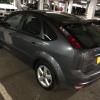
On my 05 Mk2 Focus Zetec 1.6 I have a weird issue, if you switch the fan for the heating or air con on it works fine but when you kill the ignition it stays on until you turn the knob to 0, so after having forgotten it on overnight it drained my battery and I had to get a friend to come over and give me a jump start.

Does anyone have any ideas as to what could cause this?

The fan works fine at different speeds, cooling and heating.

Shawn


Power for the blower comes from the Heater Blower Relay R10.

Hopefully its just a duff relay.

  • Author

Ahh thats not too bad then, as I need to replace the rear wiper relay as well from reading other posts about intermittent wiper stopping. Thanks for the response mate, very helpful.

OH.

The wiper relays are not replaceable.

You could be looking at the GEM being the issue for both of the problems.

  • Author

Is it true that the whole GEMS unit needs to be replaced then as I read on some other posts? Cant remember which ones but have tried reading up on this quite a bit.

Yes.

There have been many posts about wipers or doors not working and its all down to the internals of the GEM and the whole thing has to be replaced.

  • Author

I've managed to pick up a GEMS module on ebay from a scrapped Focus same year as mine and same part number so thinking I wont even need to reprogram. Gonna swop it out with mine when it arrives and see if this helps.

  • 3 weeks later...
  • Author

Hi all, ive replaced my GEMS with a like for like model and I got and I am having the same problem, internal blower stays on when switching car off and rear wiper does mini swipes and stops where is wants. Can anyone please give me any advice or things to try now?

That's bad luck. Did you replace the relay or use the same one ?

  • Author

I had to carry over one relay which is the one on this pic circled :

http://imgur.com/Eix8ZyX

Im not sure what that relay does but I would imagine the blower fan and wiper use separate relays.

When I replaced it everything worked apart from remote central locking with the key, that only worked again once I put the original GEMS back.

I guess it could be that I got a GEMS with the exact same fault as mine but the odds of that are fairly low I think.

Is that relay marked on the GEM as R10 or can you find the relay info in the handbook.? I had a fuse and relay chart but can't find it at the moment.

Its unlikely that both GEM's have the same issue.

Pull the relay out , the one in engine bay fuse box, it should be the one adjacent to fuse14 and 16, that should stop power to blower motor, do that and report back.then if blower motor stops, refit the relay and as you refit it listen to it and does it make a click sound .

  • Author

Is that relay marked on the GEM as R10 or can you find the relay info in the handbook.? I had a fuse and relay chart but can't find it at the moment.

Its unlikely that both GEM's have the same issue.

I quickly checked the GEMS this morning and that relay is marked as 18, im still looking for a relay chart online as my car doesnt have a handbook I bought it without it. Will see what I can find.

Pull the relay out , the one in engine bay fuse box, it should be the one adjacent to fuse14 and 16, that should stop power to blower motor, do that and report back.then if blower motor stops, refit the relay and as you refit it listen to it and does it make a click sound .

I will try this tonight as I didnt get a chance yesterday, do you think it could be a problem on that relay?

Could be, what trying to assertain is, that relay is stuck or whats switching it on is at fault

The black square one

post-59356-145018385755_thumb.jpg

  • Author

ok that makes sense, I will have a look at it tonight and let you know. You want me to take it out test, put it back test right?

Yep, take it out and then make sure interior heater fan is not working on all speeds, then with it in on postion and ign off as when your having problems, refit relay and hear for a click ( as in relay switching on.

or before the above, with on postion and ign off tap the relay with a handle of a screwdriver and see if fan goes off

  • Author

Hi Ian, I tried it this morning first by tapping the relay but fan stayed on. When i tried to pull the relay out the plastic top came off and the rest stayed in but the fan did switch off. So im gonna get a new relay and replace that one, hoping it will resolve this issue but will update here once ive done that. Thank you for the ongoing help :D Also do you maybe have any ideas regarding the back wiper stopping all over the place, Gems has already been replaced but still faulty.

Pull that relay out and put one of the other black square relays in to confirm, but it does sound like that relay. ! Will look into your wiper issue

Latest Deals

Ford UK Shop for genuine Ford parts & accessories

Disclaimer: As the club is an eBay Partner, The club may be compensated if you make a purchase via the club

Join the conversation

You can post now and register later. If you have an account, sign in now to post with your account.

Guest
Reply to this topic...

The "Digestive"


Background Picker
Customize Layout

Account

Navigation

Search

Search

Configure browser push notifications

Chrome (Android)
  1. Tap the lock icon next to the address bar.
  2. Tap Permissions → Notifications.
  3. Adjust your preference.
Chrome (Desktop)
  1. Click the padlock icon in the address bar.
  2. Select Site settings.
  3. Find Notifications and adjust your preference.
