
Skip to content
View in the app

A better way to browse. Learn more.

Ford Owners Club - Ford Forums

A full-screen app on your home screen with push notifications, badges and more.

To install this app on iOS and iPadOS
  1. Tap the Share icon in Safari
  2. Scroll the menu and tap Add to Home Screen.
  3. Tap Add in the top-right corner.
To install this app on Android
  1. Tap the 3-dot menu (⋮) in the top-right corner of the browser.
  2. Tap Add to Home screen or Install app.
  3. Confirm by tapping Install.


Join the Independent Ford Owners' Club

Our community has been built by enthusiasts, for enthusiasts, and proudly run by Ford owners' for over 18 years. As an independent, non-official club, everything you’ll find here, advice, support, and opinions, comes directly from members with genuine Ford ownership experience.

Join our friendly community... it's Free!


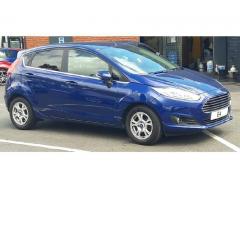
how should a 2014 Fiesta Titanium parking sensors work?
Featured Replies

I've had my 64 plate Fiesta for a few weeks now, and i'm a little confused about the parking sensors.

When i engage reverse the centre console screen shows the vehicle with the circle infront and behind and the light on the parking sensor on/off button flashes a couple of times. Then after about half a second the screen returns to the radio and the light goes out. this happens even if i start reversing instantly! Then nothing..... to the extent that i can back up very carefully to a wall and touch it without even a peep!!

The same happens if i try to manually turn the sensors on by pressing the button.

Am i doing something wrong or is the system faulty?


Its still under warranty so it will be going into my local dealers if there is a fault, i just didn't want to book it in and have them explain there's nothing wrong except the operator :laugh: 


Sounds like it needs to be put on the diagnostics computer, they are not working and it isn't user error.


Sent from my iPad using Tapatalk

Mine's a 2016, but the image stays on the screen all the time the reverse gear is engaged. It will flash and beep for the quadrant that is detecting the close obstacle to warn you that not only is something there, but where hat something is [ie right, centre or left]. The beeps will become more frantic and the colours change depending how close you get to the obstacle. It usually starts beeping when you are about "100 metres" from the obstatcle. Sorry, I jest, about 1 metre! So often you still have some manoeuvrability, before you hit something

  • Author

@CyprusPluto that sounds more like what I was expecting to happen, so it would appear that mine are definitely not working... i will book it in for a warranty claim and see what Mr Ford has to say about it!

Thanks for the replies guys :thumbsup:

Does the reverse light stay on if you get someone to watch while you are reversing? Might be something as simple as a switch that needs replacing.

  • Author
8 minutes ago, alexp999 said:

Does the reverse light stay on if you get someone to watch while you are reversing? Might be something as simple as a switch that needs replacing.

hmmmmm, good question.... I shall try that one out.

  • 3 years later...

Hi, mine the sensor of "front" doesn't work automatically and I have to press manually the button. This started to happen after a car accident. When reversing "R" it works automatically and without any problem, the problem I have is in the front only. + When starting the car, the parking sign used to switch on automatically, it's not the case anymore. Can anyone recommend anything? what is strange is that the gargist at Ford is convincing me that this is the right functioning way because he's not able to find the problem...

Latest Deals

Ford UK Shop for genuine Ford parts & accessories

Disclaimer: As the club is an eBay Partner, The club may be compensated if you make a purchase via the club

Join the conversation

You can post now and register later. If you have an account, sign in now to post with your account.

Guest
Reply to this topic...

The "Digestive"


Background Picker
Customize Layout

Account

Navigation

Search

Search

Configure browser push notifications

Chrome (Android)
  1. Tap the lock icon next to the address bar.
  2. Tap Permissions → Notifications.
  3. Adjust your preference.
Chrome (Desktop)
  1. Click the padlock icon in the address bar.
  2. Select Site settings.
  3. Find Notifications and adjust your preference.
