
Skip to content
View in the app

A better way to browse. Learn more.

Ford Owners Club - Ford Forums

A full-screen app on your home screen with push notifications, badges and more.

To install this app on iOS and iPadOS
  1. Tap the Share icon in Safari
  2. Scroll the menu and tap Add to Home Screen.
  3. Tap Add in the top-right corner.
To install this app on Android
  1. Tap the 3-dot menu (⋮) in the top-right corner of the browser.
  2. Tap Add to Home screen or Install app.
  3. Confirm by tapping Install.


Join the Independent Ford Owners' Club

Our community has been built by enthusiasts, for enthusiasts, and proudly run by Ford owners' for over 18 years. As an independent, non-official club, everything you’ll find here, advice, support, and opinions, comes directly from members with genuine Ford ownership experience.

Join our friendly community... it's Free!


Fault codes mondeo 2.2
Featured Replies

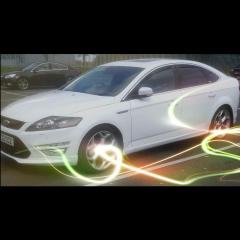
Got a 2012 mondeo 2.2 tit x sport diesel

Moved house so my commute mileage has dropped from 70miles a day to 70miles a week. Yip short journeys for the past month, not good for the dpf

Anyway engine light came on with "engine malfunction" warning and now in limp mode

Plugged it in to the Bluefin gizmo for the diagnostic feature and got P2463 and P2472. Im certain the dpf needs a regeneration but I havent run her long enough over the past month

Question is whats my best way of forcing a regeneration?

Does anyone have a link to the correct Forscan software for my car?

Also anyone got a link for the correct hardware to use with Forscan Preferably on amazon?

The above seems to be the best option or have you got a better solution?

Thanks in advance 

Steve 


The most raved about modified Elm327 on here is the one from Tunnelrat. Any others and you run the risk of them being copies and may not work with every function with Forscan. Worse still could brick your ECU.

Forscan is just Forscan.org. one piece of software that will detect your car automatically. You'll just need to flick the switch on the ELM327 a couple times whenever prompted. Most functions need an extended licence (free, you just have to sign up for it every two months). I think it's done to stop any Joe Bloggs from bricking his ECU.

As above.

Once you have the modified elm327 cable and Forscan, you can try a static regen, but seeing as it's in limp mode I reckon it might not be able to do it.

My car initially had the P2463 code last year and then subsequent codes and limp mode later on when I was trying to get it to regen on a long run. Also tried a static regen and it stopped after 5 mins because it couldn't raise the exhaust temps. In the end I changed the fuel vaporiser and it's been fine ever since.

Have a read here http://www.talkford.com/community/topic/314066-dpf-error-code-p2463/

  • 2 weeks later...
  • Author

Sorry for the delayed response 

Thanks to the 2 replies above you helped me out.

Got the ELM327 and forscan

Tried a forced regen and it stopped at 16% tried again and stopped at 8%, in total i tried around 5 times and it wouldnt fully regen so.....

I reset the codes and also the learnt dpf values then took her for a good run and she has been perferct since. Not sure if it was a fluke or resetting the values and codes with a good run caught it in time but either way it worked. Lesson learnt and I now let her warm up properly and give a good opportunity to self regen.

Great bit of software and hardware aquired for all of £16.99 better than the £350 the local garage wanted.

Thanks again for the help 

Latest Deals

Ford UK Shop for genuine Ford parts & accessories

Disclaimer: As the club is an eBay Partner, The club may be compensated if you make a purchase via the club

Join the conversation

You can post now and register later. If you have an account, sign in now to post with your account.

Guest
Reply to this topic...

The "Digestive"


Background Picker
Customize Layout

Account

Navigation

Search

Search

Configure browser push notifications

Chrome (Android)
  1. Tap the lock icon next to the address bar.
  2. Tap Permissions → Notifications.
  3. Adjust your preference.
Chrome (Desktop)
  1. Click the padlock icon in the address bar.
  2. Select Site settings.
  3. Find Notifications and adjust your preference.
