
Skip to content
View in the app

A better way to browse. Learn more.

Ford Owners Club - Ford Forums

A full-screen app on your home screen with push notifications, badges and more.

To install this app on iOS and iPadOS
  1. Tap the Share icon in Safari
  2. Scroll the menu and tap Add to Home Screen.
  3. Tap Add in the top-right corner.
To install this app on Android
  1. Tap the 3-dot menu (⋮) in the top-right corner of the browser.
  2. Tap Add to Home screen or Install app.
  3. Confirm by tapping Install.


Join the Independent Ford Owners' Club

Our community has been built by enthusiasts, for enthusiasts, and proudly run by Ford owners' for over 18 years. As an independent, non-official club, everything you’ll find here, advice, support, and opinions, comes directly from members with genuine Ford ownership experience.

Join our friendly community... it's Free!


2016 ST-Line alarm?
Featured Replies

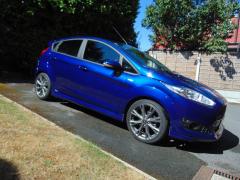
I'm wondering if anyone else here has a 2016/17 ST-Line 140.
If you do, does it have any form of alarm and if so, how do you arm it? Parkers guides and also the dealer I purchased it from claim it has an alarm as part of the standard ST-Line spec, yet I'm not sure if mine actually does. 
I've looked in the manual under the alarm section and the guide is a bit vague and the pics they put in don't match my interior (interior courtesy/reading light assembly).


Don't have an ST but most Fiestas are double press the lock button sets the alarm and deadlocks the door.

I can answer this one for you as I'm currently in the process of retrofitting the full thatcham alarm to my fiesta

Now there are 2 types of alarms on fiesta, a basic perimeter alarm and a full thatcham approved alarm

Now I can't be sure but from what I've read and gathered every fiesta pretty much comes with at least the basic perimeter alarm, it's easy to test if you have this, simply lock your car with 2 presses of the lock button on your key with the drivers window open, wait 20-30 seconds then pop the bonnet and go to open the bonnet. The alarm should sound, it will be a pissy little horn noise from the rear of the car and indicator lights flashing.

Now the thatcham alarm, this from what I can tell is only ever part of the ST range but I'm not sure which ST's got it as standard and which got it as an extra but the way to tell if you have this is by the front interior courtesy light, it will have the little round sensors on each side of the light which senses movement in the car when the alarm is on, I personally have never heard one go off so can't comment on if it's as pissy as the basic one but at least it has a battery backup and hidden in the bonnet on the drivers side wing

If the Thatcham alarm is the same as on the Focus ST then it's a proper 'woo woo' alarm rather than a weak horn type.

Sent from my SM-G965F (S9+)

Get this one- 🤣
(Warning contains Swearing)


Sent from my SM-G965F (S9+)

  • Author

Thanks everyone. I will have a test tomorrow once I've got the scrap Vectra off the drive and my neighbour has gone to work. 
If it has one, it must definitely be the basic one as there are no round sensors next to the courtesy lights (as I had in the Vectra), just 2 little notches next to the lights (which look as though they have a red glow in them) and a small circle in front of them which looks like a speaker. 

The red lights will be anbient ones (aka submarine lighting), the speaker grille will be your hands free microphone.
Best way to test the alarm is unlock your car using the key blade, open the door (not remote locking buttons) and wait.
If you have an alarm then it will go off after about 10 seconds.
Deactivate by putting the key in the ignition.

Sent from my SM-G965F (S9+)

  • 1 year later...

I have a fiesta 1.2 st line in the centre of my dash bored against the  windscreen is a what I thought to be is the alarm  sensor , but nothing flashes which tells me my car hasn’t got a alarm. Can anybody help. My car is a 66 plate  eco-boost st line.

Latest Deals

Ford UK Shop for genuine Ford parts & accessories

Disclaimer: As the club is an eBay Partner, The club may be compensated if you make a purchase via the club

Join the conversation

You can post now and register later. If you have an account, sign in now to post with your account.

Guest
Reply to this topic...

The "Digestive"


Background Picker
Customize Layout

Account

Navigation

Search

Search

Configure browser push notifications

Chrome (Android)
  1. Tap the lock icon next to the address bar.
  2. Tap Permissions → Notifications.
  3. Adjust your preference.
Chrome (Desktop)
  1. Click the padlock icon in the address bar.
  2. Select Site settings.
  3. Find Notifications and adjust your preference.
