
Skip to content
View in the app

A better way to browse. Learn more.

Ford Owners Club - Ford Forums

A full-screen app on your home screen with push notifications, badges and more.

To install this app on iOS and iPadOS
  1. Tap the Share icon in Safari
  2. Scroll the menu and tap Add to Home Screen.
  3. Tap Add in the top-right corner.
To install this app on Android
  1. Tap the 3-dot menu (⋮) in the top-right corner of the browser.
  2. Tap Add to Home screen or Install app.
  3. Confirm by tapping Install.


Join the Independent Ford Owners' Club

Our community has been built by enthusiasts, for enthusiasts, and proudly run by Ford owners' for over 18 years. As an independent, non-official club, everything you’ll find here, advice, support, and opinions, comes directly from members with genuine Ford ownership experience.

Join our friendly community... it's Free!


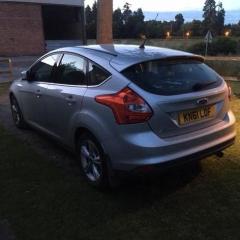
Ford Focus Zetec 61 plate rear electric window
Featured Replies

Hi all,

Looking to fix passengers rear electric window as its not working, the switch does not operate from either the drivers controls or the rear switch, there is also no illumination on the rear switch. faulty switch or broken/loose wire maybe?. any info would be much appreciated. its a 61 plate Zetec 1.6 TI 

Thanks  

Edited by ILR1975
Title Infomation


check the wiring in the convoluted rubber imbetween the door and the body. does the affected door lock/unlock ok? 

  • Author

Just noticed the door does not lock either and no power at window switch. The door stays unlocked all the time

You will need to check for broken wires then first, or corrosion at the connectors at the end on the convoluted rubber 

On 6/23/2018 at 6:45 PM, iantt said:

check the wiring in the convoluted rubber imbetween the door and the body. does the affected door lock/unlock ok? 

When this very fault occurred on my car, the fuse for the door module had gone.

Fixed it months ago and the window & lock has worked perfectly ever since.

Fuse 118 for the left rear door on my car, check the fuse number for your model.

These fuses are in the passengers foot well.

ScaniaPBman.

1 hour ago, ScaniaPBman said:

When this very fault occurred on my car, the fuse for the door module had gone.

Fixed it months ago and the window & lock has worked perfectly ever since.

Fuse 118 for the left rear door on my car, check the fuse number for your model.

These fuses are in the passengers foot well.

ScaniaPBman.

good call on the fuses to check, think the car he has is mk3, so fuses for this are in the boot area im led to believe. fuse 6, 25 amp

  • Author

cheers, will check them now.

  • Author

Got in car to make a short journey and the window worked, stopped at petrol station and it no longer works!! door lock not checked while window was working though.

  • Author

Evening all, checked fuses and all four 25 amp fuses are okay, these are in the boot on the left hand side. wiring in door has still to be checked. returning to dealer as only had the car for 7 weeks, 12 month warranty included.

  • 3 years later...
On 7/1/2018 at 7:51 PM, ILR1975 said:

Evening all, checked fuses and all four 25 amp fuses are okay, these are in the boot on the left hand side. wiring in door has still to be checked. returning to dealer as only had the car for 7 weeks, 12 month warranty included.

Did you ever get this resolved, i have the same issue and was wondering if a resolution was found, Thanks.

Latest Deals

Ford UK Shop for genuine Ford parts & accessories

Disclaimer: As the club is an eBay Partner, The club may be compensated if you make a purchase via the club

Join the conversation

You can post now and register later. If you have an account, sign in now to post with your account.

Guest
Reply to this topic...

The "Digestive"


Background Picker
Customize Layout

Account

Navigation

Search

Search

Configure browser push notifications

Chrome (Android)
  1. Tap the lock icon next to the address bar.
  2. Tap Permissions → Notifications.
  3. Adjust your preference.
Chrome (Desktop)
  1. Click the padlock icon in the address bar.
  2. Select Site settings.
  3. Find Notifications and adjust your preference.
