
Skip to content
View in the app

A better way to browse. Learn more.

Ford Owners Club - Ford Forums

A full-screen app on your home screen with push notifications, badges and more.

To install this app on iOS and iPadOS
  1. Tap the Share icon in Safari
  2. Scroll the menu and tap Add to Home Screen.
  3. Tap Add in the top-right corner.
To install this app on Android
  1. Tap the 3-dot menu (⋮) in the top-right corner of the browser.
  2. Tap Add to Home screen or Install app.
  3. Confirm by tapping Install.


Join the Independent Ford Owners' Club

Our community has been built by enthusiasts, for enthusiasts, and proudly run by Ford owners' for over 18 years. As an independent, non-official club, everything you’ll find here, advice, support, and opinions, comes directly from members with genuine Ford ownership experience.

Join our friendly community... it's Free!


need help sony stereo
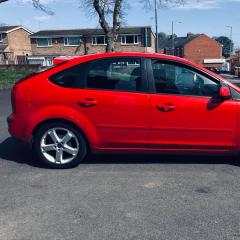
Featured Replies

dont know if this has been asked before but my problem is this i recently upgraded to the mk3 focus aka facelift model 2008 it has a sony stereo in and has the phone buttons and the voice button on stalk. the manual with the car states it has bluetooth capability and when i try to get to the settings for bluetooth that are not found. my route is 1 press phone, 2 press menu 3, press down untill i see bluetooth options....... this is where i am now stuck as my sereo has no bluetooth option to show me. is there a way of finding out  if this stereo has bluetooth on it and if the car has a bluetooth module 

stereo.jpg.ae4d1cd330c96c93e3061e68e656484d.jpg pic of the stereo i have in car atm  for reference its bugging me as my 55 plate focus previously had a cd6000 in and that had bluetooth any help would be greatly appreciated 


1 hour ago, whyme said:

dont know if this has been asked before but my problem is this i recently upgraded to the mk3 focus aka facelift model 2008 it has a sony stereo in and has the phone buttons and the voice button on stalk. the manual with the car states it has bluetooth capability and when i try to get to the settings for bluetooth that are not found. my route is 1 press phone, 2 press menu 3, press down untill i see bluetooth options....... this is where i am now stuck as my sereo has no bluetooth option to show me. is there a way of finding out  if this stereo has bluetooth on it and if the car has a bluetooth module 

stereo.jpg.ae4d1cd330c96c93e3061e68e656484d.jpg pic of the stereo i have in car atm  for reference its bugging me as my 55 plate focus previously had a cd6000 in and that had bluetooth any help would be greatly appreciated 

i think i press the button under the cd eject button untill it says bt

Does your phone find Ford audio when you scan for devices?

Apart from the higher spec trim levels Bluetooth was an optional extra and was not fitted as standard. 

Whether the car does have or does not have Bluetooth/Voicecontrol can easily be determined by the radio remote behind the steering wheel. If the radio remote has a 'VOICE' button the car has Bluetooth/Voicecontrol. If the radio remote does not have a 'VOICE' button the has no Bluetooth/Voicecontrol. 

13 hours ago, Gymfocused said:

Does your phone find Ford audio when you scan for devices?

it does yes.bit of a pain when im trying to run satnav sound through the stereo as i get music as well

15 hours ago, whyme said:

mk3 focus aka facelift model 2008

For reference, you have a MK2.5 model. The MK3 came in 2011 (Pictured below) with a complete body redesign, and a new head unit and sync.


Image result for ford focus mk3

  • Author
14 hours ago, Gymfocused said:

Does your phone find Ford audio when you scan for devices?

no it doesn't find any ford audio as im lead to believe it me have been deactivated by previous owner


  • Author
6 hours ago, JW1982 said:

Apart from the higher spec trim levels Bluetooth was an optional extra and was not fitted as standard. 

Whether the car does have or does not have Bluetooth/Voicecontrol can easily be determined by the radio remote behind the steering wheel. If the radio remote has a 'VOICE' button the car has Bluetooth/Voicecontrol. If the radio remote does not have a 'VOICE' button the has no Bluetooth/Voicecontrol. 

it does have the voice button on the stalk behind steering wheel 


Right, then the car definitely has the Bluetooth/Voicecontrol system. Does the Voicecontrol function work or does this function also not work? 

Either way the Bluetooth/Voicecontrol module is a known weak part. A defective Bluetooth/Voicecontrol module is pretty common. If one or more functions are not working there is a 99% chance that the Bluetooth/Voicecontrol module is the cause of the problem. You can try resetting the module first. There are 3 possible ways to do this :

1: disconnect the battery for approximately 20 minutes (note that you need the radio code). 

2: disconnect the Bluetooth/Voicecontrol module for approximately 20 minutes. 

3: reset the Bluetooth/Voicecontrol module using a suitable diagnostic system. 

If resetting the module does not solve the problem the module needs to be replaced. 

  • Author
4 hours ago, JW1982 said:

Right, then the car definitely has the Bluetooth/Voicecontrol system. Does the Voicecontrol function work or does this function also not work? 

Either way the Bluetooth/Voicecontrol module is a known weak part. A defective Bluetooth/Voicecontrol module is pretty common. If one or more functions are not working there is a 99% chance that the Bluetooth/Voicecontrol module is the cause of the problem. You can try resetting the module first. There are 3 possible ways to do this :

1: disconnect the battery for approximately 20 minutes (note that you need the radio code). 

2: disconnect the Bluetooth/Voicecontrol module for approximately 20 minutes. 

3: reset the Bluetooth/Voicecontrol module using a suitable diagnostic system. 

If resetting the module does not solve the problem the module needs to be replaced. 

thnaks ill try this when i knwo im not going to need a car for a while. one question though if taking battery of for 20 mins with this cause issues with the imobilizer  or not 


No, disconnecting the battery does not affect the immobilizer system. 

  • Author

OK so to follow this up somehow dont know how my battery decided to go flat over night last night so had it on charge from booster to start car. did a small journey and eventually had to replace the battery late evening. so the radio required a code that i obtained from another forum. and still no bluetooth setting appeared in the settings of the stereo. took the car back to where i bought it as it is under warranty and they claim the car does not have bluetooth installed. so my guess is either the bluetooth module inside the car is buggered or it simply was not installed on manufacture. is there a way of finding out if it was installed via Vin number or reg number. the manual says it is part of the system and the handbook for the stereo claims it is there but not once does it appear in the settings anywhere 

The vehicle owners manual and audio system manual always describe all possible options and functionality. The fact that the manuals describe the Bluetooth/Voicecontrol functionality does not mean that this functionality is fitted as standard.

As I mentioned earlier whether the car does or does not have Bluetooth/Voicecontrol can easily be determined by the presence of the "VOICE" button on the radio remote at the steering wheel.
 

Also note that draining the battery is a well known symptom of a defective Bluetooth/Voicecontrol module.

Latest Deals

Ford UK Shop for genuine Ford parts & accessories

Disclaimer: As the club is an eBay Partner, The club may be compensated if you make a purchase via the club

Join the conversation

You can post now and register later. If you have an account, sign in now to post with your account.

Guest
Reply to this topic...

The "Digestive"


Background Picker
Customize Layout

Account

Navigation

Search

Search

Configure browser push notifications

Chrome (Android)
  1. Tap the lock icon next to the address bar.
  2. Tap Permissions → Notifications.
  3. Adjust your preference.
Chrome (Desktop)
  1. Click the padlock icon in the address bar.
  2. Select Site settings.
  3. Find Notifications and adjust your preference.
