
Skip to content
View in the app

A better way to browse. Learn more.

Ford Owners Club - Ford Forums

A full-screen app on your home screen with push notifications, badges and more.

To install this app on iOS and iPadOS
  1. Tap the Share icon in Safari
  2. Scroll the menu and tap Add to Home Screen.
  3. Tap Add in the top-right corner.
To install this app on Android
  1. Tap the 3-dot menu (⋮) in the top-right corner of the browser.
  2. Tap Add to Home screen or Install app.
  3. Confirm by tapping Install.


Join the Independent Ford Owners' Club

Our community has been built by enthusiasts, for enthusiasts, and proudly run by Ford owners' for over 18 years. As an independent, non-official club, everything you’ll find here, advice, support, and opinions, comes directly from members with genuine Ford ownership experience.

Join our friendly community... it's Free!


Upgrading my stereo !!!
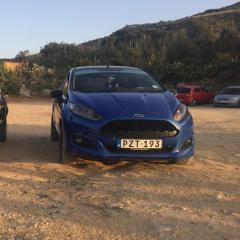
Featured Replies

Hello everyone I have a fiesta mk7.5 2013 titanium and unfortunately the car doesn’t have a stereo with bluetooth and DAB and i’m thinking of upgrading it. firstly what parts do I need? And regarding the microphone can i locate is somewhere instead of cutting the upholstery? If yes what do you suggest? 
 

many thanks  


I thought all facelifts came with SYNC (bluetooth)? Either way it's a separate module above the passenger footwell. Search "sync module fiesta mk7" on ebay and you'll get loads come up.

DAB requires a head unit change, I made a thread a few years back when I carried out the upgrade to my fiesta.


In the uk the studio and style didn’t have Bluetooth, my style does but only because the first owner paid for optional extra. The post is from Malta where the specs maybe totally different

  • Author

U fortunately yes in Malta the vehicles were brought from germany and the titanium wasn’t standard to have Sync and bluetooth with that extras i had to spend extra 2k euros and still the car wasn’t cheap to buy 😕 

  • Author

So to have ford sync i need a module am i understanding correctly ? 

You need the loom (is a pain to find one) and a bluetooth module.

Also the head unit need to have the conector for the bluetooth.

You have usb?

  • Author
17 hours ago, fgservo said:

You need the loom (is a pain to find one) and a bluetooth module.

Also the head unit need to have the conector for the bluetooth.

You have usb?

I have aux and usb for ipod but the radio needs to be changed... infact I found out instead of doing all of the wiring there is less hassle connects2 I think I goes well does it ? Bluetooth module i can manage to find on ebay ..the wiring is a pain in the ***** though 😕😕

If you have usb from factory like i did and no bluetooth, you need to change the head unit, "our" usb are connect direct to head unit, with bluetooth module, usb is connect direct to BT module.

I upgrade to satnav Sony radio, and manage to find a bluetooth loom with module.

The "old" usb/aux loom, need to be removed, so the loom of bluetooth can pass.

  • Author
On 3/24/2020 at 8:24 AM, fgservo said:

If you have usb from factory like i did and no bluetooth, you need to change the head unit, "our" usb are connect direct to head unit, with bluetooth module, usb is connect direct to BT module.

I upgrade to satnav Sony radio, and manage to find a bluetooth loom with module.

The "old" usb/aux loom, need to be removed, so the loom of bluetooth can pass.

Therefore since i have the usb and aux together all i need to change is the head unit and buy the BT module only ? And change the loom that i currently have of the usb to the one of BT ?

  • Author

Then afterwards I’ll make the DAB module but i’m in no rush 

The first photo is your head unit, with the usb directly connect to the head unit.

Second photo is the head unit with connector for the BT loom.

Even if you connect your usb loom directly to BT, will not work, you need the loom from module to head unit.


What i did before get BT, i change my facia, lcd, and cover to Sony Sat-nav and leave the head unit because i need usb, much later i manage to find a complete loom of BT, come even with the microphone loom.


s-l1600.jpg

s-l1600 (1).jpg

Before and after

Stand 12.jpg

IMG_20180508_173200.jpg

  • Author

Many thanks for your help will try to find the looms and see from there and have you installed the DAB ? 

My country dont have DAB

  • Author

Ok cheers for your help :))

  • 4 weeks later...
  • Author

I found a wiring loom with the bluetooth module  on ebay. It came from a 2017 fiesta would it be compatible on my 2013 fiesta ??

If you car is the facelift, yes

  • Author
1 hour ago, fgservo said:

If you car is the facelift, yes

Ok then many thanks 

  • 3 weeks later...
  • Author
On 3/22/2020 at 11:42 AM, Luke4efc said:

I thought all facelifts came with SYNC (bluetooth)? Either way it's a separate module above the passenger footwell. Search "sync module fiesta mk7" on ebay and you'll get loads come up.

DAB requires a head unit change, I made a thread a few years back when I carried out the upgrade to my fiesta.


Hello again i’m currently installing the sony radio. Do i need a module for dab or it is already built in the radio ? Thanks

  • Author

Hello again, just for an update i’ve installed the sony stereo and it works however the usb port doesn’t work and the bluetooth isn’t working. When i press phone it mutes. Does it mean that i need to install the software and adding sync ?


thanks

DAB is built into the head unit.

The SYNC module for bluetooth is separate and installed above the passenger foot-well. I believe the USB also runs through this hence why yours isn't working.

You need to activate all the new settings in Forscan

  • Author

So all it needs is the setting with forescan and install the ford sync by any chance do you know where the microphone wiring connects o know it needs to be placed near the interior lights but where is the harness so the mic be connected ? 

Loom for the mic, connect in the A pillar on passanger side.

Make sure when you buy the headlight with mic, you find one with the metal support bracket (see pic)

And need to cut the roof with a x act to make room


IMG_20190618_163310.thumb.jpg.f4c129011a532389e9b2e3d92904116a.jpg

  • Author

So i’ve installed the sync and now everything works the only thing that i need to do is connect the microphone 

Latest Deals

Ford UK Shop for genuine Ford parts & accessories

Disclaimer: As the club is an eBay Partner, The club may be compensated if you make a purchase via the club

Join the conversation

You can post now and register later. If you have an account, sign in now to post with your account.

Guest
Reply to this topic...

The "Digestive"


Background Picker
Customize Layout

Account

Navigation

Search

Search

Configure browser push notifications

Chrome (Android)
  1. Tap the lock icon next to the address bar.
  2. Tap Permissions → Notifications.
  3. Adjust your preference.
Chrome (Desktop)
  1. Click the padlock icon in the address bar.
  2. Select Site settings.
  3. Find Notifications and adjust your preference.
