
Skip to content
View in the app

A better way to browse. Learn more.

Ford Owners Club - Ford Forums

A full-screen app on your home screen with push notifications, badges and more.

To install this app on iOS and iPadOS
  1. Tap the Share icon in Safari
  2. Scroll the menu and tap Add to Home Screen.
  3. Tap Add in the top-right corner.
To install this app on Android
  1. Tap the 3-dot menu (⋮) in the top-right corner of the browser.
  2. Tap Add to Home screen or Install app.
  3. Confirm by tapping Install.


Join the Independent Ford Owners' Club

Our community has been built by enthusiasts, for enthusiasts, and proudly run by Ford owners' for over 18 years. As an independent, non-official club, everything you’ll find here, advice, support, and opinions, comes directly from members with genuine Ford ownership experience.

Join our friendly community... it's Free!


Sync 3 default voice assistant
Featured Replies

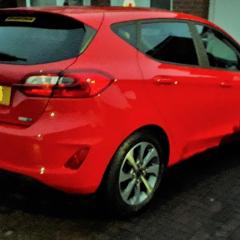
I've recently just got a brand new 2020 Fiesta Trend and as I've always had Ford I am quite used to Ford Sync but I can't solve this problem which is really annoying me.

If my Android phone is connected via Bluetooth then when I press the voice button it uses the one in Google assistant rather than the Ford Sync one. This is not a problem for making calls i.e. call home etc. but if playing music from, say, a memory stick then the command 'play track' makes the Google Assistant start searching Spotify, YouTube etc. instead of just playing the track on the memory stick.

So has anybody found a way to make the voice assistant default to the Ford Sync one rather than use the phone one?

I asked a Ford Guru and they said the only way was to turn off the phone voice assistant but there must be a better way - surely??


Are you doing a long or short press?
A long press activates your phone assistant, a short press activates the sync voice assistant.

Sent from my SM-G965F using Tapatalk

  • Author

Stoney871 - I'm not sure how long I'm pressing it but I'll try experimenting with different length presses and let you know - it would be great if it was as simple as that - cheers.

Sync should respond with just a quick push, either with a voice prompt or a 'boong-pip' if you have voice interaction set to advanced mode.

Sent from my SM-G965F using Tapatalk

  • Author

Hi all thanks for you help so far. No matter how long I press the button (very short to very long) it always goes to the phone assistant in fact if I disconnect my phone by switching off Bluetooth it then complains the phone assistant is not connected. It never seems to want to use the car assistant - I can't help but feel there is a setting somewhere but I've been right through the setting menus in the car and can't find one.

Can you disable Android Auto in Sync Settings then try it Additionally can you see a option for Voice Control in Sync Settings

  • Author

Hi volts - I disabled Android Auto and it just complained there was no phone assistant connected - whatever I do it always wants to use the phone assistant.

The sync software version is displayed as:

F1.6.0.1_R20065a

Rev (F1.6.0.1_PRODUCT_GD)

Which is not a format I've seen before - I'm starting to wonder if it is a bug in this version and contact Ford about it - is there a special contact for Sync problems?

Latest Deals

Ford UK Shop for genuine Ford parts & accessories

Disclaimer: As the club is an eBay Partner, The club may be compensated if you make a purchase via the club

Join the conversation

You can post now and register later. If you have an account, sign in now to post with your account.

Guest
Reply to this topic...

The "Digestive"


Background Picker
Customize Layout

Account

Navigation

Search

Search

Configure browser push notifications

Chrome (Android)
  1. Tap the lock icon next to the address bar.
  2. Tap Permissions → Notifications.
  3. Adjust your preference.
Chrome (Desktop)
  1. Click the padlock icon in the address bar.
  2. Select Site settings.
  3. Find Notifications and adjust your preference.
