
Skip to content
View in the app

A better way to browse. Learn more.

Ford Owners Club - Ford Forums

A full-screen app on your home screen with push notifications, badges and more.

To install this app on iOS and iPadOS
  1. Tap the Share icon in Safari
  2. Scroll the menu and tap Add to Home Screen.
  3. Tap Add in the top-right corner.
To install this app on Android
  1. Tap the 3-dot menu (⋮) in the top-right corner of the browser.
  2. Tap Add to Home screen or Install app.
  3. Confirm by tapping Install.


Join the Independent Ford Owners' Club

Our community has been built by enthusiasts, for enthusiasts, and proudly run by Ford owners' for over 18 years. As an independent, non-official club, everything you’ll find here, advice, support, and opinions, comes directly from members with genuine Ford ownership experience.

Join our friendly community... it's Free!


2009 ST225 CENTRAL LOCKING NOT WORKING
Featured Replies

Hi.

Needing some help as its wrecking my brain.

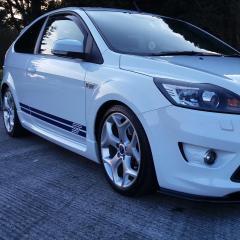
I have a 2009 Ford focus st225 mk2.5 3 door. The central locking is not working with the central locking remote (lock, unlock or boot opening) the central locking is working in ever other way (with the key in the door, using the locks inside the car) all doors & boot is locking & unlocking this way but not with the remote. It has a push button start & a solid ingition so it can't be programmed by turning the key on & off & pressing the button. The key is starting the car & no error message coming up on the dash saying key not detected (unless the key is outside the car). Car starts 1st time every time.

I have searched the internet high & low to see if anyone else has had the same problem but haven't found anyone who has had the same problem.

I have replaced the battery in the key fob, checked all the wires at the fuse box (no sign of water ingress) checked the drivers side door module & door wiring harness from the door to the inside off the car (no sign of water ingress) the central locking module in the back passengers side in the boot (no sign of water ingress) checked all the fuses & they are all good, tried the disconnecting the batter for 1 hour trick but no luck. The only other thing i can think off is the central locking receiver. This is where the problem lies, i can't find it, i have checked the roof where the interior light is & the only thing there is the antena for the dab radio, checked under the steering column & nothing, either side off the driver & passenger foot well, nothing, behind the fuse box, nothing, under the center console, only thing there is the airbag module.

Has anyone else on here had this or a similar problem or does anyone know where the central locking receiver is in this model focus?

Any help would be much appreciated as im about to go mad trying tonfind out where it is.


11 minutes ago, joemcc316 said:

it can't be programmed by turning the key on & off & pressing the button

Assuming it's the same as our old Mk3, where it was necessary to press the clutch pedal to start the car, you can achieve the same result, turning the ignition on and off, by pressing the start button without pressing the pedal.

I'm not absolutely sure about this but I think since the car needs to detect a wireless signal from the fob to disable the PATS and allow the engine to crank this would imply the receiver is ok, unless it uses a separate one for this purpose.

  • Author
42 minutes ago, mjt said:

Assuming it's the same as our old Mk3, where it was necessary to press the clutch pedal to start the car, you can achieve the same result, turning the ignition on and off, by pressing the start button without pressing the pedal.

I'm not absolutely sure about this but I think since the car needs to detect a wireless signal from the fob to disable the PATS and allow the engine to crank this would imply the receiver is ok, unless it uses a separate one for this purpose.

Yeah you have to hold in the clutch pedal to start the car but it doesn't make any difference to the ingition barrel as it still stays solid when the clutch is held in. When i open the door with the key & press the start/power button (before the alarm goes off) the steering lock dis engages & all the dash lights come on ready to start. Speaking to an old friend who worked with me in Ford many years ago the model i have, the cars remote key has to plugged into the ford diagnostic computer to be programmed. I have asked him to find out where the receiver is, he came back saying it was in the passenger side off the boot beside the central locking module but it's not, i had the whole boot stripped & that's all there was, he checked the part number incase it was built into the module but the ford part's computer is giving a completely different part number for the central locking receiver. 

I don't understand what you're saying about the ignition barrel being "solid". AFAIK on keyless start cars there is no ignition barrel. There is just a recess, covered with a removable blanking plate, into which the fob can be placed to disable the PATS using the passive chip in the fob and allow the car to be started if the wireless link to the fob doesn't work.

  • Author

Yes on the steering column there is a cap covering the bit where you can insert the key blade when removed from they key fob, same way you remove the key blade to open the bonnet. I class it as an ignition barrel (even know you don't need to insert a key to start the car) as the PATS transponder is connected to it.

2 hours ago, mjt said:

I don't understand what you're saying about the ignition barrel being "solid". AFAIK on keyless start cars there is no ignition barrel. There is just a recess, covered with a removable blanking plate, into which the fob can be placed to disable the PATS using the passive chip in the fob and allow the car to be started if the wireless link to the fob doesn't work.

Mk2.5 is different to Mk3. 

On Mk3, there's a big 'cage' to shove the whole fob in. 

On Mk2.5 there's just a key-blade slot to insert the emergency blade into.


Thanks for the clarification Tom.

  • 2 months later...

I have the same problem with my keyless start 2010 Focus, the central locking from the fob suddenly stopped working, and if i open the door with the keyblade the alarm goes off immediately so you need to get in press the start button to stop it. This is the part i am confused by, the car detects the key is in the car and allows it to start, but it just wont open the doors anymore. I got a second grey master key when i bought it, and if you open the doors with that key you get 5 seconds before the alarm goes off.

If the actual fob is outside the car, there is no way to start it, even with the key inside in the plastic capped ignition slot it just says 'key outside car'. Everything i have read about reprogramming the fob involves turning the key in the ignition which cannot be done. I have tried removing the black plastic cap on the ignition but im afraid of breaking it. I rang a local locksmith and he said the cap can be removed, but he also said the fob cannot be reprogrammed and would need a new fob entirely, which i am not totally convinced about.

This is driving me nuts, and i fear i may have to go to an actual Ford dealership *shudder*...

22 hours ago, Lee2779 said:

I have the same problem with my keyless start 2010 Focus, the central locking from the fob suddenly stopped working, and if i open the door with the keyblade the alarm goes off immediately so you need to get in press the start button to stop it. This is the part i am confused by, the car detects the key is in the car and allows it to start, but it just wont open the doors anymore. I got a second grey master key when i bought it, and if you open the doors with that key you get 5 seconds before the alarm goes off.

If the actual fob is outside the car, there is no way to start it, even with the key inside in the plastic capped ignition slot it just says 'key outside car'. Everything i have read about reprogramming the fob involves turning the key in the ignition which cannot be done. I have tried removing the black plastic cap on the ignition but im afraid of breaking it. I rang a local locksmith and he said the cap can be removed, but he also said the fob cannot be reprogrammed and would need a new fob entirely, which i am not totally convinced about.

This is driving me nuts, and i fear i may have to go to an actual Ford dealership *shudder*...

Are you keyless start?

Do you have keyless entry? (Not just remote)?

  • Author

Update folks, i have still been scratching my head 4 ages about this, i rang a locksmith aswell & he says, with the symptoms i have it sounds like i have a wiring issue going to the central locking module. I have rang ford about the problem & they says i have to book it for the fault to be diagnosed but at £100 an hour im reluctant to leave it with them until i have crossed all the t's & dotted the i's. My possible thinking is a broken or corroded wire at the drivers side front door going to/from the door module. Will keep you's updated when i get round to getting a look at it.

I believe the pats system and remote central locking are in two separate modules.

I may be wrong but thought the remote central locking module is in the rear LH quarter and pats is in the instrument cluster.

Forscan with the compatible lead should show up Dtcs which could help.

On 7/13/2023 at 2:43 PM, DaveT70 said:

Are you keyless start?

Do you have keyless entry? (Not just remote)?

You haven't answered my question

On 7/13/2023 at 2:43 PM, DaveT70 said:

Are you keyless start?

The OP is Keyless Start.

On 5/4/2023 at 8:42 PM, joemcc316 said:

It has a push button start & a solid ingition so it can't be programmed by turning the key on & off & pressing the button.


Latest Deals

Ford UK Shop for genuine Ford parts & accessories

Disclaimer: As the club is an eBay Partner, The club may be compensated if you make a purchase via the club

Join the conversation

You can post now and register later. If you have an account, sign in now to post with your account.

Guest
Reply to this topic...

The "Digestive"


Background Picker
Customize Layout

Account

Navigation

Search

Search

Configure browser push notifications

Chrome (Android)
  1. Tap the lock icon next to the address bar.
  2. Tap Permissions → Notifications.
  3. Adjust your preference.
Chrome (Desktop)
  1. Click the padlock icon in the address bar.
  2. Select Site settings.
  3. Find Notifications and adjust your preference.
