
Skip to content
View in the app

A better way to browse. Learn more.

Ford Owners Club - Ford Forums

A full-screen app on your home screen with push notifications, badges and more.

To install this app on iOS and iPadOS
  1. Tap the Share icon in Safari
  2. Scroll the menu and tap Add to Home Screen.
  3. Tap Add in the top-right corner.
To install this app on Android
  1. Tap the 3-dot menu (⋮) in the top-right corner of the browser.
  2. Tap Add to Home screen or Install app.
  3. Confirm by tapping Install.


Join the Independent Ford Owners' Club

Our community has been built by enthusiasts, for enthusiasts, and proudly run by Ford owners' for over 18 years. As an independent, non-official club, everything you’ll find here, advice, support, and opinions, comes directly from members with genuine Ford ownership experience.

Join our friendly community... it's Free!


Key not located and numerous issues
Featured Replies

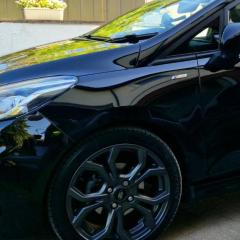
I'm sure this will have been asked before, but I'm having a nightmare with this car. 2020 St-Line fiesta MHEV.

I've had nothing but problems with this car and Ford are useless as ever. 

Key battery low warning on the dash keeps coming on. The batteries have been replaced 4 times with good quality ones, lasts about 2 weeks and the warning comes on again. Drivers window won't close properly because the anti-trap mechanism stops the window closing. Now it's key not detected so won't start. And when it does start it won't now lock when stopped. 

Been in to Ford and they say its fine there's nothing wrong with it. Really? This is normal? Anybody else have a car that won't unlock or lock or start? A car that's windows won't open or close unless they want to? 

It's going back to the dealer again so any help what questions to ask, what I need to tell them to check (because they obviously don't know what they're doing) would be appreciated. 

Can they plug it in and run a check see if there's any electrical faults? Car battery need replacing? New key fobs? New window? 

Last time it went in, took them 6 hours to tell me the window is fine, there's no problem with the keys or batteries but my front discs might need replacing?

Left the forecourt, parked outside my house and the window won't close, the key not located message has come on and now I know my brakes are knackered. They can't seem to fix the issues it's got, but are happy to tell me about new ones they found. Can't wait for them to 'fix' the brakes for me... 


I'd be trying a different dealer.

I'd also check the voltage of your main 12V battery in the car as it being low can cause all sorts of issues.

  • Author
Just now, alexp999 said:

I'd be trying a different dealer.

I'd also check the voltage of your main 12V battery in the car as it being low can cause all sorts of issues.

Trustford in Stockport is who I've dealt with for years, never any issues until now. Will all Trustford dealers be the same? Any other Ford dealers anybody can recommend? Surely it can't be this hard for a Ford service centre to repair a...well, a Ford! 

It's only as good as the person they get to look at the car and how good the service desk have explained the problem to them, every dealer is going to be different. Although if it's within group, you might not get passed the service desk and they refer you back to the garage you'd gone to. No harm in asking, saying you are not getting anywhere and want a second opinion.

Ideally you want to ask to show the technician the issues. Not the service desk, but the actual tech/mechanics. I've done that before with mine, it is usually better as you can demonstrate the issue, rather than any misinterpretation of what's been written on the job sheet.

  • Author
1 hour ago, alexp999 said:

It's only as good as the person they get to look at the car and how good the service desk have explained the problem to them, every dealer is going to be different. Although if it's within group, you might not get passed the service desk and they refer you back to the garage you'd gone to. No harm in asking, saying you are not getting anywhere and want a second opinion.

Ideally you want to ask to show the technician the issues. Not the service desk, but the actual tech/mechanics. I've done that before with mine, it is usually better as you can demonstrate the issue, rather than any misinterpretation of what's been written on the job sheet.

Thanks for that, think that's going to be the way forward showing the actual technician instead of relying on a call centre to relay the message /problem because that's obviously not working. 

Only ever owned Ford's but it's small things like this that make me think this will be my last. We're all car lovers on here I'd imagine and we are well aware that cars are money pits. They develop faults, sh*t happens but if they can't diagnose and fix small issues like this, it doesn't bode well for the future if something more serious needs fixing. 

  • Author

Just thought I'd update this. The new key fob battery as lasted 8 days. Warning showed up again today and the car won't lock again. So that's 5 batteries now in about 2 months it's gone through. 

Nobody seems to know what's going on with it. Booked in again for next week to check the BCM (whatever that is) and if that doesn't work? Pushing it over a cliff is a tempting option. 

  • Author

IMG-20231110-WA0000.thumb.jpg.aea1d0726aec60792932456c49b6ef7a.jpg

Is the fob battery actually low each time?  If so, I can't see what that has to do with the car.  It can't 'suck' battery voltage out of the fob.

This can only be dodgy batteries or a faulty fob imo.

Are they Duracell batteries out of interest?  We've seen a lot of dodgy ones on here over the past year or so.

Even Duracell can't be trusted.

OEM fit should be energizers or Panasonics.

Go to Argos and buy Energizers and fit those. DO NOT buy from anywhere on line

Check vehicle battery is fully charged and in good condition.

The dealer should be checking the door glass for restrictions in the run seal, causing clamping and bounce back alerts or the driver's door module for software updates. 

But if the main battery is low, this can cause false bounce back issues

If, after using known genuine Energizer 2032s it still drains then they should be replacing the fob or investigating why the key is not going to sleep. You could need a BCM update

Just out of interest, you haven't got a poorly connected dashcam in the car have you? Badly connected dashcams can stop the car going into sleep mode


Ford replacement fob batteries are varta. Well, they are at the moment. 

@op Stick Vartas in then. Then see how you get on

1 hour ago, iantt said:

Ford replacement fob batteries are varta. Well, they are at the moment. 

Is that specified by Ford though, or just the cheapest that your parts guy could find?

I know a parts guy from another garage (not Ford) that bought a load of sh*tty Duracells because they were cheaper and got so many customer complaints within 3 months that he had to switch back to the more expensive Panasonic again.

2 hours ago, TomsFocus said:

Is that specified by Ford though, or just the cheapest that your parts guy could find?

I know a parts guy from another garage (not Ford) that bought a load of sh*tty Duracells because they were cheaper and got so many customer complaints within 3 months that he had to switch back to the more expensive Panasonic again.

That's what you get when you order fob batteries under the ford part number. 

  • Author
11 hours ago, TomsFocus said:

Is the fob battery actually low each time?  If so, I can't see what that has to do with the car.  It can't 'suck' battery voltage out of the fob.

This can only be dodgy batteries or a faulty fob imo.

Are they Duracell batteries out of interest?  We've seen a lot of dodgy ones on here over the past year or so.

No, when tested the batteries are fine showing no drop of voltage. I've tried duracell, energizer and varta given to me and installed by Trustford themselves last Friday. This Friday...the warning came up again. Now it won't lock again. Soon it won't start and say key not detected. I'll change the battery and it will be fine again for another week then happens again. 

  • Author
11 hours ago, DaveT70 said:

Even Duracell can't be trusted.

OEM fit should be energizers or Panasonics.

Go to Argos and buy Energizers and fit those. DO NOT buy from anywhere on line

Check vehicle battery is fully charged and in good condition.

The dealer should be checking the door glass for restrictions in the run seal, causing clamping and bounce back alerts or the driver's door module for software updates. 

But if the main battery is low, this can cause false bounce back issues

If, after using known genuine Energizer 2032s it still drains then they should be replacing the fob or investigating why the key is not going to sleep. You could need a BCM update

Just out of interest, you haven't got a poorly connected dashcam in the car have you? Badly connected dashcams can stop the car going into sleep mode


No dashcam fitted. Nothing fitted actually, so they can't say what the issue is. It's going in next week for a full week(?) so they can try and understand the problem. 

  • Author
9 hours ago, TomsFocus said:

Is that specified by Ford though, or just the cheapest that your parts guy could find?

I know a parts guy from another garage (not Ford) that bought a load of sh*tty Duracells because they were cheaper and got so many customer complaints within 3 months that he had to switch back to the more expensive Panasonic again.

They are Varta correct. I know this because instead of trying to fix the problem, the Ford dealer just give me a load of them to keep in the glovebox for when it happens again. Thanks. Not the outcome I wanted as you can imagine...

  • Author
10 hours ago, DaveT70 said:

@op Stick Vartas in then. Then see how you get on

I did supplied by Ford dealer themselves. They lasted a week...like every other battery I've tried.

55 minutes ago, pwarbi said:

They lasted a week...like every other battery I've tried.

Do you only have one keyfob, or does problem affect both of them ?

  • Author
30 minutes ago, unofix said:

Do you only have one keyfob, or does problem affect both of them ?

No I've got both. My suggestion to Ford was to switch but they said it sounds like a vehicle issue rather than fob so...mighy do it anyway, tried everything else. What's a BCM check/update it's going in for and why is it taking them a full week to do? If it fixes it great but I have my doubts they know what they're doing tbh...

3 minutes ago, pwarbi said:

What's a BCM check/update i

BCM = Body Control Module. Simply put it controls either directly or indirectly all functions of the vehicle that is not engine related.

The RKE module, Remote Key Entry looks after the locking/unlocking and keyless ignition.

The only way that the vehicle could run down the battery on the keyfob would be if the RKE was constantly  checking with the keyfob. That would mean of course the keyfob would have to be within range of the vehicle. This is something that could be happening while the keyfob is inside the car. If you swap to using the second keyfob and the same problem occurs again then you can rule out a fault with the keyfobs and the problem has to be with the car. Updating the BCM software and/or replacing the RKE would be the next step.

  • Author
3 minutes ago, unofix said:

BCM = Body Control Module. Simply put it controls either directly or indirectly all functions of the vehicle that is not engine related.

The RKE module, Remote Key Entry looks after the locking/unlocking and keyless ignition.

The only way that the vehicle could run down the battery on the keyfob would be if the RKE was constantly  checking with the keyfob. That would mean of course the keyfob would have to be within range of the vehicle. This is something that could be happening while the keyfob is inside the car. If you swap to using the second keyfob and the same problem occurs again then you can rule out a fault with the keyfobs and the problem has to be with the car. Updating the BCM software and/or replacing the RKE would be the next step.

Thanks for that. When the key fob battery is tested though, it's still showing 3.3v so it doesn't actually need replacing, the car just thinks it does. They said it might just need resetting (when you lock and unlock it a few times etc) and that does get rid of the message. But then it comes up no key detected and it's left us stranded. Walked to an Halfords, bought a new battery, walked back to the car. Replaced the battery and it starts no problem. For about a week then it does the same again. as if the battery in the fob is run down. When it isn't...

Its probably something simple but it's really starting to p*ss me off now as you can imagine...

Thanks for that extra information. When you get the message of low Keyfob battery, have you tried taking the battery out waiting a couple of minutes and then put the same one back in again ?

Sounds more like the RKE module is getting hung up, and effectively re-setting the keyfob by fitting a new battery breaks the cycle, until the next time. Try just putting the same old battery back in.

  • Author

I've not tried that no, will try tomorrow and I'll update on here.

Appreciate all the help on here off everyone, I know it's a pain in the ar*se something like this but I'm determined to get to the bottom of it. Trustford in Stockport probably hate me but...🤣

  • 3 weeks later...
  • Author

Just thought I'd update the post as promised. Car went in to Trust ford last Thursday. They rang yesterday to say they found a fault on the car battery so they've replaced that. Picked the car up and got half way home and the key fob battery warning came back on and the window still won't close properly and bounces back.

Think I might just give up and have to admit they don't know what they're doing. If anyone on here knows any Ford technicians that are good at their job then let me know because the ones that I've dealt with are quite frankly...useless. 

5 hours ago, pwarbi said:

If anyone on here knows any Ford technicians that are good at their job

You need to leave the joke telling to Rodney 🤣

Latest Deals

Ford UK Shop for genuine Ford parts & accessories

Disclaimer: As the club is an eBay Partner, The club may be compensated if you make a purchase via the club

Join the conversation

You can post now and register later. If you have an account, sign in now to post with your account.

Guest
Reply to this topic...

The "Digestive"


Background Picker
Customize Layout

Account

Navigation

Search

Search

Configure browser push notifications

Chrome (Android)
  1. Tap the lock icon next to the address bar.
  2. Tap Permissions → Notifications.
  3. Adjust your preference.
Chrome (Desktop)
  1. Click the padlock icon in the address bar.
  2. Select Site settings.
  3. Find Notifications and adjust your preference.
