
Skip to content
View in the app

A better way to browse. Learn more.

Ford Owners Club - Ford Forums

A full-screen app on your home screen with push notifications, badges and more.

To install this app on iOS and iPadOS
  1. Tap the Share icon in Safari
  2. Scroll the menu and tap Add to Home Screen.
  3. Tap Add in the top-right corner.
To install this app on Android
  1. Tap the 3-dot menu (⋮) in the top-right corner of the browser.
  2. Tap Add to Home screen or Install app.
  3. Confirm by tapping Install.


Join the Independent Ford Owners' Club

Our community has been built by enthusiasts, for enthusiasts, and proudly run by Ford owners' for over 18 years. As an independent, non-official club, everything you’ll find here, advice, support, and opinions, comes directly from members with genuine Ford ownership experience.

Join our friendly community... it's Free!
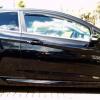
 

Boot Panel

Featured Replies

Just Would Like to Put it Out There.. Before I have Chance.. (Tuesday) to ask My Local Ford Parts Dept..

Does Anyone Know a Part No. for the panel above the Tailgate Handle..

& if possible an idea of approx Price..?

BlurredSmallBootPartOutlined.jpg

Would it come Colour Matched..?

Only Asking As I have Removed the Rear Wiper, fitted a Rubber gromet (as per previous posts)..

I would Like to Try Fill & Smooth the Rear Wiper Hole..

Which for Me Could take a While.. So would want a Replacement to fit during Work in Progress...

Many Thanks for Any Replies.


i spoke to a guy at Ford Fair, he bought a boot panel and got it smoothed to remove the ford badge. he said they were £70 odd except the red one that was alot less. as it was getting sprayed he didnt care about the colour.

give ford a ring and see what the prices are.

I think for Panther Black the part number is 1599925 - worth checking with your dealer. Looks to be around £120.

tailgatehandle.jpg

Latest Deals

Ford UK Shop for genuine Ford parts & accessories

Disclaimer: As the club is an eBay Partner, The club may be compensated if you make a purchase via the club

Join the conversation

You can post now and register later. If you have an account, sign in now to post with your account.

Guest
Reply to this topic...

The "Digestive"


Background Picker
Customize Layout

Account

Navigation

Search

Search

Configure browser push notifications

Chrome (Android)
  1. Tap the lock icon next to the address bar.
  2. Tap Permissions → Notifications.
  3. Adjust your preference.
Chrome (Desktop)
  1. Click the padlock icon in the address bar.
  2. Select Site settings.
  3. Find Notifications and adjust your preference.
