
Skip to content
View in the app

A better way to browse. Learn more.

Ford Owners Club - Ford Forums

A full-screen app on your home screen with push notifications, badges and more.

To install this app on iOS and iPadOS
  1. Tap the Share icon in Safari
  2. Scroll the menu and tap Add to Home Screen.
  3. Tap Add in the top-right corner.
To install this app on Android
  1. Tap the 3-dot menu (⋮) in the top-right corner of the browser.
  2. Tap Add to Home screen or Install app.
  3. Confirm by tapping Install.


Join the Independent Ford Owners' Club

Our community has been built by enthusiasts, for enthusiasts, and proudly run by Ford owners' for over 18 years. As an independent, non-official club, everything you’ll find here, advice, support, and opinions, comes directly from members with genuine Ford ownership experience.

Join our friendly community... it's Free!
 

The New Guy!

Featured Replies

Hi everyone, I'm Shane and from the West Midlands. Decided towards the end of the week I would get a new car and the weekend purchased a Ford Fiesta Zetec S (not the car I was looking for but loved it the moment I saw it) - get to collect it tomorrow and can't wait to be honest. Look forward to talking to you all :)


Hi everyone, I'm Shane and from the West Midlands. Decided towards the end of the week I would get a new car and the weekend purchased a Ford Fiesta Zetec S (not the car I was looking for but loved it the moment I saw it) - get to collect it tomorrow and can't wait to be honest. Look forward to talking to you all :)

Hi Shane,

welcome to the forum,

when you get a momment please join photobucket or a similar image hosting site,

then when you pick up your zetec s take some pictues and upload them to the image hosting site,

it will then offer image codes for each image and you can link them to this thread for us to view and comment,

you may also like to fit some gel overlay badges to cover your existing ford badges in any design you like

http://www.dmb.uk.com/prod/372/ford-badges-gel-overlays-fiesta7

and purchase some T10 w5w led bulbs for your footwells because their are footwell light sockets under the dash that whne you fit some bulbs they will illuminate the drivers and passengers footwell each time you unlock the car or open a door.

enjoy

hello and welcome to the ford owners club.

Hi welcome :)

Hi mate :) Get posting some pics!

  • Author

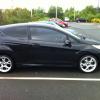
Thanks everyone, below is the newest love of my life, still getting used to it but love the drive and feel of it on the road! Not sure what to do modding wise, think I will get some blue LED lights in the footwells, not sure if I should leave the alloys as they are, or get white one's or even black, what are peoples thought on this and what do you guys think looks best?

Cheers and hope you like the pics!

IMG_0036.jpg

IMG_0037blank.jpg

Nice looking car. Personally if it was mine I'd go with black alloys but personal preference and all that.

i reckon lowering it. having a set of white alloys and it will look spot on :D

footwell lights was first mod i did on mine. looks sweet

Loving it!

I again would love black or white wheels.

Maybe even RED!

  • Author

Thanks for the feedback guys. Still unsure which to get black or white alloys. Anybody on here a whizz n cud prehaps photoshop my car n show me what it would look like with black or white alloys please?

here is a fiesta like yours with black alloys: http://fiestamk7.com/viewtopic.php?f=8&t=885

i cant find one with white alloys and i aint no good at photoshop im afraid lol!

  • Author

No probs. cheers for the link. Not sure if I am 100% keen on black alloys though never really been a fan

hello :) welcome :)

Latest Deals

Ford UK Shop for genuine Ford parts & accessories

Disclaimer: As the club is an eBay Partner, The club may be compensated if you make a purchase via the club

Join the conversation

You can post now and register later. If you have an account, sign in now to post with your account.

Guest
Reply to this topic...

The "Digestive"


Background Picker
Customize Layout

Account

Navigation

Search

Search

Configure browser push notifications

Chrome (Android)
  1. Tap the lock icon next to the address bar.
  2. Tap Permissions → Notifications.
  3. Adjust your preference.
Chrome (Desktop)
  1. Click the padlock icon in the address bar.
  2. Select Site settings.
  3. Find Notifications and adjust your preference.
