
Skip to content
View in the app

A better way to browse. Learn more.

Ford Owners Club - Ford Forums

A full-screen app on your home screen with push notifications, badges and more.

To install this app on iOS and iPadOS
  1. Tap the Share icon in Safari
  2. Scroll the menu and tap Add to Home Screen.
  3. Tap Add in the top-right corner.
To install this app on Android
  1. Tap the 3-dot menu (⋮) in the top-right corner of the browser.
  2. Tap Add to Home screen or Install app.
  3. Confirm by tapping Install.


Join the Independent Ford Owners' Club

Our community has been built by enthusiasts, for enthusiasts, and proudly run by Ford owners' for over 18 years. As an independent, non-official club, everything you’ll find here, advice, support, and opinions, comes directly from members with genuine Ford ownership experience.

Join our friendly community... it's Free!
 

Help Needed

Featured Replies

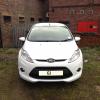
2011 Fiesta Zetec S

Apologise about the lack of knowledge on my behalf.

Basically, I have no idea what I am doing thus far. I am looking to add a red ambient lighting to the bottom of the dash board, over the pedals and passanger side also. What sort of lights am I looking for?

Secondly, any detailed guides (videos probably better) on how to install them would be great.

Also, I am looking to make the rather horrid looking silver plastics around the dashboard and radio and change the colour of it. That should be relatively easy to do to be honest, I can take it all apart and most probably put it back together, but what do I spray it with? Cause, without sounding to stupid, it's obviously not normal paint haha.

Any help would be much appreciated, never done many mods to a car before but we all gotta start somewhere right


hi lee, check out the guides section on here on how people have done upgrades.

regarding the lights, use the 501 wedge bulbs from ebay, in a focus the socket is already there but i dont know if this is the same in your fiesta.

with the plastics, you can use the plastikote stuff which is good but a lot of people have used 3m carbon wrap, maybe you could use something similar.

try out the fiesta section too as you will get more info/advice in there.

good luck

  • Author

Ah nice one mate. Will

Double check the price of those bulbs in the morning and see if i can have a go at it without ripping any wires

Basically, I have no idea what I am doing thus far. I am looking to add a red ambient lighting to the bottom of the dash board, over the pedals and passanger side also. What sort of lights am I looking for?

http://www.fordownersclub.com/forums/topic/37683-ambient-lighting-in-dashboard

http://www.fordownersclub.com/forums/topic/34710-led-footwell-lights-which-colour-show-of-hands-needed

Also, I am looking to make the rather horrid looking silver plastics around the dashboard and radio and change the colour of it. That should be relatively easy to do to be honest, I can take it all apart and most probably put it back together, but what do I spray it with? Cause, without sounding to stupid, it's obviously not normal paint haha.

My video will help you remove them ;)

  • Author

Would someone be able to do me a massive favour and link me to somewhere(halfords or somewhere easily accesible) as to which interior paint to get and what 'laquer'(probably spelt wrong) to use. Possibly even the dash tool, otheriwse I'll just use a flathead with a cloth over it, will most likely break something but you got to start somewhere right haha

Going to have a go at painting the interior dash this weekend.

PS. Thanks for the video Nath, it will come in handy I am sure of that.

  • Author

Nice one, I'll bookmark them for saturday morning. So I take it I would have to get the previous paint off beforehand then?

Then primer, then paint, then 2 coats of that lacquer.

Latest Deals

Ford UK Shop for genuine Ford parts & accessories

Disclaimer: As the club is an eBay Partner, The club may be compensated if you make a purchase via the club

Join the conversation

You can post now and register later. If you have an account, sign in now to post with your account.

Guest
Reply to this topic...

The "Digestive"


Background Picker
Customize Layout

Account

Navigation

Search

Search

Configure browser push notifications

Chrome (Android)
  1. Tap the lock icon next to the address bar.
  2. Tap Permissions → Notifications.
  3. Adjust your preference.
Chrome (Desktop)
  1. Click the padlock icon in the address bar.
  2. Select Site settings.
  3. Find Notifications and adjust your preference.
