
Skip to content
View in the app

A better way to browse. Learn more.

Ford Owners Club - Ford Forums

A full-screen app on your home screen with push notifications, badges and more.

To install this app on iOS and iPadOS
  1. Tap the Share icon in Safari
  2. Scroll the menu and tap Add to Home Screen.
  3. Tap Add in the top-right corner.
To install this app on Android
  1. Tap the 3-dot menu (⋮) in the top-right corner of the browser.
  2. Tap Add to Home screen or Install app.
  3. Confirm by tapping Install.


Join the Independent Ford Owners' Club

Our community has been built by enthusiasts, for enthusiasts, and proudly run by Ford owners' for over 18 years. As an independent, non-official club, everything you’ll find here, advice, support, and opinions, comes directly from members with genuine Ford ownership experience.

Join our friendly community... it's Free!


Advice For A Car Novice :)
Featured Replies

Hello everyone!

Hope you are all well?

I've been all over the forum looking for an answer but have turned up nothing, so I've resorted to making a new thread!

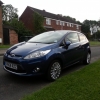
I've been lucky enough to have a Fiesta Titanium Mk7 2008 for the last 6 months. However, the power folding mirrors have stopped working.

After traveling to work on Friday, I left the car unlocked in the garage and came back a few hours later, started to drive home, stalled (the shame!!) and the mirrors folded in for some reason.

Since then I've manually moved them back into place, and made sure that I've set them back the "link to lock" via the vehicle menu, but they still don't work.

Any idea what could have caused this and what can be done to fix it?

Many thanks for any help you can give!


Have you tried pushing the knob used to adjust the mirror positions down when it's turned to the centre (ie not adjusting either mirror)? This folds them in/out and from what I remember in a hire car that had them (my own car doesn't) if you fold them in with this you then have to fold them out again with this before they continue working with the central locking. I distinctly remember thinking I'd broken something with them as they were no longer synced to the locking despite the menu setting saying they were!

Is there also a chance you could have damaged something in them by manually pushing them out? I don't know how they work but I guess they're designed to allow this? The very fact you managed to do so implies they are.

It's just an electric motor inside the mirror that moved free when not working and you are correct that turning the knob the allows you to adjust your mirrors the the centre position then pulling down on the knob allows you to work them manually (I do this at night on the motorway to avoid glare) not sure on the out of sync thing but I can try it and let you know if it helps

  • Author

Hi both,

Thank you both for your help!

I pressed the mirror adjuster and the mirrors clunked back into place, and now they work perfectly!

Again, many thanks for your help!

Latest Deals

Ford UK Shop for genuine Ford parts & accessories

Disclaimer: As the club is an eBay Partner, The club may be compensated if you make a purchase via the club

Join the conversation

You can post now and register later. If you have an account, sign in now to post with your account.

Guest
Reply to this topic...

The "Digestive"


Background Picker
Customize Layout

Account

Navigation

Search

Search

Configure browser push notifications

Chrome (Android)
  1. Tap the lock icon next to the address bar.
  2. Tap Permissions → Notifications.
  3. Adjust your preference.
Chrome (Desktop)
  1. Click the padlock icon in the address bar.
  2. Select Site settings.
  3. Find Notifications and adjust your preference.
