
Skip to content
View in the app

A better way to browse. Learn more.

Ford Owners Club - Ford Forums

A full-screen app on your home screen with push notifications, badges and more.

To install this app on iOS and iPadOS
  1. Tap the Share icon in Safari
  2. Scroll the menu and tap Add to Home Screen.
  3. Tap Add in the top-right corner.
To install this app on Android
  1. Tap the 3-dot menu (⋮) in the top-right corner of the browser.
  2. Tap Add to Home screen or Install app.
  3. Confirm by tapping Install.


Join the Independent Ford Owners' Club

Our community has been built by enthusiasts, for enthusiasts, and proudly run by Ford owners' for over 18 years. As an independent, non-official club, everything you’ll find here, advice, support, and opinions, comes directly from members with genuine Ford ownership experience.

Join our friendly community... it's Free!


Central Locking
Featured Replies

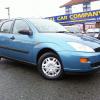
hello i have just bought a focus 51 plate , it has central locking , [ intermittent fault ] works when it wants to , also there is know remote for it , i have to use the key , can i buy another remote for it ,if so where from and how much , any info / help woud be appreciated thank you


Hi MSRS, when you say it works when it wants, do you mean it only unlocks one door periodically? is it related to temperature perhaps? Do you hear the other doors click in as if they try to unlock?

As for the remotes, if your car previously has had remotes then you can buy them and code them without too much agro, but depending on the variant of focus and due to the year, I *think* there were some of the lesser spec had the option of being built without remote central locking (who on earth would choose to do that :P)

Let us know the info and we can see what we can do for you!

... Oh and welcome along :)

  • Author

hi thanks for the reply , when i put the key in , you can hear all the locks working and does unlock all the doors , it a ford focus 1.4 cl , 2001 model if this helps thanks

from your previous statement abouve, whats the problem? except for the remote bit??

When it falls over does it open one door onlu?have you tried unlocking from passenger side?

hi thanks for the reply , when i put the key in , you can hear all the locks working and does unlock all the doors , it a ford focus 1.4 cl , 2001 model if this helps thanks

Check the minor features section of your car here; http://www.etis.ford.com/vehicleSelection.do

In the expanded list it should say "With Door Entry Remote Control Unit" if factory installed.

I'm pretty sure that the CL version did not come with remote central locking, i'm pretty sure it was only on the LX and above.

Cl does not have remote locking via remote only via the key

  • Author

thanks to members for the info about my central locking

I've got an 2001 1.6 LX - the central locking works fine from the key remote but can't be locked from the front internal door lock tabs, the fuses are fine (can't see if it has the mystical fuse 63) but I'm not sure what to look at next.

Hi PaulHere, so your saying the car locks properly remote and not from the outside, but if you sit inside the car and try to lock the car from the door locks, only the one door is locked?

Hello jeebowhite, that's right.

just to reiterate:

The remote key fob works fine to lock and unlock all doors.

The central locking does not activate from the door locks inside the car, only one door is locked when you press the tab.

Sounds like a potential loose connection on the solenoid on the drivers door... How comfortable are you stripping the door down?

I'm more afraid for the door :rolleyes:

Any tips for removing the door card?

Latest Deals

Ford UK Shop for genuine Ford parts & accessories

Disclaimer: As the club is an eBay Partner, The club may be compensated if you make a purchase via the club

Join the conversation

You can post now and register later. If you have an account, sign in now to post with your account.

Guest
Reply to this topic...

The "Digestive"


Background Picker
Customize Layout

Account

Navigation

Search

Search

Configure browser push notifications

Chrome (Android)
  1. Tap the lock icon next to the address bar.
  2. Tap Permissions → Notifications.
  3. Adjust your preference.
Chrome (Desktop)
  1. Click the padlock icon in the address bar.
  2. Select Site settings.
  3. Find Notifications and adjust your preference.
